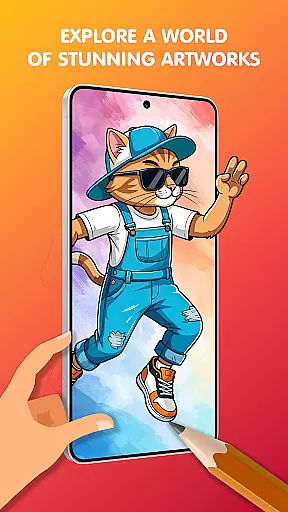
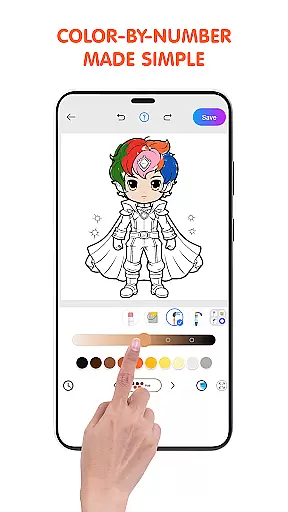
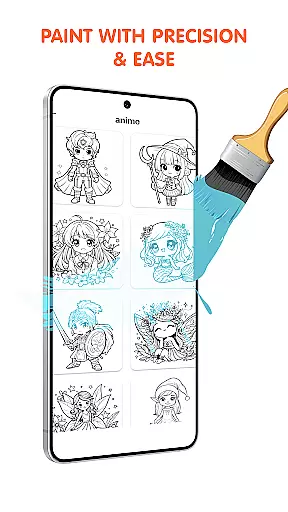
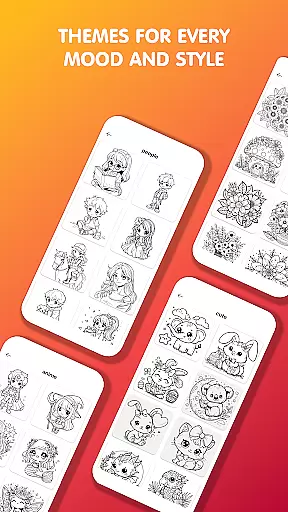
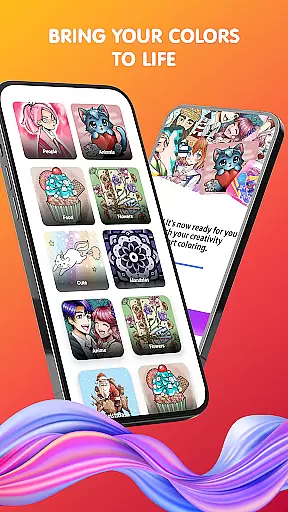
Pop Color is a personalization app designed to help users escape daily stress while expressing their creativity through coloring. With an extensive library of illustrations, including mandalas, animals, and seasonal designs, it offers a relaxing artistic experience for all ages. The app provides intuitive tools such as brushes, pencils, and gradients that make painting simple yet powerful.
Available anytime and anywhere, Pop Color also features daily illustrations and special themed packs to keep users engaged. Whether you're looking to unwind after a busy day or explore your creative side, this app combines mindfulness with vibrant visuals, making it perfect for both beginners and experienced artists.
Pop Color stands out with its rich set of features tailored for relaxation and creativity. The app includes an expansive coloring book filled with endless pages of diverse themes like animals, landscapes, and intricate patterns. Each illustration can be customized using unlimited colors, textures, and advanced tools such as smudge and spray effects.
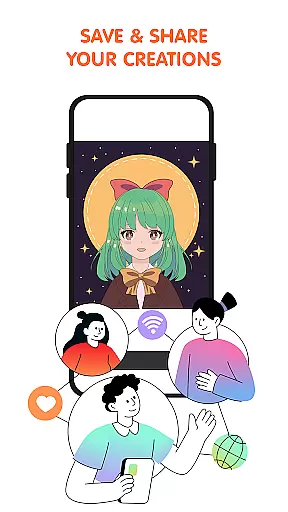
For added engagement, the app introduces new illustrations daily and offers exclusive seasonal content tied to holidays and events. Users can share their finished artwork directly on social media platforms. Additionally, upgrading removes ads and unlocks premium features, enhancing the overall user experience by providing uninterrupted access to all tools and content.
Pop Color offers a rich variety of customization options that cater to both casual and serious artists. With an extensive library of illustrations, users can choose from mandalas, animals, landscapes, and patterns, each providing a unique canvas for creativity.
The app includes unlimited color choices, allowing users to experiment with solid colors, soft gradients, or textures. This flexibility ensures that every piece of art can be personalized to reflect individual tastes and styles.
Simple yet powerful tools such as brushes, pencils, smudge, and spray are readily available, empowering users to achieve professional results without the need for advanced skills. These tools make it easy to explore different artistic techniques and bring imagination to life.
Ensuring seamless theme compatibility, Pop Color provides an intuitive design suitable for all ages and skill levels. Whether you're a beginner looking to explore your creativity or a seasoned artist seeking a digital escape, the app's interface is designed to accommodate everyone.
Special and seasonal packs are regularly updated, offering themed coloring challenges that align with holidays and events. This keeps the content fresh and engaging, encouraging users to return and explore new themes frequently.
Additionally, the ability to share creations instantly on social media platforms ensures that users can showcase their work within their preferred digital environments, enhancing connectivity and engagement with a broader audience.
Stress-relief focus
Vibrant color options
User-friendly interface
Daily unique illustrations
Social sharing capability
Premium upgrade cost
Limited free content
Ads in free version
High device storage use
Occasional bugs

Beautiful realistic hybrid watch face with numerous customization options.
 4.50
4.50
Ninja Turtles Cowabunga SE watch face for Wear OS
4.50
Unique Android Launcher
4.60
Interactive Miniature Painting Catalogue
3.30
App Icon Changer & Shortcut Creator. Customize your icons without any watermarks
4.30
Custom edge gestures for volume control, brightness, apps, and shortcuts.
4.1
300+ Stunning and well-designed widgets inspired by NOTHING.
4.70
Enjoy a variety of amazing live wallpapers and colorful EDGE lighting borders!
4.80
Install amazing sticker packs: endless styles, always cool.
4.70
Dark icon pack based on One 8
4.80
100+ Stylish Fonts, Emojis, Symbols keyboard for Instagram & TikTok!
4.80
A launcher for Samsung Good Lock and Good Guardians modules without ads
4.70
Personalize your phone with stunning HD and 4K wallpapers!
4.70
Transform your device in a game console
4.40
Unique Fonts, typefaces and stylish text. Fonts for Instagram, Whatsapp & others
4.20
Organize and manage your photos and videos effortlessly with Photo Gallery
4.20
Magic fluids wallpaper 4D: Relax with stunning fluid simulation wallpaper app
4.20
Transfer your live wallpapers from Windows to Android using Wallpaper Engine!
4.00
Adorable pets roam and play right on your phone screen!
3.30


User Reviews