
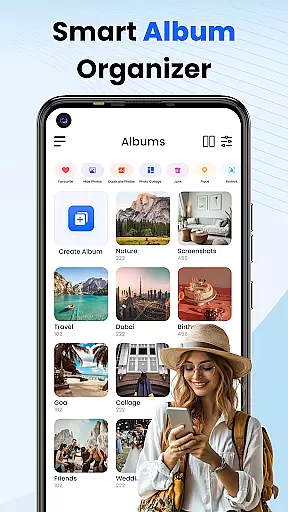
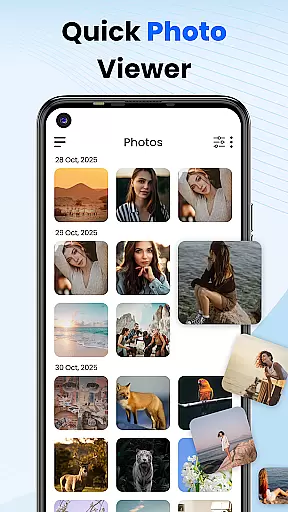
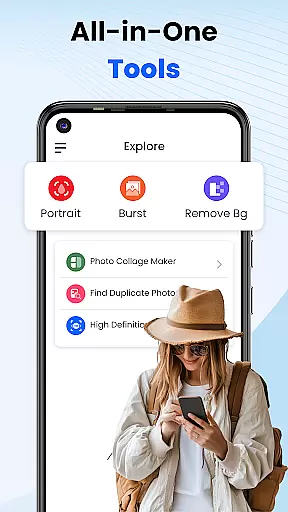
Gallery 2025 is a comprehensive photo management app designed to simplify the organization and enhancement of your digital memories. This feature-rich application offers smart organization tools that automatically categorize photos and videos by timeline, location, and path, making it effortless to manage large media libraries. With built-in editing capabilities, users can easily enhance their images directly within the app.
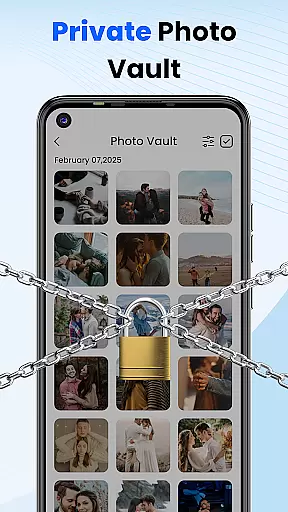
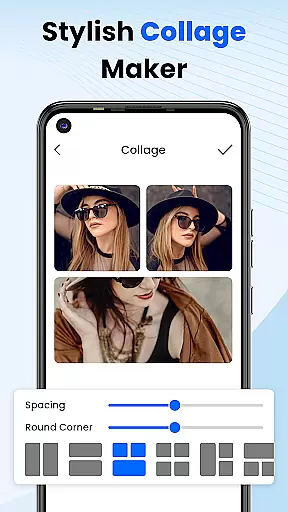
The app places a strong emphasis on user privacy with its secure Vault functionality. Sensitive media can be protected using PIN, pattern, or security question authentication. Additionally, Gallery 2025 provides recovery options for accidentally deleted files and supports easy file transfer to and from SD cards. Its lightweight design incorporates essential features like album locking, collage creation, and video playback, making it an all-in-one solution for Android users seeking efficient photo management.
Gallery 2025 distinguishes itself through its robust feature set tailored for both casual users and photography enthusiasts. The app's Smart Organization system uses advanced algorithms to automatically sort media files, while its powerful search functionality enables quick retrieval of specific content based on location or date parameters. The integrated photo editor provides essential tools for basic image enhancement without requiring external applications.
Security features are particularly noteworthy, with multiple layers of protection available for sensitive media. The Private Vault system employs military-grade encryption to safeguard confidential files, while Gallery Lock adds an additional layer of security through password or pattern protection. Users can also recover accidentally deleted media from the recycle bin and manage their storage efficiently through seamless SD card integration. These comprehensive features make Gallery 2025 a versatile tool for managing both personal and professional media collections.
Customization is at the heart of Photo Gallery, allowing users to tailor their photo management experience according to their preferences. This app offers a wide array of customization options that cater to both novice and advanced users.
Users can organize their media by timeline, location, or path, ensuring that every photo or video is exactly where you want it. The ability to create collages adds a creative touch to your memories, enabling personal expression through visual storytelling.
Beyond organization, the app provides powerful editing tools that let you enhance your photos with ease. Adjustments and filters are readily available, giving you the power to transform any image into a work of art. These features collectively ensure that your gallery remains uniquely yours.
The inclusion of privacy features such as album locking and a secure vault means that personalization extends to how you protect your cherished moments. With various security methods like PINs, patterns, or security questions, peace of mind is guaranteed alongside a personalized user experience.
Photo Gallery ensures seamless theme compatibility, providing users with visually cohesive experiences across different devices and screen sizes. This attention to aesthetic detail enhances usability while maintaining the integrity of your carefully curated gallery.
Whether you prefer a light or dark theme, this app adapts effortlessly to match your device's settings or personal preference. Such flexibility not only improves readability but also reduces eye strain during extended use.
In addition to supporting standard themes, Photo Gallery allows for deeper integration with custom themes if desired. This means that no matter how unique your deviceu2019s appearance is, the app will blend in harmoniously without compromising functionality.
By prioritizing theme compatibility, Photo Gallery guarantees an intuitive interface that feels natural on any Android device. Users can enjoy their photos and videos exactly as they were meant to be seenu2014beautifully presented within a fully customizable environment.
User-friendly interface
Advanced security features
Comprehensive editing tools
Efficient file organization
Reliable backup solutions
Premium features locked
Occasional performance lag
Limited customization
Ads in free version
Storage limitations

Ultra realistic gold analog watch face with lots of customization options.
 4.50
4.50
Art & Emoji Keyboard with Cool Fonts, Cute Themes and Custom Designs.
4.40
Add cute Shimeji pets to screen, interact with them and relax with cute motions
4.60
Dark icon pack based on One 8
4.80
More than 3000+ themes and 9000+ wallpapers for everybody!
4.10
Want to make your phone more special than ever?
4.60
App Icon Changer & Shortcut Creator. Customize your icons without any watermarks
4.30
Crystal-clear, square icon provides a sleek and sophisticated visual upgrade
4.00
300+ Stunning and well-designed widgets inspired by NOTHING.
4.70
400+ Beautifully crafted widgets inspired by NOTHING.
4.70
Stunningly Different look with Line Icons and Neon Colors
4.60
Ultimate Gallery Lock App - Hide Pictures, Videos and Lock Apps Instantly!
4.60
Beautiful realistic hybrid watch face with numerous customization options.
4.50
Transform your phone with Launcher iOS 26 - Smooth & elegant iOS experience
4.50
Your home screen, just the way you like it.
4.30
Unleash Your Creativity and Connect with Loved Ones with Lockscreen Drawing!
4.20
Your go to Weather App & Home Screen. Get your weather at a swipe of a finger!
3.80
Turn your lock screen into fun with smile live wallpapers & animated wallpapers!
2.50
Capture moments that pass like a storm, second by second.
4.5


User Reviews