
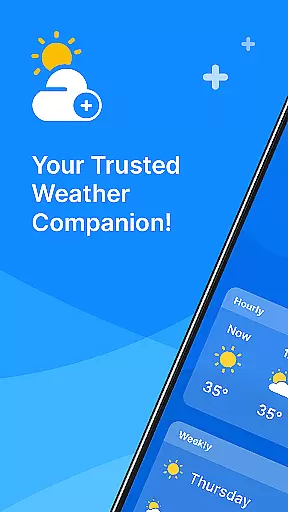
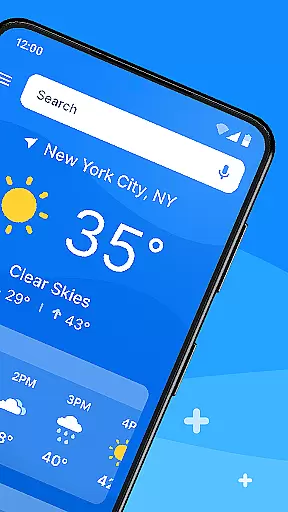
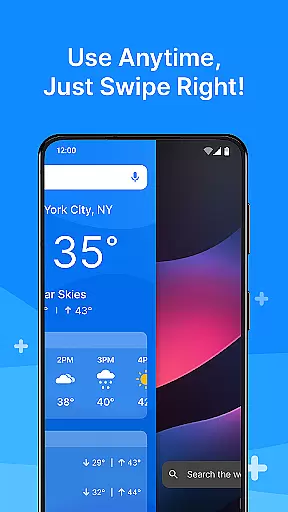
All Weather Mode is a comprehensive weather application designed to keep users informed about current and forecasted weather conditions. The app provides real-time updates, detailed forecasts, and location-based reporting, ensuring users are prepared for any weather scenario. With an intuitive home screen layout, it offers quick access to essential weather information, making it easy to plan daily activities or outdoor adventures.
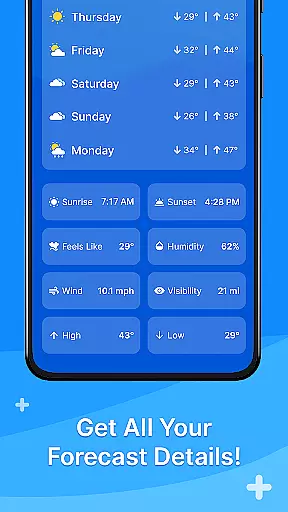
One of the standout features is its robust search functionality powered by Yahoo, which allows users to quickly find weather details for specific locations. Additionally, the app includes sunrise and sunset times, feels-like temperatures, humidity levels, wind speed, visibility, and precipitation percentages. Whether you need to know the weather for your current location or multiple destinations, All Weather Mode delivers accurate data to help you make informed decisions.
This application is particularly useful for individuals who require reliable weather information to manage their day-to-day activities effectively. By providing timely alerts and detailed forecasts, All Weather Mode ensures that users can stay safe and organized, regardless of the weather conditions they may encounter.
All Weather Mode stands out with its array of features tailored to meet the needs of weather-conscious individuals. One of the key highlights is its intuitive home screen layout, which simplifies navigation and provides easy access to critical weather data. Users can swipe through shortcuts to obtain forecasts without having to search extensively within the app.
The app excels in delivering real-time weather reporting, offering up-to-the-minute information on temperature, sunrise and sunset times, feels-like temperatures, humidity, wind speed, and visibility. This ensures that users have all the necessary details at their fingertips to make informed decisions about their day.
Another significant feature is the detailed seven-day forecast, complete with daily highs and lows, hourly updates, and precipitation percentages. This helps users plan their week with confidence, knowing they have accurate and timely weather information. Additionally, the location-based weather functionality allows users to monitor multiple locations, making it ideal for travelers or those concerned about loved ones in different areas.
Weather Mode: Weather Launcher stands out with its extensive customization options, allowing users to tailor the app to their specific needs and preferences. The intuitive home screen layout is fully customizable, providing easy access shortcuts for quick weather updates.
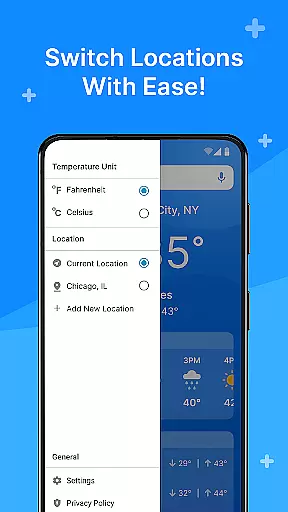
The app offers a personalized experience through its robust search functionality powered by Yahoo, enabling users to add multiple locations and receive location-based weather reports. This feature ensures that you can stay informed about the weather in various areas that matter to you, whether it's your hometown or a travel destination.
With quick-swipe shortcuts, users can effortlessly navigate through different features and access detailed forecasts, sunrise and sunset times, and real-time weather reporting. These customization options enhance user engagement by simplifying the process of obtaining critical weather information.
Ultimately, the variety of customization options in Weather Mode: Weather Launcher empowers users to create a personalized weather station that fits seamlessly into their daily routines, ensuring they are always prepared for whatever weather comes their way.
Theme compatibility is a crucial aspect of Weather Mode: Weather Launcher, ensuring that the app maintains visual consistency across different devices and operating systems. The clean and intuitive home screen layout is designed to be visually appealing while offering seamless integration with various themes.
Users can enjoy a cohesive experience as the app supports a wide range of themes, allowing for personalization without compromising on functionality or aesthetics. Whether you prefer a light or dark theme, the app's interface remains clear and easy to navigate, enhancing usability.
In addition to supporting multiple themes, Weather Mode: Weather Launcher provides detailed forecasts and real-time weather reporting that align perfectly with the chosen theme. This ensures that all graphical elements, such as temperature graphs and precipitation charts, are displayed accurately and attractively.
By prioritizing theme compatibility, Weather Mode: Weather Launcher delivers a visually consistent and highly functional user experience, making it an essential tool for staying informed about the weather while enjoying a personalized and aesthetically pleasing interface.
User-friendly interface
Real-time updates
Detailed forecasts
Location-based reporting
Robust search functionality
Limited customization options
Occasional data inaccuracies
Ads can be intrusive
Requires constant internet connection
Some features locked behind premium

A launcher for Samsung Good Lock and Good Guardians modules without ads
 4.70
4.70
Turn your lock screen into fun with smile live wallpapers & animated wallpapers!
2.50
Wallpaper HD 4K Live - Thousands of high-quality Anime backgrounds for you.
4.80
Want to make your phone more special than ever?
4.60
Aesthetic Widgets, HD Wallpapers, Themes in Mico Widget for Home and Lock Screen
4.50
⭐ OneUI inspired Fluffy Icon Pack – Soft. Stylish. Standout. ⭐
4.2
Choose your keyboard with RGB colors effect, themes, fonts, emojis.
4.60
Transform your phone with stunning video wallpapers and a unique, personal touch
3.80
Install amazing sticker packs: endless styles, always cool.
4.70
Shimeji adds cute animated characters to your screen, lively and fun.
4.70
Unique Android Launcher
4.60
Bring adorable pets to life on your screen. Playful, interactive and full of fun
4.60
Add cute Shimeji pets to screen, interact with them and relax with cute motions
4.60
Color phone with cool effects for call screen, flash alert & ringtones music
4.50
A light in the dark, a unique style and an andless cutomization!
4.30 4.10
4.10
Customizable flower power digital watch face for Wear OS watches.
4.00
Customize glowing edges, wallpapers, and caller screen with EdgeAura.
3.50
Struggling to find apps? Use this app to locate and open any app on your phone!
2.20


User Reviews