
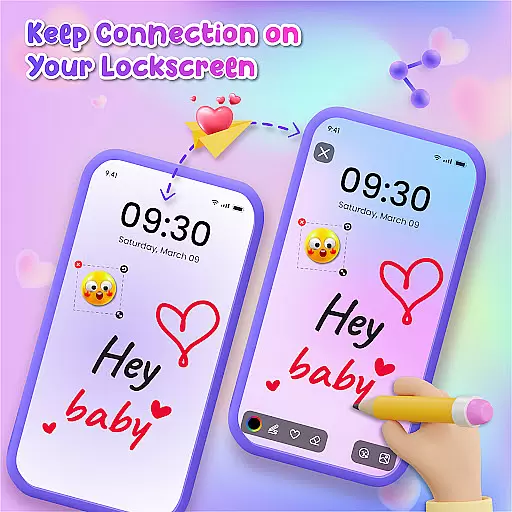
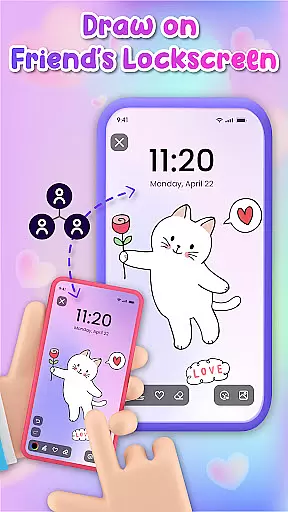
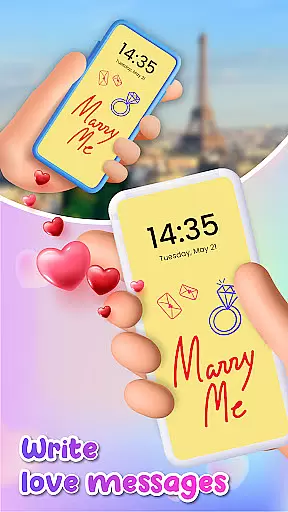
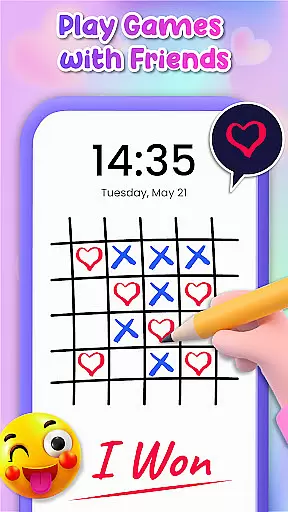
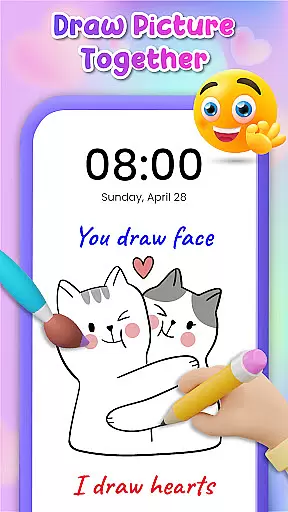
Lockscreen Drawing is a unique personalization app that transforms your phone's lock screen into an interactive canvas. This innovative application allows users to draw directly on their lock screens, share creations instantly with friends, and collaborate in real-time. With over 100 stickers and multiple background options, it offers endless creative possibilities.
The app features live lock screen collaboration, enabling connected users to see each other's drawings appear in real time. It includes a handy widget for quick access and an in-app canvas for more detailed artwork. Users can personalize their creations with various backgrounds and stickers, making it perfect for both casual doodling and meaningful connections.
This personalization tool is particularly valuable for couples and close friends who want to surprise each other with custom drawings or messages. The ability to save and share creations adds practical value, while its intuitive interface makes artistic expression accessible to everyone, regardless of their drawing skills.
Lockscreen Drawing stands out with its comprehensive set of creative tools and collaborative features. The app's core functionality revolves around its live lock screen drawing capability, where users can create artwork that appears instantly on their friends' devices, fostering a unique form of digital communication.
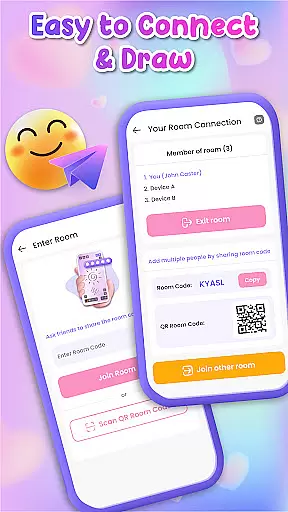
Several advanced features enhance the user experience: a dedicated widget keeps users updated on friends' latest creations, while an in-app canvas provides more sophisticated drawing capabilities. The app offers over 100 free stickers and 20+ themed backgrounds, allowing for extensive personalization. Multiple connection methods, including QR codes and special codes, make it easy to establish connections with friends.
Additional practical features include the ability to use personal photos as backgrounds, save completed artworks to the gallery, and share creations across different platforms. These features combine to create a versatile personalization tool that goes beyond simple lock screen customization, offering a complete creative ecosystem for self-expression and social connection.
Lockscreen Drawing offers a rich array of customization options that allow users to personalize their lock screens like never before. With over 100 unique stickers and more than 20 themed backgrounds, the app provides endless possibilities for creative expression.
The ability to choose from various backgrounds, including personal photos or pre-designed themes, ensures that every user can find the perfect canvas for their artistic vision. This flexibility in setting the scene makes each creation truly unique.
Users can also enhance their doodles with an extensive collection of stickers, adding personality and flair to their artwork. These features collectively empower users to transform their lock screens into dynamic spaces for self-expression.
Theme compatibility is at the heart of Lockscreen Drawing's appeal, ensuring that all customizations are visually cohesive and compatible across devices. The app supports a wide range of themes, allowing seamless integration with different smartphone models and operating systems.
This compatibility extends beyond just visual aesthetics; it encompasses functional aspects as well. Whether using the live lock screen collaboration feature or the handy widget, users can expect consistent performance and appearance throughout their creative journey.
By prioritizing theme compatibility, Lockscreen Drawing guarantees that every personalized element, from stickers to background choices, maintains its intended impact, providing a unified and engaging user experience.
User-friendly interface
Real-time collaboration
Extensive sticker library
Versatile background options
Unique social features
Limited professional tools
Potential battery impact
Privacy concerns
Occasional glitches
Learning curve

Only for Wear OS devices!
 4.90
4.90
Transform your phone with Launcher iOS 26 - Smooth & elegant iOS experience
4.50
Adult video chat, dating, making friends, random matching
4.20
More than 3000+ themes and 9000+ wallpapers for everybody!
4.10
Crystal-clear, square icon provides a sleek and sophisticated visual upgrade
4.00
Struggling to find apps? Use this app to locate and open any app on your phone!
2.20
Transform your phone with stunning video wallpapers and a unique, personal touch
3.80
Fast SMS & group chat - use GIFs and emojis from your home screen launcher.
4.50
Create stunning widgets with Widget 2026: Aesthetic Widgets for Android!
4.60
Vertically oriented rectangular icons
4.70
Stunningly Different look with Line Icons and Neon Colors
4.60
Ultra realistic high quality analog watch face for Wear OS.
4.60
Embrace the Night. Unleash the power of darkness with Raven Dark Icon Pack
4.60
AI-powered Copilot. Personalized keyboard with gifs, stickers & themes
4.40
Transform your device in a game console
4.40
App Icon Changer & Shortcut Creator. Customize your icons without any watermarks
4.30
Your home screen, just the way you like it.
4.30
Create unique, fun emojis with Funny Emoji Maker! Unlimited creativity!
4.00
Adorable pets roam and play right on your phone screen!
3.30


User Reviews