
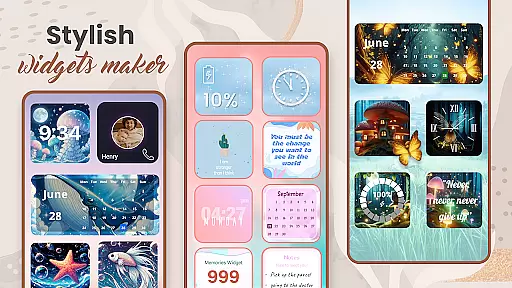
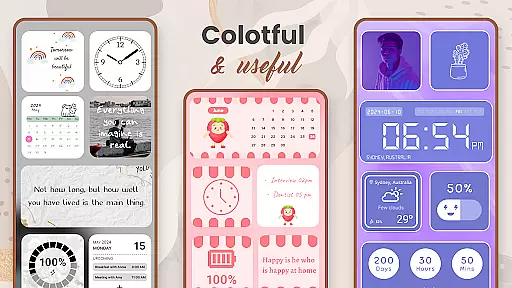
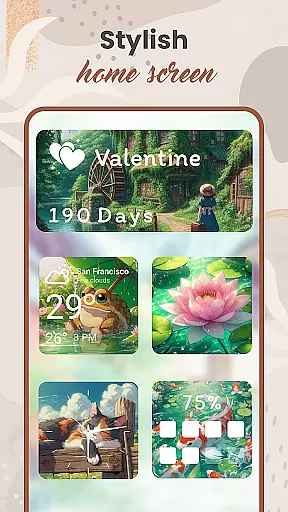
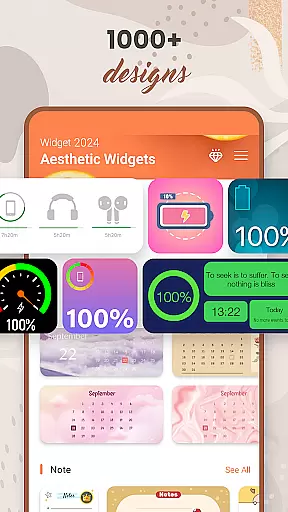
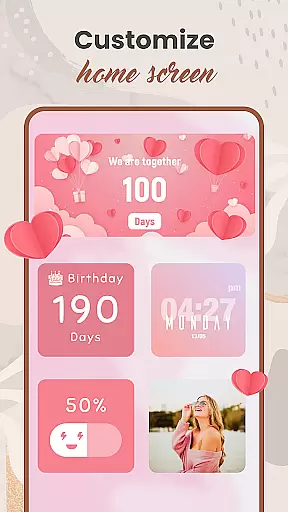
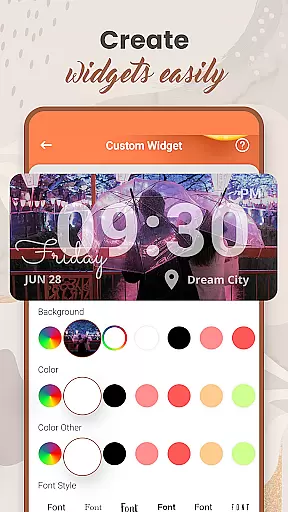
Widget 2025 is a powerful personalization app that allows Android users to transform their home screens with aesthetic and functional widgets. The app offers an extensive range of customization options, including color widget creation, photo widgets, weather updates, clock styles, calendar displays, countdowns, and more.
With over 1000 stylish templates to choose from, users can easily create unique home screen layouts that suit their personal preferences. The intuitive interface makes it simple to customize fonts, colors, backgrounds, and styles, while the advanced widget editor lets you tailor each element to your exact needs.
This application is particularly useful for users who want to optimize both the functionality and appearance of their Android devices. Whether you need practical tools like weather forecasts or simply want to display your favorite photos, Widget 2025 provides everything needed to create a personalized mobile experience.
Widget 2025 stands out through its comprehensive feature set designed for maximum customization. The app includes a powerful Color Widget Maker that enables users to design custom widgets matching their preferred color schemes. Its Photo Widget functionality allows seamless integration of personal images directly onto the home screen.
The application also features essential tools like weather displays, clock widgets, calendar views, and note-taking capabilities. Each widget is fully customizable - users can adjust fonts, colors, sizes, and transparency levels to create cohesive designs. Advanced options include countdown timers, battery indicators, and contact shortcuts.
What sets Widget 2025 apart is its user-friendly interface combined with professional-grade customization tools. The drag-and-drop editor simplifies complex design tasks, while the extensive template library ensures quick setup for beginners. These features collectively enable users to create sophisticated home screen arrangements that are both beautiful and practical.
Customization is at the heart of Widget 2025, allowing users to tailor their Android experience like never before. With over a thousand aesthetic widgets to choose from, this app provides an extensive range of customization options that cater to every user's unique style and preference.
The app offers powerful tools such as the Color Widget Maker and widget editor which enable users to create fancy widgets for Android with ease. These features ensure that personalizing your device isn't just about function, but also about expressing individuality through design.
Users can customize colors, fonts, styles, and backgrounds on their widgets, ensuring that each element on the home screen resonates with their personal aesthetic. This level of detail in customization empowers users to craft a cohesive look that transforms their Android devices into personalized hubs of productivity and self-expression.
Widget 2025 excels in theme compatibility, providing seamless integration with various Android themes to maintain visual consistency across the user's device. Whether you're using stock Android or a custom skin, these aesthetic widgets adapt effortlessly to match your system's appearance.
The app supports diverse themes by offering customizable elements that align with different visual styles. Users can select from an array of designs including weather, clock styles, calendar layouts, and more u2013 all crafted to blend harmoniously with existing themes while adding new dimensions of functionality.
This commitment to theme compatibility ensures that no matter how users choose to personalize their screens, they will enjoy a unified aesthetic that enhances both form and function without compromising on either aspect.
Extensive customization
User-friendly interface
Versatile widget options
Regular updates
Stable performance
Premium features locked
Occasional bugs
Ads in free version
Learning curve
Device compatibility

Glass style colourful icons with a One UI look and feel
 4.60
4.60
Fingerprint Lock Screen & Live Animations with 4K Wallpapers as Live Wallpaper
4.40
Art & Emoji Keyboard with Cool Fonts, Cute Themes and Custom Designs.
4.40
Shimeji adds cute animated characters to your screen, lively and fun.
4.70
More than 3000+ themes and 9000+ wallpapers for everybody!
4.10 4.50
4.50
Vibrant Adaptive Icons with Material You and Enhanced Monet Colors.
4.50
300+ Stunning and well-designed widgets inspired by NOTHING.
4.70
Struggling to find apps? Use this app to locate and open any app on your phone!
2.20
Customizable Glass widgets. Over 360+ stunning widgets and more!
4.70
Classic analogue watch face. For wear os devices.
4.60
Unique Android Launcher
4.60
Aesthetic Widgets, HD Wallpapers, Themes in Mico Widget for Home and Lock Screen
4.50 4.50
4.50
Run multiple accounts of the same app on a single device
4.10 4.10
4.10
Transform your phone with stunning video wallpapers and a unique, personal touch
3.80
Prank your friends with realistic broken screen and cracked HD effects!
4.2
Custom edge gestures for volume control, brightness, apps, and shortcuts.
4.2


User Reviews