
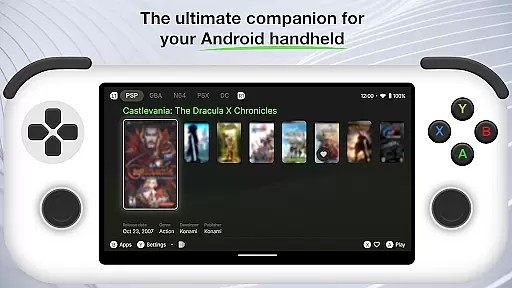
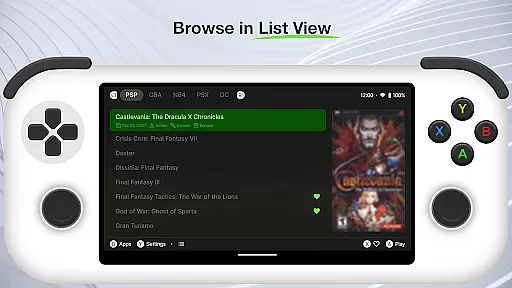
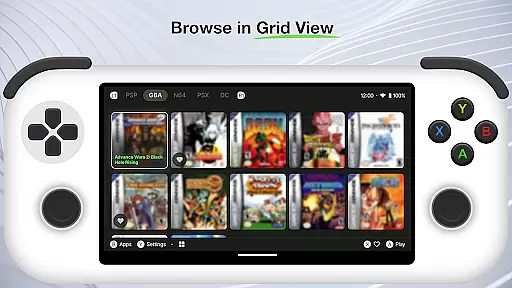
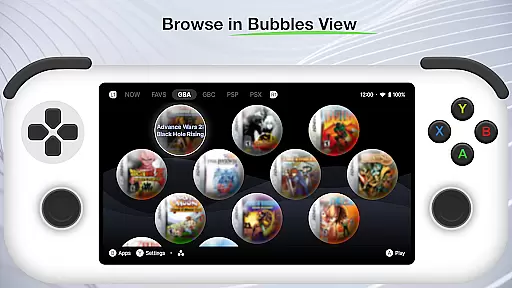
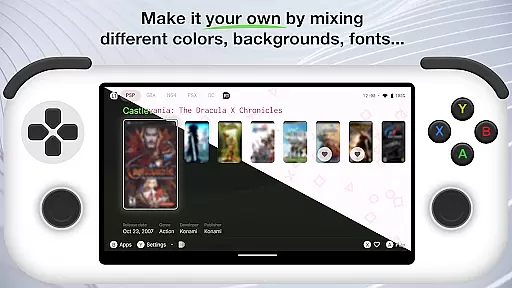
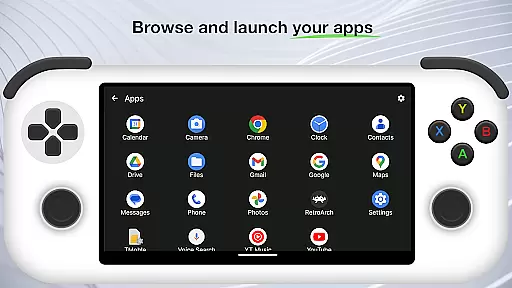
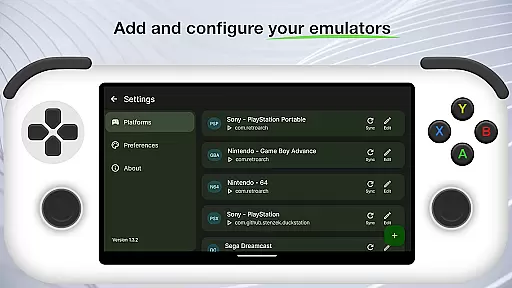
Beacon Game Launcher is an innovative Android launcher specifically designed for retro gaming enthusiasts. This application serves as a central hub to organize and launch your classic game collection.
The app's core functionality lies in its ability to integrate with various emulators, allowing users to add their preferred emulation software and manage multiple gaming platforms from a single interface. Its automated scraping feature enhances your game library by collecting cover art and metadata without manual input.
Ideal for gamers who value both functionality and presentation, Beacon Game Launcher transforms the retro gaming experience by combining practical organization tools with visually appealing presentation elements. The app particularly shines in its ability to create a professional-looking game library that resembles modern digital distribution platforms.
Beacon Game Launcher distinguishes itself through several notable features. The application's primary capability is its versatile emulator integration system, which supports multiple emulation platforms while maintaining a unified user interface.
A key innovation is the automatic media scraping function, which intelligently collects game information, box art, and metadata from various sources. This feature saves users considerable time while building a comprehensive and visually appealing game library.
Additional features include customizable layouts, advanced filtering options, and quick-launch capabilities. These elements work together to create a personalized and efficient gaming management system that caters to both casual players and serious collectors.
Beacon Game Launcher offers a wide array of customization options that allow users to tailor their gaming interface according to personal preferences.
This Android launcher is designed not only to enhance the classic gaming experience but also to provide gamers with the ability to add their preferred emulators. By curating a retro game collection, users can enjoy a personalized and nostalgic gaming journey.
The app's flexibility in organizing and launching games directly ensures that each user's experience is unique and matches their individual tastes.
With Beacon, you have control over your gaming library, making it an indispensable tool for any retro gaming enthusiast looking to personalize their gaming sessions.
Theme compatibility in Beacon Game Launcher ensures that users can apply various visual themes to enrich their gaming interface without compromising functionality.
While enhancing the classic gaming experience, Beacon maintains seamless integration with different themes, allowing gamers to enjoy both modern aesthetics and retro vibes.
The launcher supports automatic scraping of cover art and metadata, which enriches the retro game library and ensures that all visual elements are compatible and visually appealing.
This level of theme compatibility makes certain that no matter how you choose to customize your gaming experience, the application remains visually consistent and engaging.
User-friendly interface
Automatic metadata collection
Customizable layouts
Quick-launch functionality
Professional presentation
Limited to retro games
Requires emulators
No built-in games
Setup can be complex
Android only

Vertically oriented rectangular icons
 4.70
4.70
Themes - Widget & Wallpaper: Customize home screen, icon changer w unique themes
4.30
Adult video chat, dating, making friends, random matching
4.20
AI-powered Copilot. Personalized keyboard with gifs, stickers & themes
4.40 4.10
4.10
Custom edge gestures for volume control, brightness, apps, and shortcuts.
4.1
350+ widgets with a premium glass-style finish, perfect for home & lock screens.
4.70
Enjoy a variety of amazing live wallpapers and colorful EDGE lighting borders!
4.80
Magic fluids wallpaper 4D: Relax with stunning fluid simulation wallpaper app
4.20
Customizable Glass widgets. Over 360+ stunning widgets and more!
4.70
Customize your home screen with stunning themes, blur, widgets & icons.
4.60
300+ Beautifully crafted widgets inspired by OneUI.
4.60
Ninja Turtles Cowabunga SE watch face for Wear OS
4.50
Customizable screen pets that play, climb, and keep you company.
4.50
Color phone with cool effects for call screen, flash alert & ringtones music
4.50
Art & Emoji Keyboard with Cool Fonts, Cute Themes and Custom Designs.
4.40
Crystal-clear, square icon provides a sleek and sophisticated visual upgrade
4.00
Your go to Weather App & Home Screen. Get your weather at a swipe of a finger!
3.80
⭐ OneUI inspired Fluffy Icon Pack – Soft. Stylish. Standout. ⭐
4.3


User Reviews