
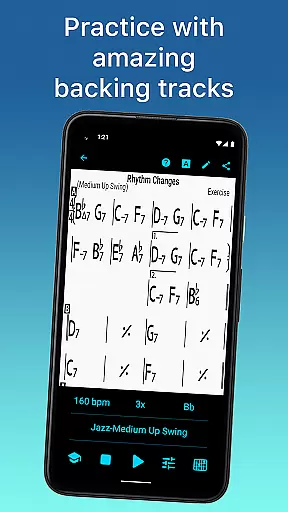
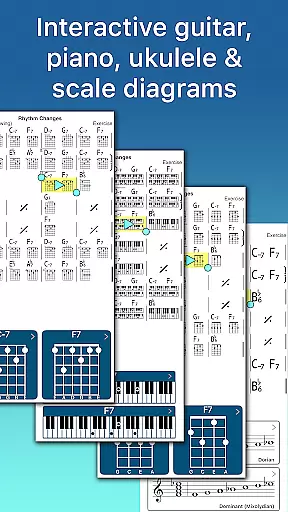
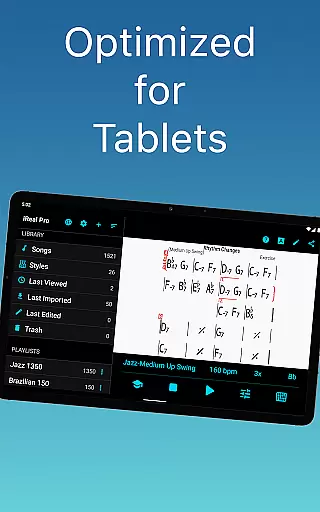
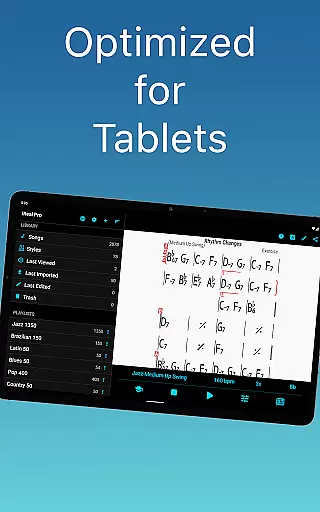
iReal Pro is a comprehensive music practice tool designed to help musicians of all levels improve their skills. The app simulates a realistic band accompaniment, allowing users to practice with high-quality piano, guitar, bass, and drum sounds across 51 different music styles. It also provides an intuitive platform for creating, editing, and collecting chord charts of your favorite songs.
One of Time Magazine's 50 Best Inventions of 2010, iReal Pro is widely used by music students, teachers, and top institutions like Berklee College of Music. Whether you're practicing scales, transposing keys, or recording your performances, this app offers the tools you need to master your art. Its versatility makes it an essential companion for musicians who want a professional-level backup band in their pocket.
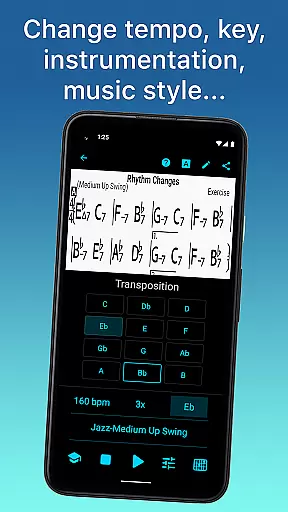
iReal Pro stands out with its robust set of features tailored for musicians. The app includes over 51 accompaniment styles, ranging from Swing and Ballad to Reggae and Latin, with additional styles available via in-app purchases. Each style can be personalized with various instrument sounds, including electric and acoustic guitars, pianos, organs, and vibraphones.
The built-in editor allows users to create and edit thousands of songs, while the Player function supports playback of any user-created or downloaded chart. Advanced practice features include automatic tempo increase, key transposition, and scale recommendations for improvisation. With export options for PDF, MusicXML, WAV, AAC, and MIDI files, musicians can seamlessly integrate their work into other platforms or share it with collaborators.
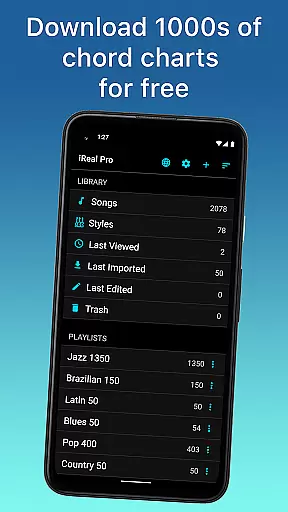
Having a comprehensive music library is essential for any musician looking to practice and improve their skills. iReal Pro offers access to thousands of songs that can be downloaded directly from the forums, providing users with an extensive repertoire to choose from.
The app ensures that all content available adheres to copyright laws, giving musicians peace of mind when using the materials for practice or performance. This commitment to copyright authenticity means users can trust the legitimacy of the resources they are utilizing.
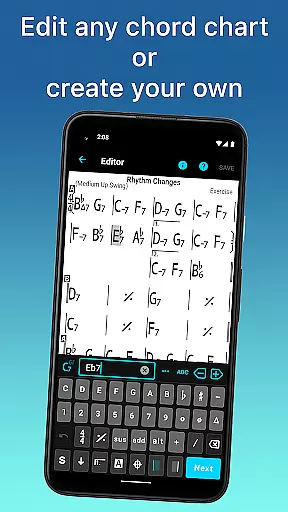
Moreover, iReal Pro allows musicians to create and edit their own chord charts, which adds a personalized touch to one's music library. With the ability to share these creations with others via email and forums within the app, it fosters a community-driven approach to expanding the collective music database.
Audio quality is paramount when practicing with accompaniment, as it affects the overall experience and learning process. iReal Pro provides various audio settings that cater to different preferences and needs, ensuring that musicians have access to high-quality sound during their practice sessions.
Musicians can personalize each accompaniment style with a range of sounds including piano, Fender Rhodes, acoustic and electric guitars, basses, drums, vibraphone, organ, and more. This variety in sound selection enables users to tailor the audio output to match their desired tone and style.
In addition to offering multiple sound options, iReal Pro also supports exporting audio files in several formats such as WAV, AAC, and MIDI. These formats allow for flexibility in how the recordings are used outside of the app, whether for personal review or sharing with peers and instructors.
User-friendly interface
High-quality sound library
Versatile accompaniment styles
Comprehensive editing tools
Extensive sharing capabilities
Additional styles cost extra
Steep learning curve
Limited free song downloads
Occasional bugs reported
Subscription fees apply

Time Guru will strengthen your internal sense of musical time via random muting.
 4.30
4.30
Equalizer, Bass Booster and Volume Booster (Eq & Bass) improve sound quality
4.30
Taal player that lets you sing any Indian & Western song with Tabla & Tanpura
4.60
A High-Precision Audio Spectrum Analysis App
4.20
AI Music Maker: Generate And Compose AI Tunes & AI Songs & AI Music & AI Melody!
4.60
Voice recorder - Audio recorder. Best recorder for recording
4.90
Offline Music Player&MP3 Player with themes, equalizer, lyrics, music play mode
4.60
Let your Android device with the sound effects you want
4.50
A complete sound package for the sound engineer or enthusiast
4.60
Your song collections with lyrics and chords on Android smartphones and tablets.
4.80
Make songs with AI! Any genre, custom lyric, song generator for music creation!
4.80
Simple & Intuitive Metronome
4.70
Enjoy singing any song, no matter how high or low it is
4.30
Powerful 10-Band equalizer pro with sound booster improves Android audio quality
4.30
The alternative folder based music player.
4.20
A sleek, no-frills player designed for true music lovers.
4.20
Turn your phone into a musical instrument from the future!
3.90
Simple mp3 and mp4 player with advanced features.
3.40
Make music anywhere. Turn your device into an instrument.
4.3


User Reviews