
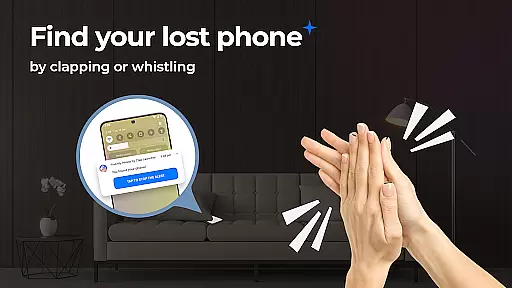
Find My Phone by Clap Launcher is an innovative tool designed to help users locate their misplaced devices through simple sound triggers like clapping or whistling. This app transforms the often stressful experience of losing your phone into a quick and easy retrieval process. The launcher not only helps you find your phone but also enhances your home screen with useful widgets, shortcuts, and personalized wallpapers.
The app's core functionality lies in its advanced sound recognition technology that activates a multi-alert system of sound, vibration, and light when triggered. Whether your phone is buried under cushions or hidden in a noisy environment, Find My Phone ensures it stands out. Additionally, the app offers customizable alert settings, allowing users to choose from various sounds and control alert duration, making it adaptable to different user preferences and environments.
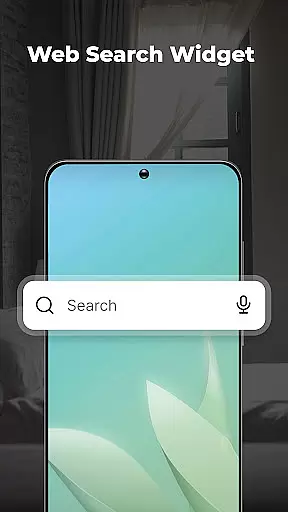
Beyond its primary phone-finding feature, this tool provides added convenience through one-swipe access to essential functions and efficient search capabilities for apps and the web. Its battery-friendly design ensures minimal drain while maintaining optimal performance. Compatible with multiple phone models and functional across all volume settings, Find My Phone by Clap Launcher proves to be an indispensable utility for anyone prone to misplacing their device.
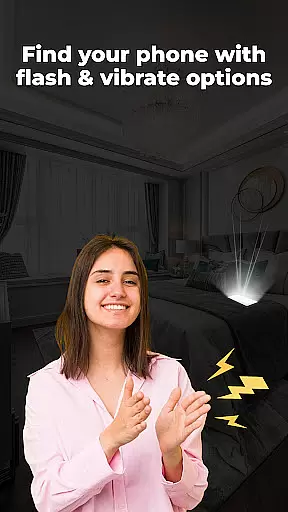
Find My Phone by Clap Launcher boasts a range of features that set it apart as a top-tier phone locator tool. One of its standout features is the clap or whistle activation system, which uses advanced sound recognition technology to trigger alerts. When activated, the app initiates a combination of loud ringtones, vibrations, and bright flashes, ensuring your phone is easily noticeable regardless of its location. This multi-alert system is particularly effective in noisy or dark environments where traditional ringtone alerts might fail.
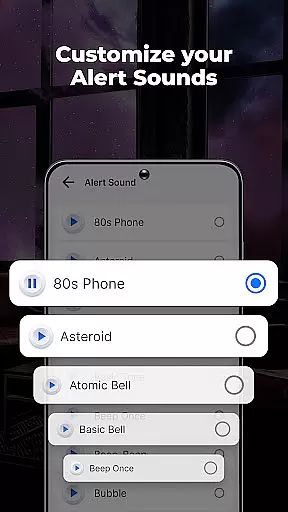
In addition to its primary function, the app offers extensive customization options. Users can select from a variety of alert sounds, including soothing melodies, playful animal noises, and modern electronic beats. The ability to adjust both the volume and duration of these alerts allows for a personalized experience tailored to individual needs and surroundings. Furthermore, the app includes a flashlight feature that enhances visibility in low-light conditions, adding another layer of reliability to the phone-finding process.
Usability is at the forefront of Find My Phone by Clap Launcher's design. The app integrates seamlessly into the user's daily routine with intuitive controls and a user-friendly interface. It also optimizes battery consumption, ensuring that the phone remains responsive without significant power drain. Additional functionalities such as one-swipe access, home screen widgets displaying time and weather, and versatile wallpapers further enhance the overall user experience, making this app not just a phone finder but a comprehensive tool for device management.
At the heart of Find My Phone by Clap Launcher lies its core functionality, which is both accurate and effective. The app's primary feature allows users to locate their misplaced devices through simple claps or whistles. This sound recognition technology is designed to respond immediately, ensuring that your phone can be found even if it's in another room.
The multi-alert system enhances this core function by triggering a combination of loud ringtones, bright flashing lights, and vibrations. These alerts are customizable, allowing users to choose from various attention-grabbing sounds, including melodies, whistles, animal noises, or electronic beats. Such diversity ensures that the alert is noticeable regardless of environmental conditions.
Moreover, the app provides options for setting the duration of alerts, ranging from 10 to 120 seconds, guaranteeing that users have ample time to locate their device. This battery-friendly design optimizes performance while minimizing power consumption, making sure that the phone remains responsive without draining the battery.
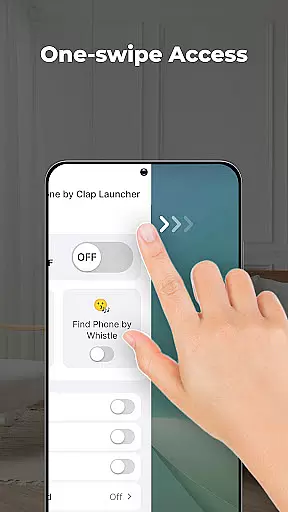
Find My Phone by Clap Launcher excels in interface simplicity and intuitiveness, offering a seamless user experience. With an easy-to-navigate layout, users can activate the clap or whistle detection with just a swipe from the home screen. This one-swipe access removes any unnecessary complexity, providing pure convenience at your fingertips.
In addition to the straightforward activation, the app includes a home screen widget that displays useful information such as time and weather. This widget enhances accessibility and keeps essential details visible without needing to open additional apps. Users also benefit from a selection of beautiful themed wallpapers, adding a personal touch to their device's appearance.
The inclusion of a home screen shortcut further simplifies access to the phone finder functionality. By tapping this shortcut, users gain instant access to the features they need most. Overall, these intuitive design choices ensure that even those unfamiliar with advanced technology can use Find My Phone effectively, enjoying peace of mind knowing their device is always within reach.
User-friendly interface
Customizable alert options
Effective in noisy environments
Minimal battery consumption
Versatile compatibility
Home screen layout changes
Limited to sound triggers
Potential false activations
Dependent on device hardware
No GPS tracking

 4.50
4.50
Quickly switch to an encrypted DNS server on Android TV
4.50
Unit and currency converter with easy and simple UI.
4.80
Save any video in HD - paste the link, download fast and watch offline.
4.1
Family Locator, Share location, StayConnect with your family in real time
3.90
Carry a FTP server in your pocket and avoid USB cables for file transfer
4.20
Best leveling tool for your Android device. Hang paintings like a pro.
4.90
Smart and comfortable browsing experience.
3.80
A clean app.
4.50
Enjoy smooth gameplay with Game Booster
4.90
Bedrock Together: Join any bedrock server on Xbox/PS
4.80
Remote Play with FSR upscaling, low latency & full controller support
4.80
Small and simple app to Verify Root Access and BusyBox Install!
4.70
Keep track of your Palia friendships, tasks, and inventory with Palia Notebook
4.60
Planner and Tracker for Stardew Valley
4.60
Effortlessly run ADB commands directly on your device without a PC.
4.20
An open-source APK explorer for Android!
4.10
Clean the junk files on your device
3.40
Transfer Files, APK from Phone to Watch & Install.
4.4


User Reviews