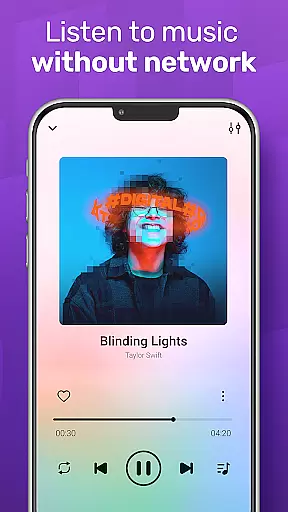
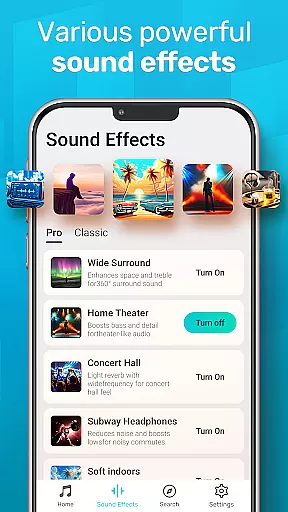
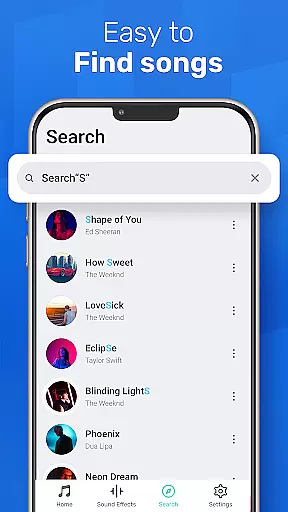
MusicGo is a versatile offline music player app designed for audiophiles who demand both quality and functionality. Supporting all major audio formats including MP3, FLAC, WAV, and AAC, it ensures optimal sound quality across devices. The app stands out with its powerful equalizer offering over 20 presets tailored to various music genres, enhancing the listening experience with customizable bass boosts and reverb effects.
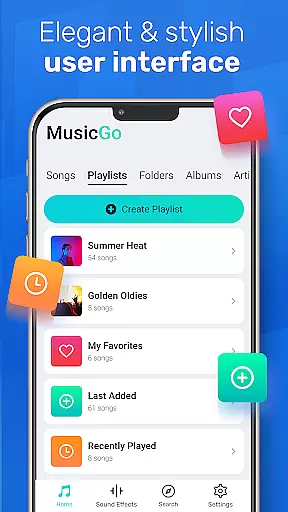
With an intuitive user interface, MusicGo allows seamless navigation and management of your music library. Whether you're browsing by playlists, albums, or artists, the app provides smart auto-playlists such as Featured, Most Played, and Recently Played. Its elegant design includes customizable themes, making it not just functional but visually appealing. Enjoy uninterrupted playback, even in the background, with full compatibility for Bluetooth and wired headphones.
MusicGo boasts a comprehensive suite of features that cater to every music lover's needs. One standout feature is its advanced equalizer, which includes over 20 built-in presets for genres like classical, rock, and dance. These presets allow users to fine-tune their audio experience with options like bass boost and reverb effects, ensuring each track sounds exactly how you want it.
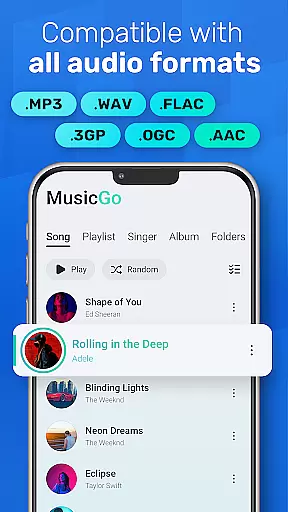
The app supports all popular audio formats, including MP3, FLAC, WAV, MIDI, AAC, and APE, guaranteeing broad compatibility and high-quality playback. Additionally, MusicGo offers deep scanning capabilities to automatically refresh and organize your music library. Users can manage files effortlessly, create custom playlists, and enjoy smart auto-generated lists such as Most Played and Recently Played. With options for shuffle, loop, and repeat modes, along with background playback support, MusicGo delivers a complete and customizable music experience.
MusicGo offers an extensive music library that supports all major audio formats including MP3, FLAC, WAV, MIDI, AAC, and APE. This ensures users have access to a wide variety of music options without worrying about format compatibility.
The application's deep scanning feature automatically refreshes the music library, allowing users to manage their files efficiently while guaranteeing that every song is delivered in optimal quality. With this comprehensive format support, MusicGo provides a truly limitless music experience tailored to audiophiles.
Regarding copyright authenticity, MusicGo respects intellectual property rights by enabling users to enjoy their personally owned offline audio files. By focusing on user-owned content, it ensures that all music played through the app is legal and authentic, providing peace of mind for users who want to enjoy their favorite tunes without infringing on copyrights.
One of MusicGo's standout features is its outstanding sound quality, enhanced by over 20 built-in equalizer presets designed for various music genres such as classical, dance, folk, and rock. These equalizers allow users to customize their listening experience with bass boosts and reverb effects, ensuring each track sounds perfect according to personal preferences.
In addition to the powerful equalizer, MusicGo also offers high-quality audio playback for all supported formats. Whether you're listening to lossless FLAC files or compressed MP3s, the app delivers excellent sound fidelity, making it a top choice for discerning music lovers.
Furthermore, MusicGo supports both Bluetooth and wired headphones, providing flexibility in how users choose to enjoy their music. The combination of advanced equalization options and versatile playback capabilities ensures that every listening session is of the highest possible audio quality.
User-friendly interface
Extensive format support
Powerful equalizer
Customizable themes
Smart playlists
Limited online features
No cloud integration
Heavy on storage
Occasional bugs
Ads in free version

Fun & Easy Voice Changer – Record, Edit & Add Hilarious Effects!
 4.50
4.50
Tune in to the greatest hits on UK Radio | The home of Capital, Smooth & Heart.
4.90
Time Trainer: accurate metronome w tools to help you develop your internal time!
4.20
JBL PartyBox APP works with 110/310/710/120/320/520/Encore/Encore 2/Encore Ess 2
4.80
Powerful beat maker & DJ mixer to remix tracks, make music, & perform DJ mix
3.70
24,000 free audio books and no ads!
4.90
Recording studio w/ 10k beats, pro vocal FX and a network of 20M rappers & fans!
4.60
The official Sonos app
4.10
A complete sound package for the sound engineer or enthusiast
4.60
Learn the notes on the guitar fretboard fast with this easy and fun app
4.60
Visualize the guitar fretboard, master scales & play through changes like a pro!
4.50
Your HD audio recorder on the go for music, meetings, ambience, animal sounds…
4.30
Advanced 10-Band Audio Graphic Equalizer Sound Booster Pro
4.30
Network/Cloud Streaming, Visualization, Graphic Equalizer and Sound Effects.
4.20
The alternative folder based music player.
4.20
Next generation modular control surface
4.10
The ultimate media player for Android devices
3.90
The iconic iOS metronome app is now on Android.
3.70
Remove ads permanently from Music Visualizer
4.2


User Reviews