
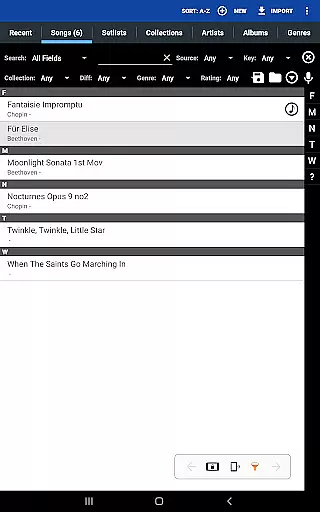
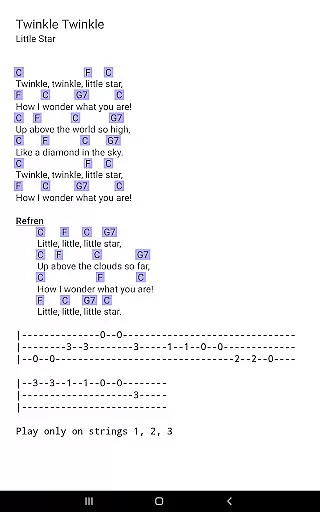
MobileSheets is a premier sheet music viewer designed specifically for Android tablets, offering musicians an efficient and versatile solution for managing their music library. The application eliminates the need for physical sheet music by providing instant access to any score within its digital library. With support for multiple file types including PDFs, images, text files, and chord pro files, MobileSheets ensures compatibility with various formats.
Beyond basic viewing, MobileSheets incorporates advanced features tailored to enhance the musician's experience. Users can enjoy hands-free page turns through Bluetooth or USB devices, automatic scrolling, and even face gestures. The app also includes annotation tools, a metronome, bookmarks, link points, and smart buttons that trigger specific actions. These functionalities are complemented by powerful library management capabilities, making it easy to organize, search, and access sheet music efficiently.
Designed for 7" and larger tablets, MobileSheets is optimized for performance on these devices. While it does not include sheet music or play back non-audio files, it serves as an essential tool for musicians who wish to streamline their workflow and access their scores with ease. Whether performing live or practicing at home, MobileSheets provides the freedom and flexibility needed to focus on the music.
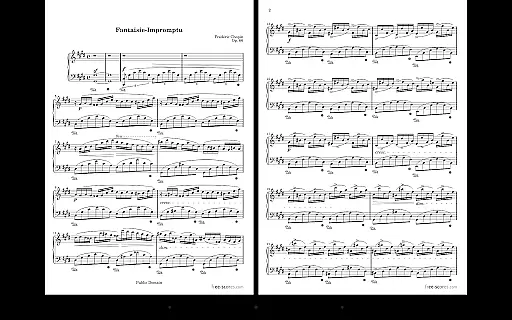
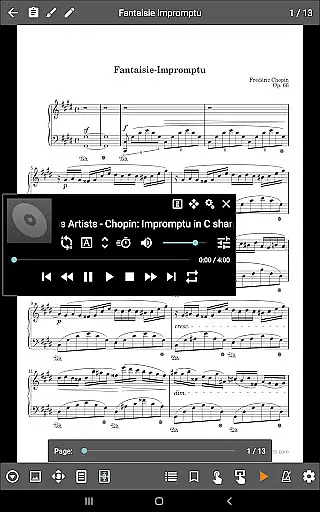
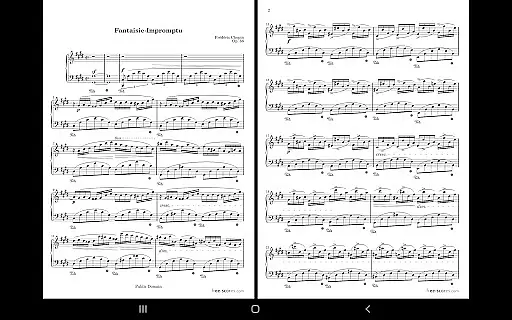
MobileSheets stands out with its comprehensive feature set tailored to meet the needs of musicians. One of its key strengths is the multiple modes of operation, which include two-page side-by-side viewing, half-page turns, and vertically scrolling pages. This flexibility allows users to customize their reading experience based on personal preference or the demands of a particular piece of music. Additionally, the app supports hands-free page turns using Bluetooth or USB devices, automatic scrolling, and innovative face gesture controls such as smiling or opening the mouth.
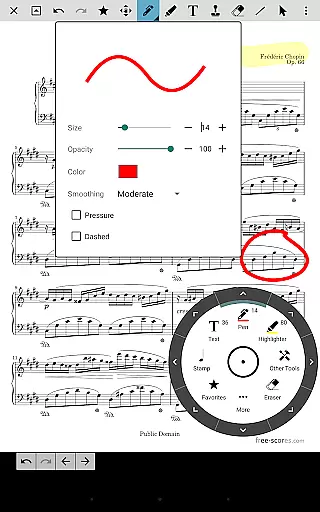
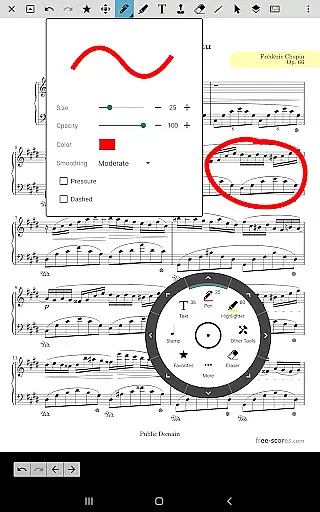
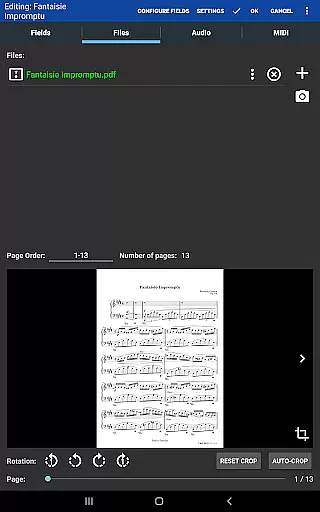
The app also offers robust annotation tools, enabling users to mark up their scores with freeform drawing, shapes, text, and stamps. A custom audio player with A-B looping enhances practice sessions by allowing musicians to repeat specific sections of a track. Other notable features include custom page ordering, a metronome with multiple display modes, bookmarks for quick navigation, and link points for handling repeats. Smart buttons placed on scores can trigger configurable actions, adding another layer of interactivity.
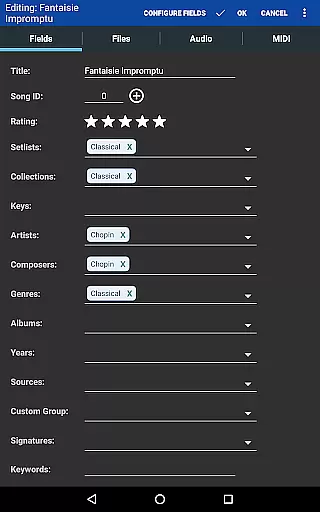
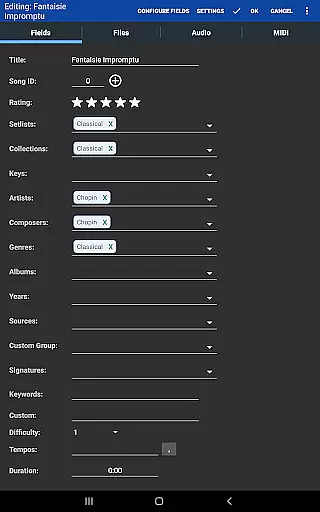
MobileSheets further excels in library management, supporting a wide range of metadata fields that give users complete control over their data. It also integrates seamlessly with MIDI devices over USB, allowing for song loading or action triggering. For those with large PDF songbooks, the app supports importing CSV index files to break them into manageable parts. With its companion PC application, creating and editing songs becomes effortless, enhancing the overall user experience.
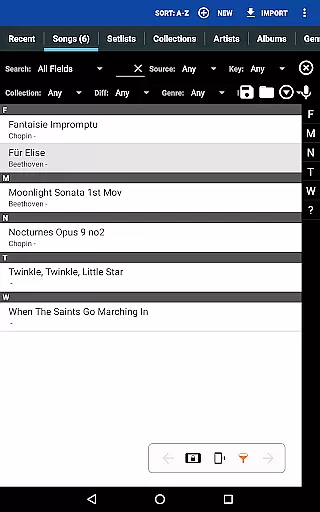
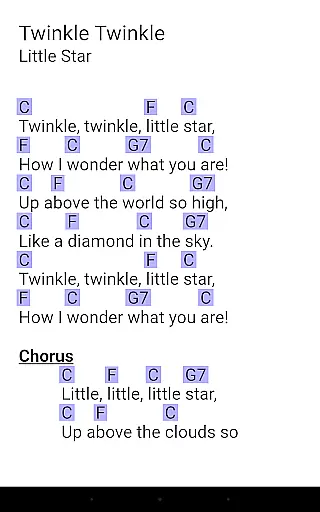
MobileSheets offers an extensive music library management system that supports a wide range of file types including PDFs, images, text files, and chord pro files. This versatility allows musicians to digitize their entire music collection, making it accessible from their Android tablets.
The application ensures copyright authenticity by allowing users to import only legally acquired sheet music. It does not include any pre-loaded scores, reinforcing the importance of using legitimate content. Users can organize their imported files with powerful metadata fields, ensuring proper cataloging and easy retrieval.
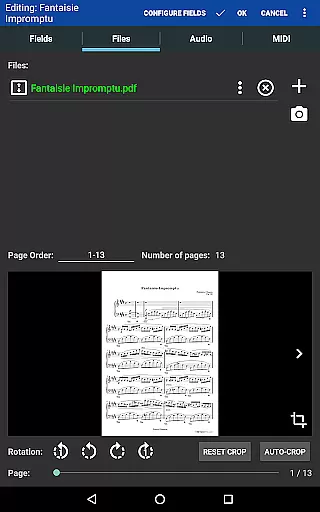
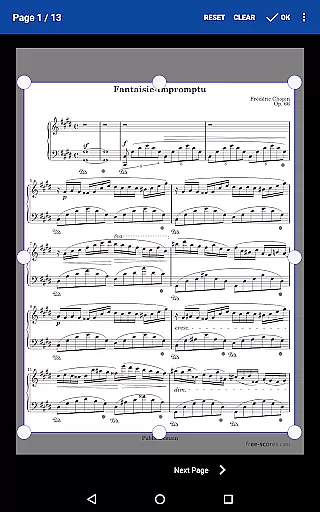
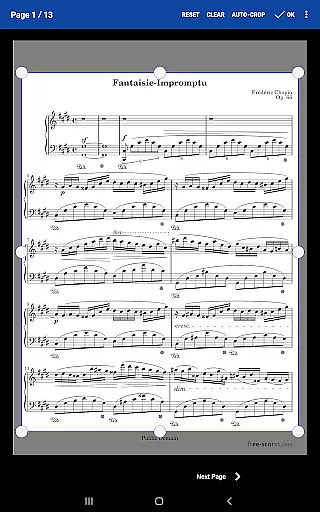
With support for importing CSV index files, MobileSheets enables musicians to efficiently break up large PDF songbooks into individual tracks. This feature maintains the integrity of original documents while offering customized viewing options such as manual and automatic cropping to eliminate unnecessary margins.
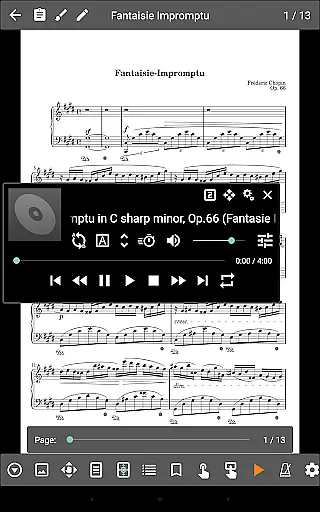
While MobileSheets is primarily designed for sheet music viewing, it also includes a custom audio player that enhances the practice and performance experience. The audio player supports high-quality audio tracks, which can be played alongside scores, providing an integrated solution for musicians who need reference recordings.
The application features A-B looping functionality, allowing users to repeat specific sections of a track seamlessly. This is particularly useful for focused practice sessions where repetition is key to mastering difficult passages. Additionally, multiple display sizes ensure that musicians can adjust the interface according to their preferences or environmental conditions.
Although MobileSheets cannot play back PDFs, images, or text/chord pro files directly, its ability to handle various audio formats makes it a comprehensive tool for musicians. By combining visual score representation with high-fidelity audio playback, users can enjoy an enhanced learning and performing experience.
User-friendly interface
Comprehensive feature set
Hands-free functionality
Powerful library management
Versatile file compatibility
No built-in sheet music
Limited to Android tablets
Requires external files
Complex for beginners
Premium price point

Simply convert wav to mp3. Clear. Reliable. Safe.
 4.5
4.5
Most Advanced AI Song Generator and Music Creator. Rap, Pop, Rock, Gospel & more
4.70
USB audio recording and playback finally possible on Android 3.1 or higher!
3.90
No wifi music app. Mp3 offline. Tuner radio, young radio music. Music downloader
4.20
Music, News & Sports Radio Tuner App. Tune in Live FM & AM Radio Stations.
4.80
Offline Music Player & MP3 Player.Powerful equalizer, Lyrics, Themes, Tag Editor
4.80
The original SP-1200 experience on your iPad
4.20
Play KORG’s revolutionary touch-based instrument on a variety of devices.
4.40
MilkDrop for Android TV
3.00
Unleash your creativity! Turn simple prompts into full fledged songs.
4.70
Simple & Intuitive Metronome
4.70
Reverse your voice & songs instantly! Fun singing challenge with cool effects.
4.60
Guzheng Master supports many playing techniques as an acoustic Guzheng
4.50
Let your Android device with the sound effects you want
4.50
Formerly known as Spotistats! View your top tracks, artists, albums and more!
4.40
Time Guru will strengthen your internal sense of musical time via random muting.
4.30
VB-AUDIO Software / VBAN-Receptor allows listening to any VBAN Streams
4.10
The iconic iOS metronome app is now on Android.
3.70
Music Streaming suite for Ampache, Nextcloud Music and compatible backends.
4.2


User Reviews