


LinkedIn is the world's largest professional networking platform, connecting over 1 billion members worldwide. This business app serves as a comprehensive career development tool, enabling users to build professional profiles that function as online resumes. The platform facilitates meaningful connections by allowing professionals to network strategically, search for job opportunities across various categories, and stay informed about industry trends.
Core features include advanced job search functionalities with customizable alerts, tools for creating detailed professional profiles, and access to valuable business insights. Users can engage with a trusted community of professionals, follow industry leaders, and participate in knowledge-sharing discussions. Whether you're seeking freelance work, remote positions, or full-time employment, LinkedIn provides the resources needed to advance your career while expanding your professional network.
This application proves particularly valuable for job seekers, recruiters, and business professionals who need to maintain an active professional presence. By combining robust networking capabilities with up-to-date business information and recruitment tools, LinkedIn has become an essential platform for career growth and professional development in today's digital age.
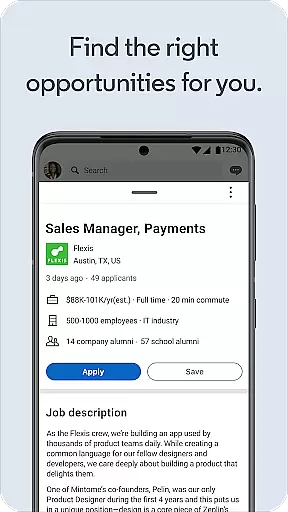
LinkedIn distinguishes itself through its comprehensive suite of professional tools designed to enhance career development. The platform's job search functionality stands out with its sophisticated algorithms that match candidates with suitable opportunities based on their profiles and preferences. Users can set precise job alerts, explore company insights including salary ranges and organizational structures, and directly apply for positions using their optimized professional profiles.
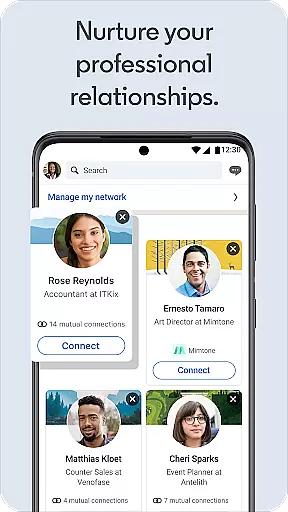
The application's networking capabilities are equally impressive, offering users the ability to build and maintain professional relationships through profile-building tools and connection management systems. Members can join industry-specific groups, participate in professional discussions, and follow thought leaders in their fields. The platform's business news section delivers timely updates and expert analysis, keeping professionals informed about market trends and industry developments.
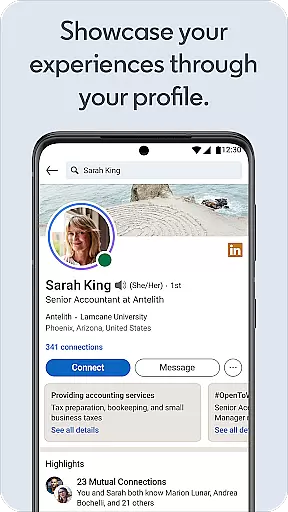
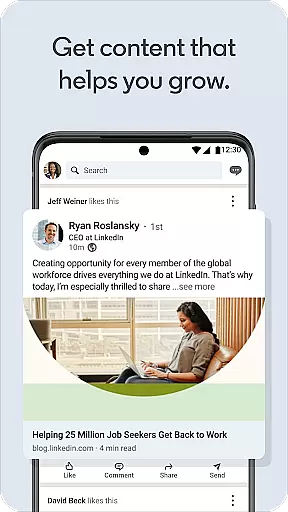
Additional notable features include the online resume builder, which helps users create compelling professional profiles, and the content sharing system that enables members to showcase their expertise. The platform also supports professional branding through its recommendation system and skill endorsement features. These comprehensive tools collectively contribute to making LinkedIn an indispensable resource for modern professionals seeking to advance their careers and expand their business networks.
In today's interconnected business environment, collaborative work features are essential for seamless communication and productivity. LinkedIn offers a robust platform that facilitates not just networking, but also meaningful collaborations among professionals.
Through LinkedInu2019s social networking app, users can engage in discussions, share insights, and contribute to industry-relevant conversations. This interaction is supported by features such as posts, articles, and direct messaging, which allow for real-time exchange of ideas and information.
The benefit to users is significant; they can expand their professional network beyond geographical boundaries, tapping into a global pool of knowledge and expertise. This connectivity fosters opportunities for partnerships, mentorships, and collective problem-solving.
Ultimately, LinkedIn's collaborative tools empower users to build stronger business relationships, stay informed about industry trends, and unlock new career opportunities through an engaged and active professional community.
Effective task management is crucial for professionals aiming to optimize their workflow and achieve their career goals efficiently. LinkedIn addresses this need by integrating task management capabilities within its broader professional ecosystem.
Users can set job alerts tailored to their career aspirations and receive notifications about relevant openings. This feature streamlines the job search process, ensuring that users never miss an opportunity that aligns with their skills and ambitions.
Additionally, LinkedIn provides structured ways to organize and showcase professional achievements through online resumes and profiles. These tools help users manage their career progression by keeping track of milestones and accomplishments.
By leveraging LinkedIn's task management features, professionals can maintain better control over their career trajectory, ensuring timely applications and consistent personal branding across various touchpoints in the professional world.
User-friendly interface
Extensive job listings
Professional networking
Industry insights
Career development tools
Premium features costly
High competition
Learning curve
Privacy concerns
Information overload

Quickly open and manage PDF files on your device.
 3.80
3.80
ANDROID'S TOP MOBILE OFFICE - Word, Excel, PowerPoint and PDF at your fingertips
4.50
Create curriculum vitae, a professional cover letter creator and resume designer
4.80
Windows App allows you to connect to remote PCs and virtual apps.
3.70
Get instant construction estimates: accurate home repair & material calculator.
4.70
Build a store in minutes with our full suite of AI tools. Start for free!
4.20
From Gone to Back Again — In Just a Few Taps
4.50
Chat, meet, and collaborate to achieve more together, all in one place on Teams
4.60
Make money as a delivery driver with DoorDash and work when you want as a Dasher
4.30
BuildCalc - the easiest AND the most advanced construction calculator app.
4.80 4.70
4.70
Find the right fit, faster.
4.70
Access to Paylocity, empowering employees with information they need 24/7.
4.70
No more passwords, easier sign-in, and greater protection for your accounts.
4.60
Manage work life on the go
4.50
Deliver and earn money
4.30
On the go? Take FedEx with you.
4.00
Zoom built for Chrome OS
3.90
Roadie connects people with stuff to send with drivers already going that way.
3.50


User Reviews