
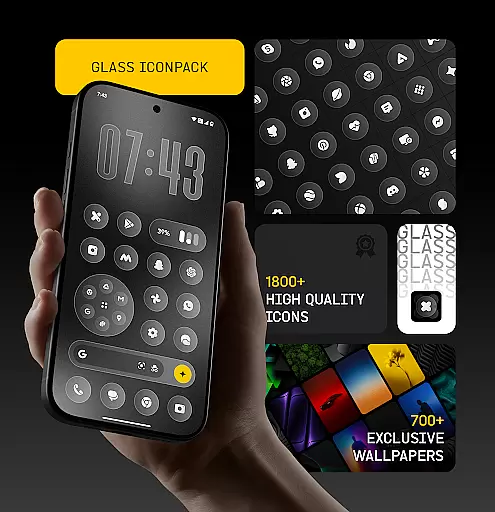
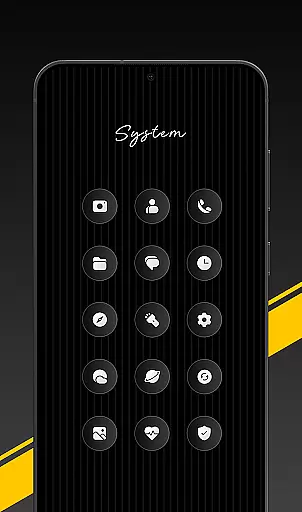
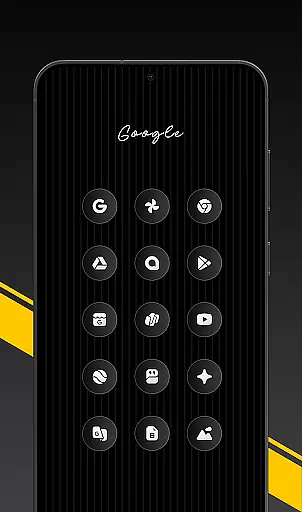
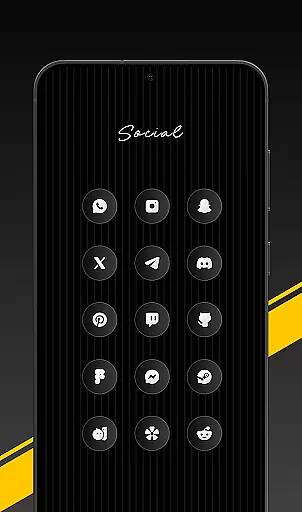
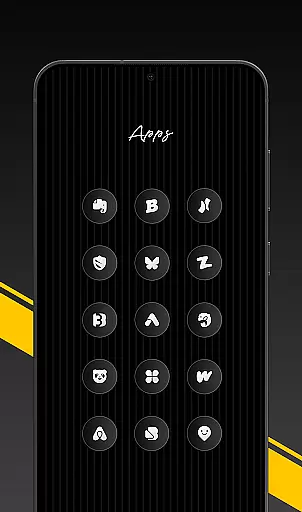
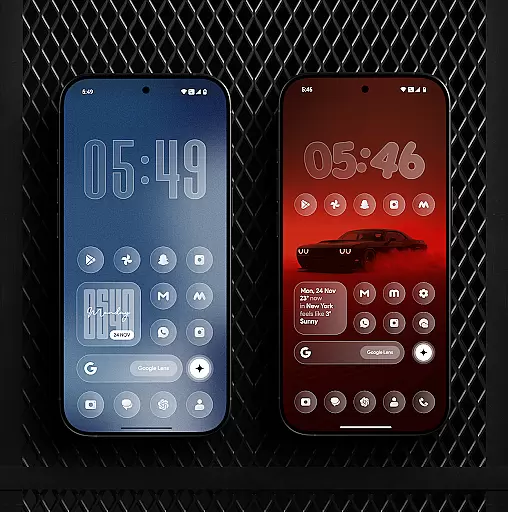
Glass Icon Pack is a premium collection of glossy, modern icons designed to give Android users a sleek and aesthetic home screen. With over 1850 high-quality icons, it supports various categories including system apps, social media, and tools.
Each icon features a smooth glass effect with subtle depth, ensuring visual consistency across devices. The pack also includes 700+ matching wallpapers and dynamic calendar icons, making it a complete solution for personalization enthusiasts.
This icon pack is ideal for users seeking a polished, minimalist look on their Android devices. Compatible with many launchers and offering regular updates, it provides both beauty and functionality for a refined mobile experience.
Glass Icon Pack stands out with its meticulously crafted design elements. The icons boast a unique glass effect, blending smooth gradients with a premium shine that enhances any wallpaper or theme setup.
The pack includes smart icon masking for unthemed apps, HD resolution support, and an easy-to-use dashboard with search functionality. Users can also request missing icons, which are regularly updated in new releases.
With compatibility across multiple launchers and device types, this icon pack ensures broad usability while maintaining a modern and cohesive aesthetic for all users.
Glass Icon Pack offers an extensive range of customization options, ensuring users can tailor their Android home screens to their unique preferences. With over 1850 high-quality glass icons, the pack covers a wide array of app categories including system apps, social media, and tools.
The inclusion of 700+ matching wallpapers inspired by glass and gradient themes further enhances personalization, allowing for a cohesive look that complements the glossy icons. Dynamic Calendar icons add another layer of customization, adapting to supported launchers for a seamless experience.
Smart icon masking addresses unthemed apps, providing a consistent appearance across all applications on the device. Regular updates not only introduce new icons but also improve existing ones, keeping the user's interface fresh and modern.
An easy-to-use dashboard simplifies navigation through these options with features like icon search and preview capabilities, making it simple for users to find exactly what they need. Free icon requests are available as well, ensuring that even if an application isn't covered initially, it can be included in future releases.
Ensuring theme compatibility is at the heart of Glass Icon Pack's design philosophy. The packu2019s smooth glass effect, subtle depth, and premium shine blend effortlessly with any wallpaper or setup, offering a timeless aesthetic adaptable to various visual styles.
For devices from brands such as Nothing, OnePlus, and Poco, which support third-party icon packs without additional launchers, this compatibility extends even further. Users can apply the pack directly through their launcheru2019s settings, experiencing a hassle-free transformation of their home screens.
Should certain icons be missing or unthemed, users have the option to send an icon request within the app. This feature guarantees continuous improvement and expansion of theme coverage, aligning perfectly with individual tastes and newly released applications.
By focusing on both breadth and adaptability, Glass Icon Pack ensures that every user enjoys a personalized yet harmonious digital environment, enhancing overall satisfaction and engagement with their deviceu2019s interface.
Premium glossy design
Extensive icon coverage
Regular feature updates
HD resolution support
Dynamic calendar integration
Limited third-party support
Requires compatible launcher
No iOS version available
Some icons may lack themes
Refund policy restrictions

A light in the dark, a unique style and an andless cutomization!
 4.30
4.30
Ultra realistic gold analog watch face with lots of customization options.
4.50
Customizable flower power digital watch face for Wear OS watches.
4.00
Shimeji adds cute animated characters to your screen, lively and fun.
4.70
Transfer your live wallpapers from Windows to Android using Wallpaper Engine!
4.00
App Icon Changer & Shortcut Creator. Customize your icons without any watermarks
4.30
Crystal-clear, square icon provides a sleek and sophisticated visual upgrade
4.00
Transform your device in a game console
4.40
Transform your phone with stunning video wallpapers and a unique, personal touch
3.80
One 8 icons glass color version
4.80
A Colorful and Minimal icon pack in an Outline Style - Over 13,600 icons!
4.70
Classic analogue watch face. For wear os devices.
4.60
Unique Android Launcher
4.60
Embrace the Night. Unleash the power of darkness with Raven Dark Icon Pack
4.60
Choose your keyboard with RGB colors effect, themes, fonts, emojis.
4.60
Fingerprint Lock Screen & Live Animations with 4K Wallpapers as Live Wallpaper
4.40
Wear Os Watch Face - Seasonal - Animated Snow Effect - 9 Animals
4.20
Unleash Your Creativity and Connect with Loved Ones with Lockscreen Drawing!
4.20
HappyLighting is a Bluetooth lamp control software.
3.40


User Reviews