
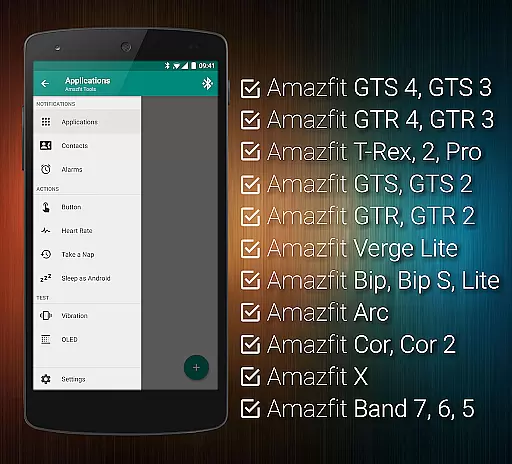
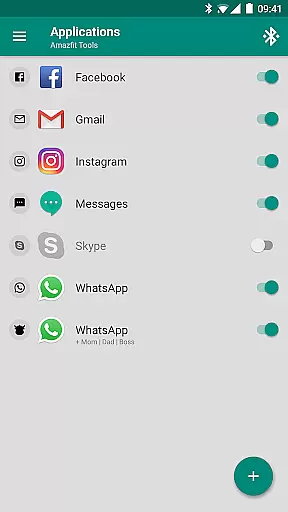
Tools & Amazfit is a comprehensive utility application designed to maximize the functionality of your Amazfit smart bracelet. This app allows users to set up personalized and fully customizable notifications for calls and apps, ensuring you never miss an important alert. With features like power nap mode, custom notification patterns, and content filters, it offers advanced customization options that enhance your wearable experience.
In addition to working seamlessly with the original Zepp/Mi Fit app, Tools & Amazfit provides powerful features such as continuous heart rate monitoring, sleep tracking integration, and idle alerts. Whether you need hourly reminders or detailed fitness goal progress widgets, this app caters to various health and productivity needs. It supports a wide range of Amazfit devices and all Android versions from 4.3 to 13+, making it versatile for different users.
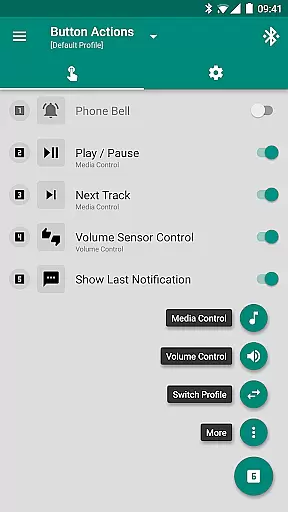
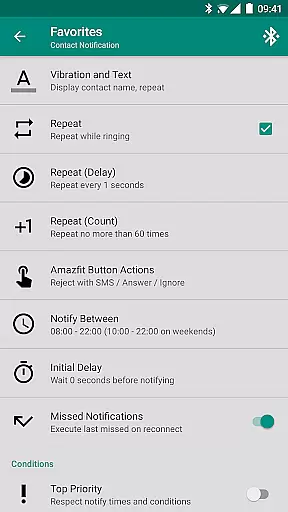
Tools & Amazfit boasts an impressive array of features tailored to optimize your smart bracelet's performance. One standout feature is Display Text Support, which lets you see caller contact names and full notification contents directly on your Amazfit device. The Button Control & Sensor Control options allow you to assign specific actions to button presses or hand movements, offering intuitive control over media and phone functions.
Another remarkable aspect is the ability to create custom Button Control Profiles, enabling users to design virtual menus for performing numerous custom actions like controlling music, volume, and phone vibrations. Additionally, the app includes advanced settings for non-interactive notifications, shake-to-dismiss power nap, and more. These features collectively ensure a highly personalized and efficient user experience, setting Tools & Amazfit apart from other utility apps in the Health & Fitness category.
Personalized planning in health and fitness applications is crucial for tailoring individual wellness journeys. Tools & Amazfit offers a comprehensive suite of customizable features that adapt to your unique lifestyle and goals.
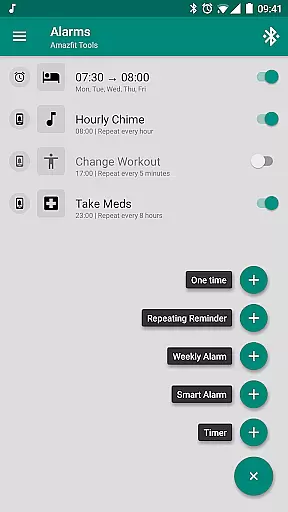
The app allows users to configure custom patterns for notifications, ensuring timely reminders for workouts, medication, or any personal agenda. This level of customization ensures that each user's experience is specifically suited to their daily routine and objectives.
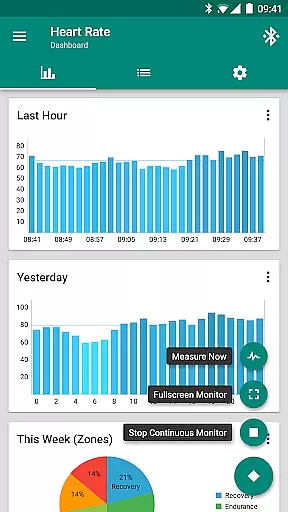
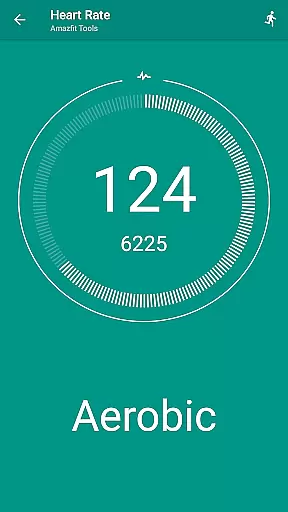
With advanced settings such as continuous heart rate monitoring and configurable heart rate dashboard charts, users can fine-tune their fitness plans based on real-time data. These insights help in creating a truly personalized health strategy that evolves with the useru2019s progress.
By integrating with other apps like Sleep as Android and offering support for automation platforms like Tasker, Tools & Amazfit enhances its personalized planning capabilities. Users benefit from an interconnected ecosystem that supports a holistic approach to health management.
Visualizing progress is essential for maintaining motivation and tracking improvements over time. Tools & Amazfit provides robust tools for users to see their advancements clearly and tangibly.
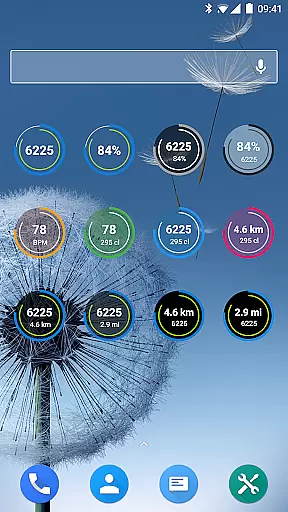
The application features fully customizable widgets that display daily fitness goal progress, bracelet battery status, heart rate, and more. This visual feedback helps users stay informed about their current state and motivated to reach new milestones.
Through detailed charts and graphs, users can monitor trends in their activity levels, sleep quality, and heart rate patterns. Such comprehensive progress visualization empowers users to make data-driven decisions about their health routines.
Additionally, the ability to export and import settings ensures that users can maintain a consistent view of their progress across different devices. This seamless transition supports long-term tracking and encourages sustained engagement with personal health goals.
User-friendly interface
Highly customizable
Wide device compatibility
Advanced health tracking
Regular updates
Premium features require payment
Occasional bugs reported
Complex setup for beginners
Limited iOS support
Notification delays sometimes

SportWerks - Workout Tracker for Wear OS Watches
 3.90
3.90
Your Health Has Met Its App (℠)
3.90
Home workouts for fitness & fast bodybuilding at home - no equipment needed.
4.90
Insanity blocks of intense physical activity, short breaks of 30 seconds.
4.0
Meditation app, head space app provides calm music to help you meditate & sleep
5.00
Turn your steps into cash, gift cards & rewards with our step counting pedometer
3.80
FitCloudPro takes care of your health every minute.
3.70
The most accurate heart rate app to monitor and track your heart rate & pulse.
4.40
beat yesterday.
4.00
Easy access to health benefits
4.70
The Crunch Mobile app - Find a gym, manage favorites, reserve & cancel classes.
4.60
The OFFICIAL Couch to 5K® running training app! A 9 week walk-run workout plan.
4.50
Memory, mind & logic exercises. Puzzle games, IQ & brain test for kids & adults
4.50
Pilates, Calisthenics, Yoga
4.50
Eat smarter with Eato, your personal calorie counter and nutrition tracker!
4.40
Histamine intolerance, low FODMAP diet and irritable bowel syndrome (IBS)
4.00
Find Paid Clinical Trials In Your Area
3.70
3D Body Measurement System
3.60
The Wear OS BeechBand app is designed to alleviate anxiety and other conditions
4.2


User Reviews