
Seconds Pro Interval Timer stands as the most advanced interval training timer available for mobile devices, designed to cater to a wide range of fitness enthusiasts. With over 2 million downloads and more than 7000 5-star reviews, it is highly regarded for its quality, features, and ease of use unmatched by other interval timers.
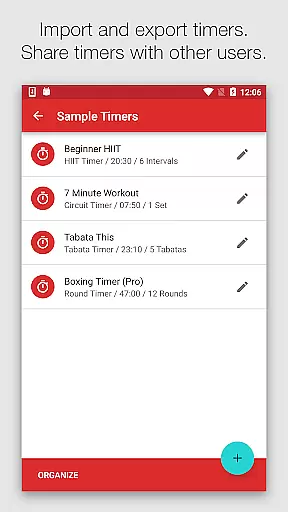
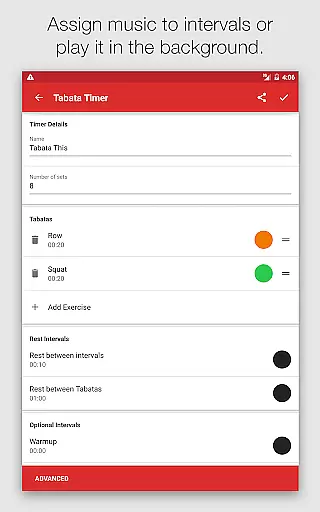
The app offers large clear timer displays, templates for HIIT, Tabata, Circuit Training, and custom timers for any imaginable intervals. It speaks interval names, provides loud or soothing alerts, coordinates music with intervals, allows sharing or importing timers, and runs in the background. These features make Seconds Pro an indispensable tool for optimizing workouts efficiently.
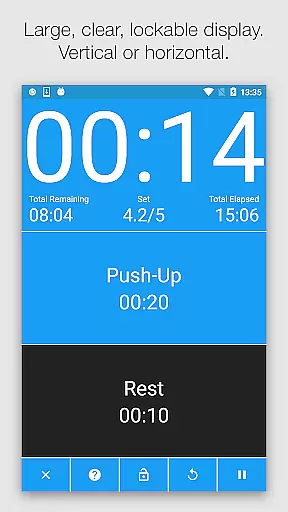
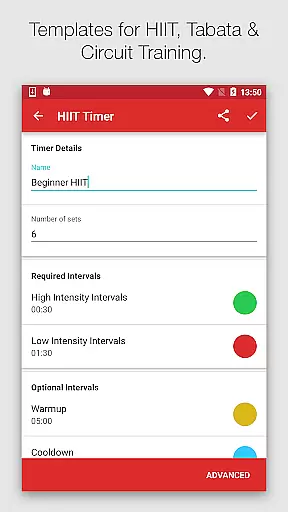
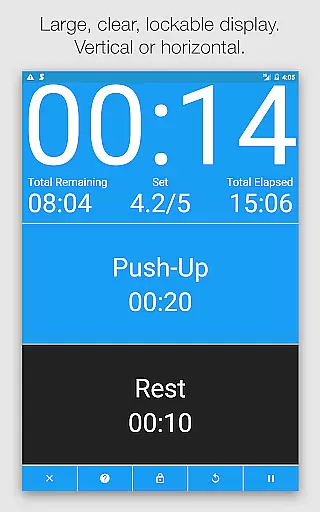
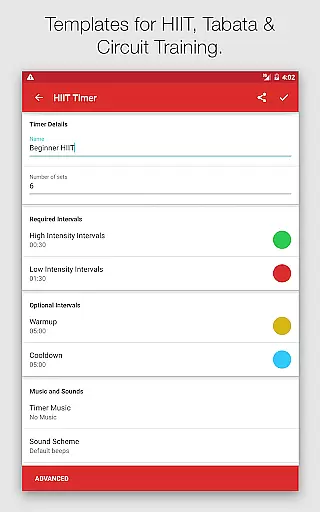
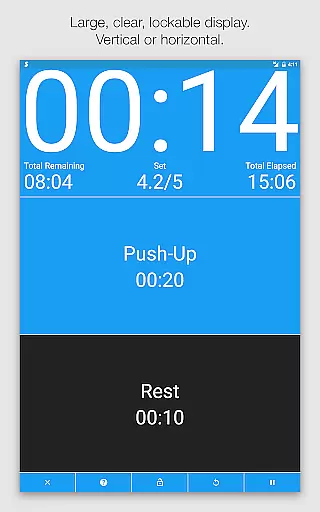
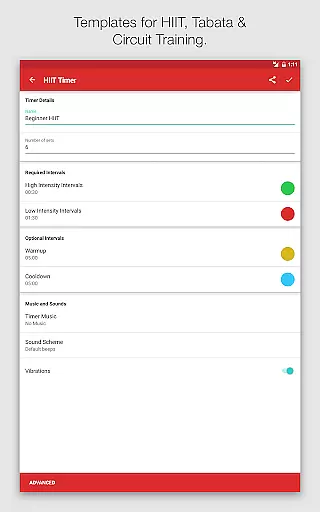
Seconds Pro boasts a large, clear timer display with color coding, ensuring visibility from a distance and easy recognition of current and upcoming intervals without needing to read text. Templates for High Intensity Interval Training (HIIT), Tabata, and Circuit Training simplify programming, while advanced options allow for fully customized timers or combining timers into compound ones.
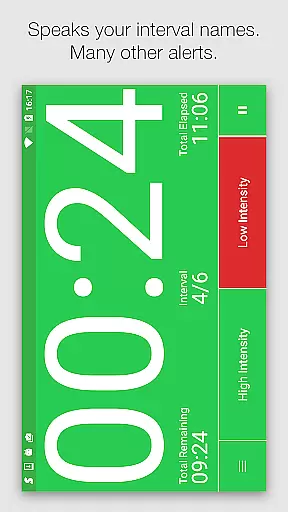
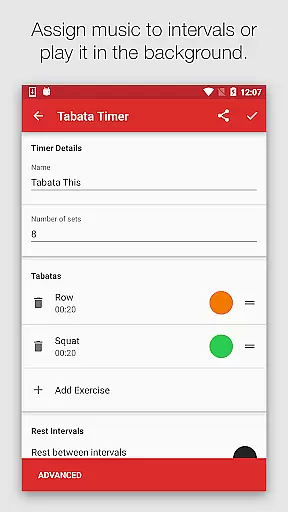
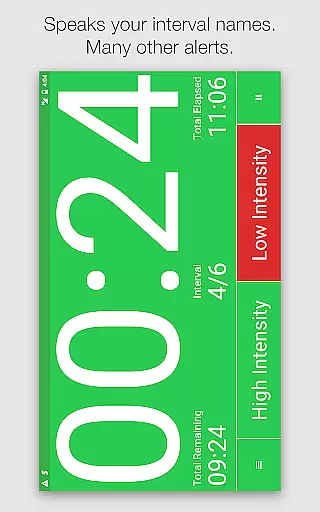
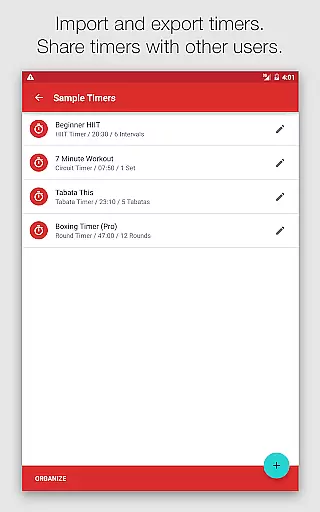
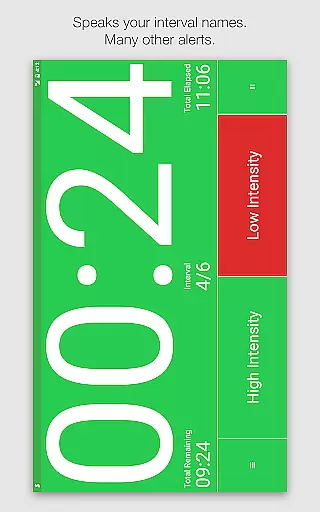
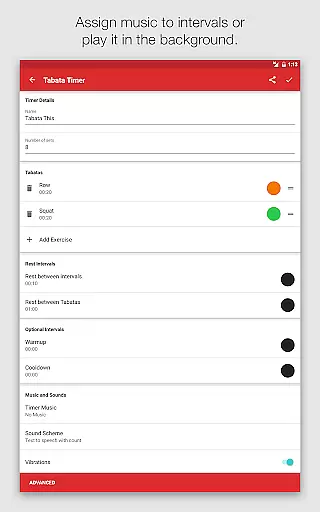
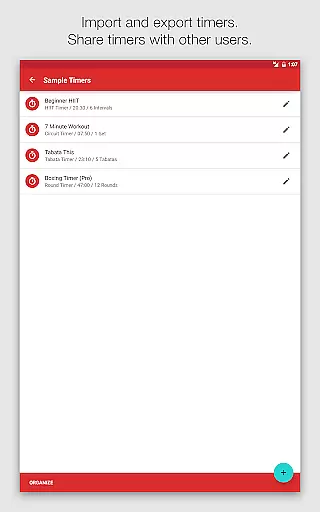
Text-to-speech functionality announces interval names or provides advance warnings, complemented by a range of built-in alerts from simple beeps to MMA air horns and boxing bells. Music integration matches workout intensity with selected songs, albums, artists, or playlists per interval. Sharing capabilities enable users to share created timers via email or through the companion website, enhancing community engagement.
Personalized planning in fitness applications refers to the ability to tailor workout routines specifically to individual needs and goals. Seconds Pro excels in this area by offering customizable interval timers that cater to various training methods such as HIIT, Tabata, and Circuit Training.
The app provides templates for popular workout styles, enabling users to quickly set up timers that fit their specific workout plans. For more advanced requirements, users can create completely custom timers, designing each interval to match their unique training regimen.
This personalized approach not only enhances the workout experience by providing structure and variety but also allows users to progress at their own pace, making their fitness journey more effective and enjoyable.
Progress visualization is a critical component of any fitness app, allowing users to track their improvements over time. Seconds Pro offers a visually intuitive interface with a large, clear timer display that uses color coding to represent different intervals.
This feature ensures that users can easily follow their workout structure without needing to read text, simply by associating colors with specific intervals. The clarity of the display and thoughtful design make it simple to understand the workout phases at a glance.
By providing visual cues and an easy-to-read timer, Seconds Pro helps users stay focused on their workouts, ensuring they maintain proper timing and intensity, ultimately leading to better progress tracking and goal attainment.
User-friendly interface
Customizable timers
Versatile music integration
Comprehensive template library
Background operation
Premium version costly
Complex for beginners
Limited free features
Occasional bugs
Ads in free version

Control your sleep in real-time wearing Garmin device
 3.60
3.60
a fun app full of surprises :)
4.70
Enjoy the Gluten Free living with the best app. SCAN the barcodes & SEARCH.
3.60
The Sleep Miracle Sound Machine: Soothes baby to sleep with a gentle "Shhh"
3.00
Protect your healthy sleep
4.80
Measure your Pupil Distance for Eyeglasses and VR headsets in 3 quick steps.
4.70
Eat smarter with Eato, your personal calorie counter and nutrition tracker!
4.40
Memory, mind & logic exercises. Puzzle games, IQ & brain test for kids & adults
4.50
FitCloudPro takes care of your health every minute.
3.70
Easy reconstitution calc for mixing peptides and creating protocols
4.70
Load the bar with this barbell & plate calculator. It's leg day, not brain day!
4.70
Personal Measurements - Track your gains!
4.50
The most accurate heart rate app to monitor and track your heart rate & pulse.
4.40
Walk, track, and burn calories with step counter & GPS walking tracker
4.20
Pack of 66 calming lullabies for smooth fall asleep and relaxation
4.10
Understand your body’s most meaningful messages and transform your health.
3.90
Pupillary distance PD with camera quick and easy, checking glasses frames on you
3.70
Find Paid Clinical Trials In Your Area
3.70
Live Heart Rate Pro - Real Time Heart & Workout Data For Wear OS & Bluetooth BLE
3.20


User Reviews