
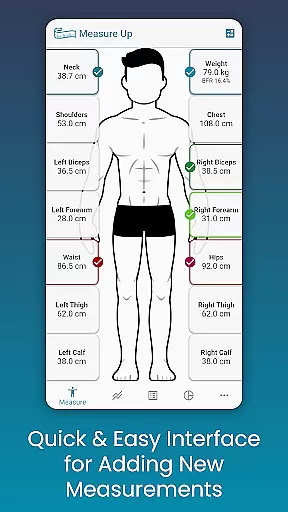
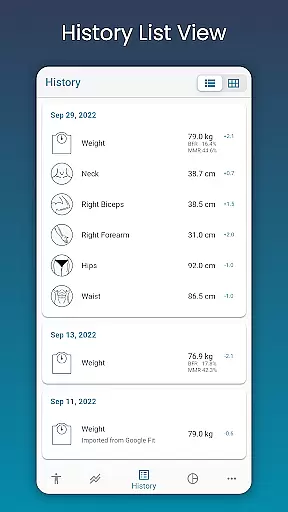
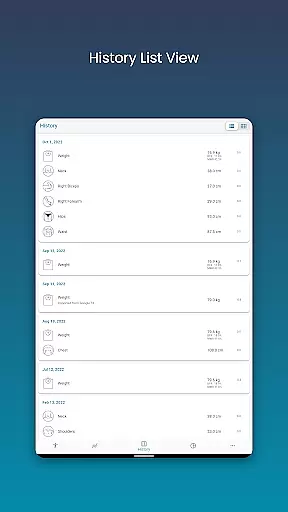
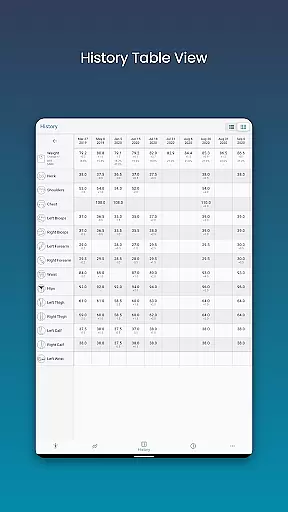
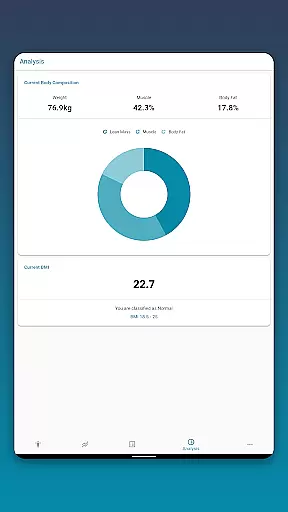
Body Measurement Tracker is a specialized Health & Fitness application designed to simplify the process of monitoring weight loss or muscle gain progress. The app offers an intuitive interface that allows users to quickly record body measurements and track their fitness journey without any hassle. With features like measurement history, chart analysis, and integration with Google Fit, it provides a comprehensive solution for managing personal health data.
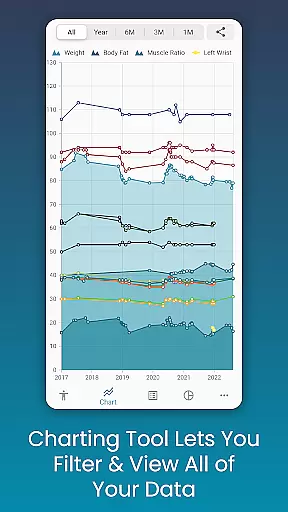
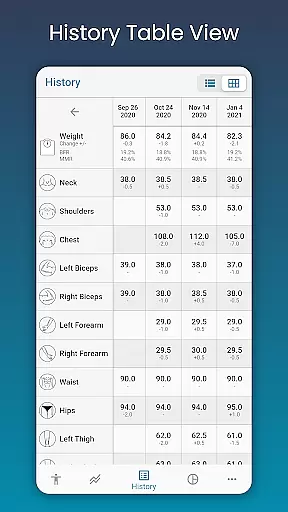
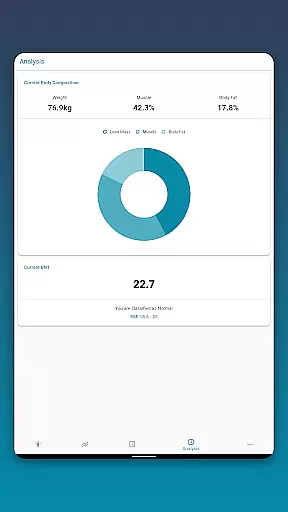
The app stands out with its unique charting capabilities that enable users to visualize their progress through various formats such as charts, tables, and lists. Users can toggle different measurements, stack metrics like lean mass and body fat, and even export their progress charts as PNG images. This makes it easier than ever to interpret and share fitness achievements with others.
Whether you're a fitness enthusiast looking to optimize your workout routine or someone aiming to improve overall health, Body Measurement Tracker serves as an essential tool in achieving your goals. Its customizable options and seamless cloud backup ensure that users maintain full control over their data while enjoying a personalized tracking experience.
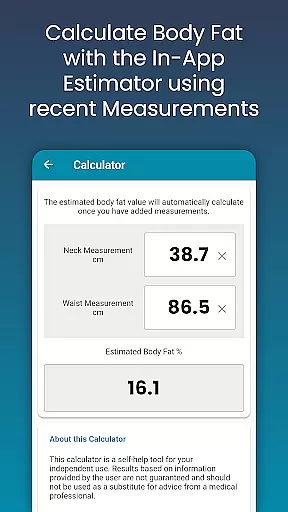
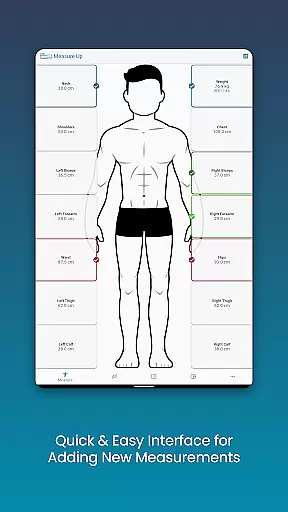
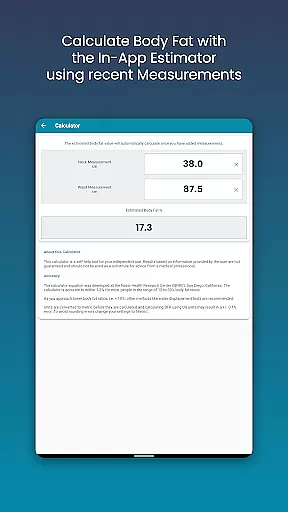
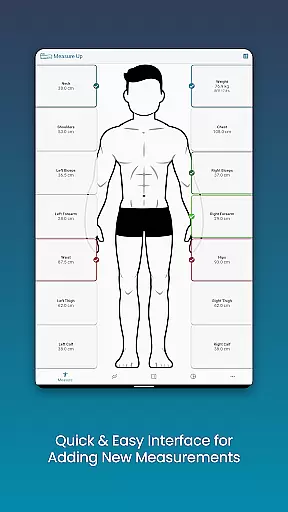
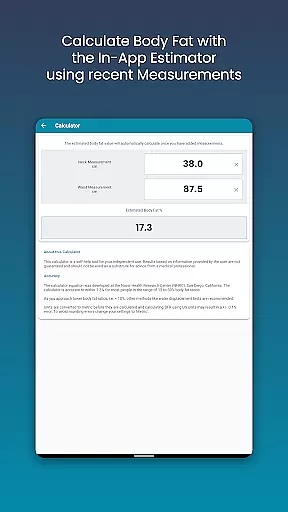
One of the standout features of Body Measurement Tracker is its ease of use when recording daily measurements. The app's streamlined interface lets users add current or past measurements effortlessly by simply adjusting the date. Additionally, the built-in body fat calculator provides quick estimations, eliminating the need for manual calculations.
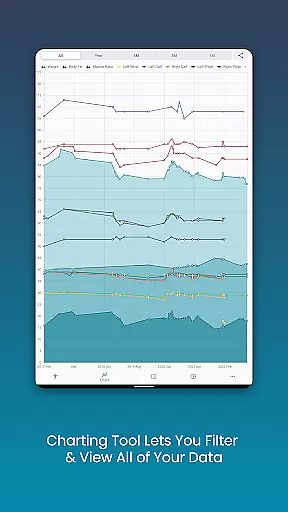
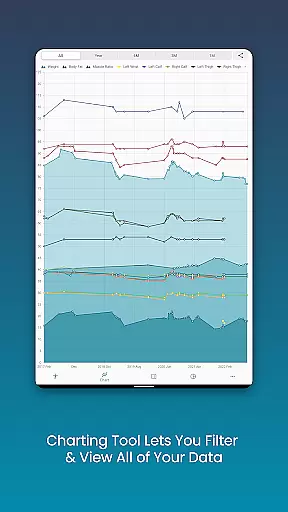
For those who prefer visual representations of their progress, the app offers advanced chart analysis tools. Users can view all their data in one place, toggle specific metrics on or off, and stack different measurements to get a clearer picture of their fitness journey. These charts are not only informative but also exportable, allowing users to share their progress via popular apps.
Customization is another key aspect of this app. Users can create custom measurements for length, weight, or percentages and personalize the colors of their charts. With additional features like data backup and restore, Body Measurement Tracker ensures that users never lose their valuable information, providing peace of mind and convenience.
Personalized planning in fitness applications refers to the ability to tailor workout and measurement plans according to individual user needs and goals. This feature is crucial as it allows users to focus on specific areas they wish to improve, ensuring a more effective and targeted approach to their fitness journey.
Body Measurement Tracker excels in this aspect by offering customizable measurements where users can add their own Length, Weight, or Percentage metrics. The app also includes an in-body fat calculator, allowing for quick estimations and tracking of body composition changes over time. These personalized options empower users to create a plan that fits their unique requirements.
Users benefit from this tailored approach as it provides them with clear insights into their progress. By adjusting the types of measurements and setting personal goals, individuals can closely monitor their weight loss or muscle gain journey. This level of customization ensures that users remain engaged and motivated.
The true value of personalized planning in Body Measurement Tracker lies in its capacity to adapt to varying user needs. Whether someone is tracking for health reasons or athletic performance, the app's flexibility supports continued motivation and progress towards achieving personal fitness milestones.
Progress visualization is a critical component of any fitness application, enabling users to see their advancements over time clearly. This feature is essential because visual representations such as charts and graphs make it easier for users to interpret their data and stay motivated.
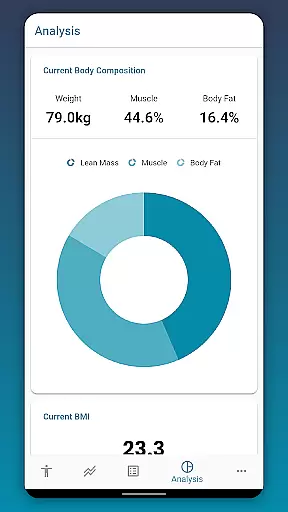
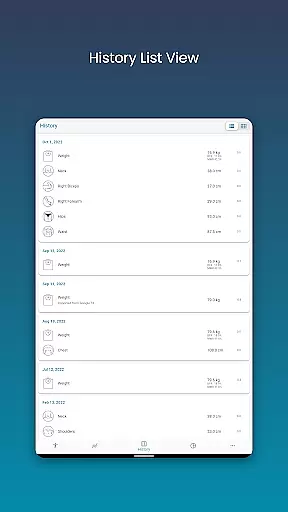
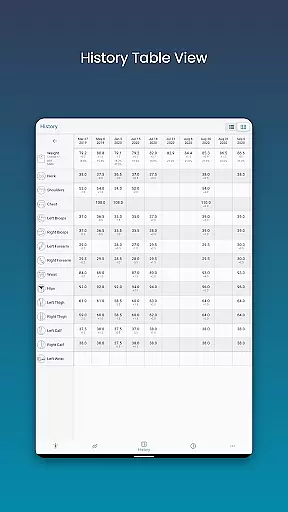
In Body Measurement Tracker, progress visualization is executed through various formats including Chart, Table, and List views. The unique chart feature allows users to toggle different measurements on and off, providing a clear picture of their progression. Additionally, the ability to stack lean mass, body fat, and muscle data delivers comprehensive insights into how these elements interact and change over time.
For users, this means having all their measurement history in one accessible location. They can choose the view format that works best for them, making data interpretation straightforward and engaging. Furthermore, exporting charts to PNG image format enables easy sharing and documentation of progress.
Ultimately, the strength of progress visualization in Body Measurement Tracker is its ability to transform complex data into understandable visuals. Users can easily track their fitness journey, maintain motivation, and celebrate milestones, enhancing their overall experience with the app.
User-friendly interface
Comprehensive charting tools
Google Fit integration
Customizable measurement options
Cloud backup functionality
Limited social sharing options
No built-in diet tracking
Premium features require subscription
Occasional syncing issues
Interface may feel basic to some

Live Heart Rate Pro - Real Time Heart & Workout Data For Wear OS & Bluetooth BLE
 3.20
3.20
Chair Workout: Women's Edition for safe, flexible, and personalized fitness.
4.40
Home workouts for fitness & fast bodybuilding at home - no equipment needed.
4.90
See what's really going on inside your head! Real time EEG graphs from your Muse
4.40
Binaural Beats - Fully Customizable Waves - Pure Sound - No Loops
4.50
Interval timer for High Intensity Interval Training, Tabata and Circuit Training
4.20
Track heart rate & HRV in 30s! Get live health insights and anomaly alerts
4.40
Easy to use step counter, calorie counter helps lose weight, count steps offline
4.80
Manage your and your family's health information.
4.60
The Crunch Mobile app - Find a gym, manage favorites, reserve & cancel classes.
4.60
Your portable blood pressure tracker. Record, monitor, and analyze BP anytime.
4.30
Download MadMuscles to start your positive body transformation!
4.30
“Overcoming pain based on EMDR” helps you to alleviate chronic pain and stress.
4.10
Looking to take control of your health? Our psychology-based programs can help.
4.10
Your Health Assistant
3.90
Control your sleep in real-time wearing Garmin device
3.60
Enjoy the Gluten Free living with the best app. SCAN the barcodes & SEARCH.
3.60
3D Body Measurement System
3.60
Sync your activities of the most popular sports tracking services
2.70


User Reviews