
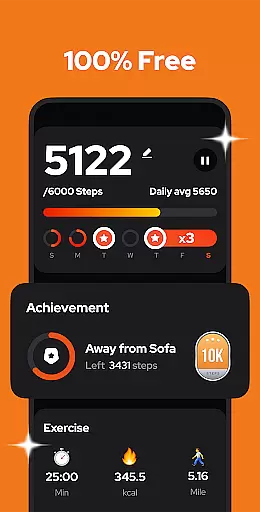
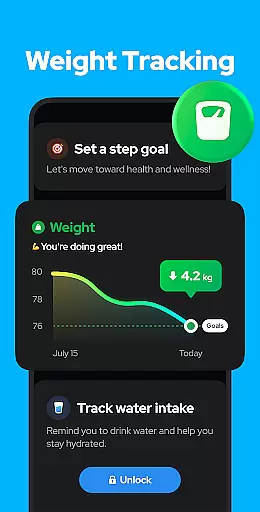
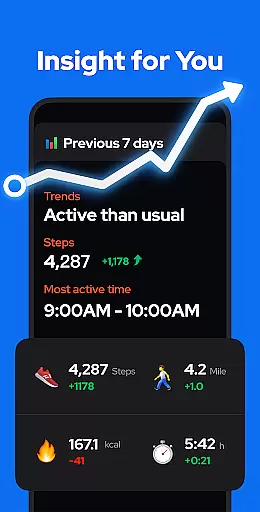
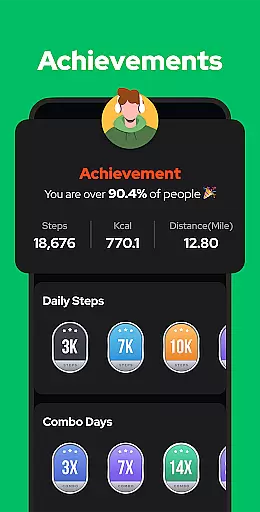
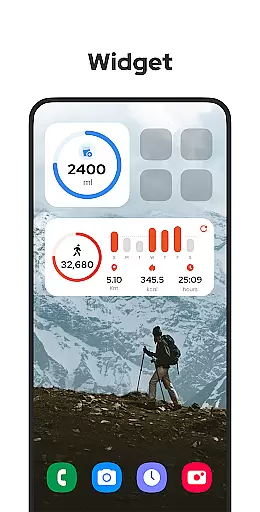
Step Counter - Pedometer is a premier health and fitness application designed to automatically track your daily steps, calories burned, walking distance, and duration with precision. Compatible with all Android devices, this app leverages advanced built-in exercise tracking technology without the need for GPS or Wi-Fi, ensuring efficient battery usage while providing offline functionality. Its user-friendly interface makes it easy for anyone to use, simply tap start and let the app do the rest.
This pedometer app stands out by offering comprehensive features such as pause and resume functions, adjustable sensitivity settings, and detailed graphical representations of your activity data over time. Whether you're aiming to hit 10,000 steps a day or looking to maintain an active lifestyle, Step Counter - Pedometer provides the tools necessary to help you achieve your fitness goals effectively.
Step Counter - Pedometer boasts an array of sophisticated features tailored to enhance your fitness journey. The app's primary feature is its ability to auto-record daily activities including steps taken, calories burned, and distance covered, all without draining your device’s battery thanks to its non-reliance on GPS tracking. Additionally, users can customize their experience through adjustable sensitivity settings, ensuring accurate step counts regardless of movement patterns.
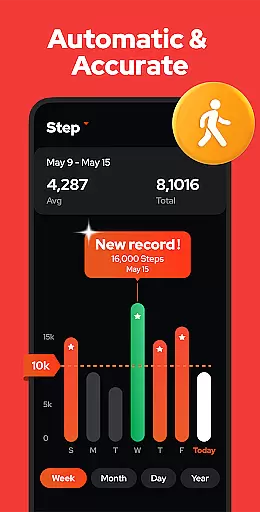
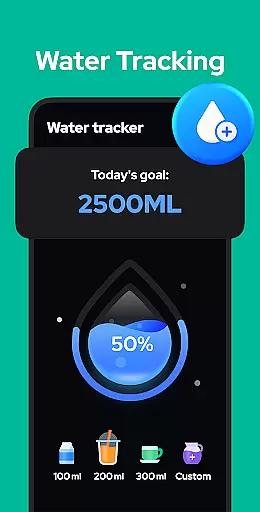
Beyond basic tracking, the app offers insightful graphs displaying weekly, monthly, and yearly progress, empowering users to monitor trends and adjust their routines accordingly. With upcoming features like customizable training modes, hydration reminders, and health metric recordings, Step Counter - Pedometer aims to be a holistic solution for maintaining physical wellness. These innovations underscore the app's commitment to providing a seamless blend of simplicity and functionality in personal health management.
Personalized planning in a fitness app refers to the ability to create tailored exercise plans based on individual user data and goals. This feature is crucial for users who want to achieve specific health objectives efficiently.
Step Counter - Pedometer offers personalized planning by analyzing your daily activity metrics such as steps, calories burned, and walking distance. The app uses advanced algorithms to adaptively adjust recommendations, ensuring that each user gets a customized experience aligned with their fitness level and targets.
Users benefit from this feature by receiving actionable insights that guide them toward their fitness goals. Whether aiming to hit 10,000 steps a day or monitoring calorie expenditure, the app provides practical advice to enhance personal wellness journeys.
The true value of personalized planning lies in its capacity to evolve with the user. As personal data accumulates, the app refines its suggestions, offering increasingly accurate and beneficial guidance. This dynamic approach ensures sustained user engagement and maximizes the potential for achieving long-term health improvements.
Progress visualization is an essential feature in fitness apps that allows users to see their achievements and track improvements over time. Visual representations make it easier to comprehend complex data and maintain motivation.
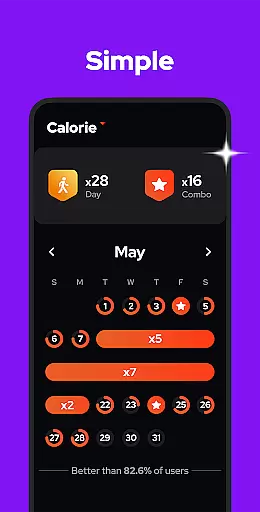
In Step Counter - Pedometer, progress visualization is executed through detailed charts and graphs. Users can view their step counts, calories burned, and walking durations categorized by day, week, month, or year. These visual tools provide clear insights into personal fitness trends and patterns.
This functionality empowers users by making their progress tangible and understandable. Seeing visual proof of consistent improvement helps sustain motivation and encourages continued adherence to fitness routines. It transforms abstract numbers into compelling stories of personal achievement.
Moreover, the app's visualization capabilities extend beyond mere data presentation. By integrating goal-setting features, users can set milestones and receive visual feedback upon reaching them. This comprehensive approach not only tracks but also celebrates progress, enhancing overall user satisfaction and promoting a healthier lifestyle.
User-friendly design
Accurate step tracking
Offline functionality
Comprehensive analytics
Privacy-focused
Limited iOS support
No wearable integration
Occasional inaccuracies
Basic UI design
Few social features

Your plan in your pocket 24/7
 3.00
3.00
Live Heart Rate Pro - Real Time Heart & Workout Data For Wear OS & Bluetooth BLE
3.20
Enjoy the Gluten Free living with the best app. SCAN the barcodes & SEARCH.
3.60
Your AI pet BFF. Talk, play, and beat anxiety in this calming game.
4.60
Monitor, analyze, track, and convert blood sugar & help you control diabetes.
4.10
Download MadMuscles to start your positive body transformation!
4.30
Blood Pressure Log, HRV & Heartbeat Tracker. Pulse Checker.
4.40
beat yesterday.
4.00
Manage your and your family's health information.
4.60
Point, scan, and unlock truth in every bite.
4.50
Memory, mind & logic exercises. Puzzle games, IQ & brain test for kids & adults
4.50
See what's really going on inside your head! Real time EEG graphs from your Muse
4.40
Grow with self-tests and personal routine.
4.30
Your portable blood pressure tracker. Record, monitor, and analyze BP anytime.
4.30
Walk, track, and burn calories with step counter & GPS walking tracker
4.20
Pedometer that gives you sweatcoins for steps. It pays to walk!
4.10
Your Health Has Met Its App (℠)
3.90
The Sleep Miracle Sound Machine: Soothes baby to sleep with a gentle "Shhh"
3.00
Optimization for TRT & Enhanced Athletes
4.1


User Reviews