
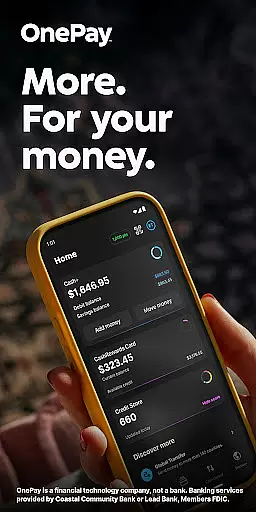
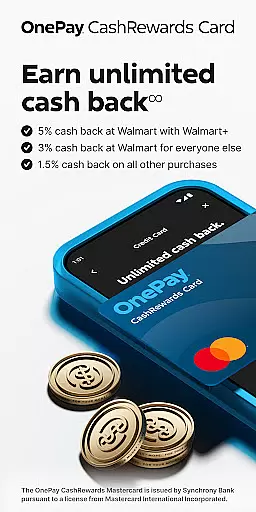
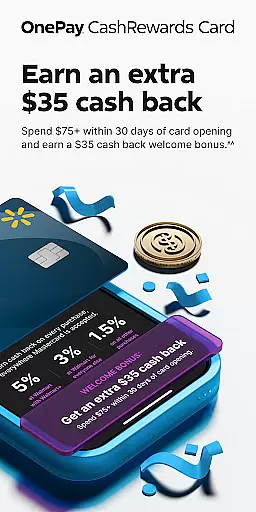
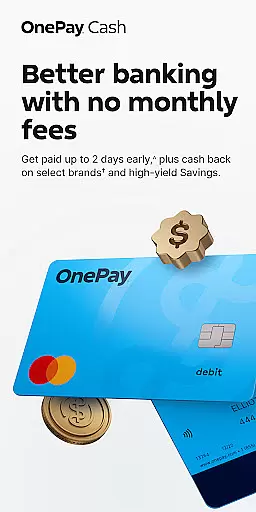
OnePay - Mobile Banking is a comprehensive financial solution that redefines how you manage your money. As a financial technology company rather than a traditional bank, OnePay offers innovative banking services through partnerships with established banks like Coastal Community Bank and Lead Bank, both Members FDIC. The service includes the OnePay CashRewards Mastercard issued by Synchrony Bank and the OnePay Debit Card, providing users with flexible payment options.
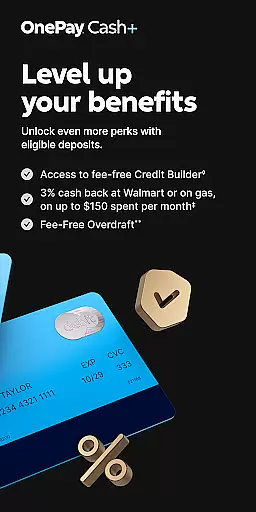
The app's standout feature is its rewards system, where users can earn cash back as OnePay Points by meeting eligible deposit requirements or making direct deposits of $500 or more. These points are redeemable in various ways, including deposits into a OnePay Cash account. Additionally, OnePay provides tools like Savings Backup and Fee-Free Overdraft services, ensuring users have financial safety nets. With features designed to build credit and earn rewards on purchases, OnePay is ideal for those looking to maximize their financial benefits while maintaining easy access to their funds.
OnePay - Mobile Banking stands out with its robust set of features tailored to enhance user experience and financial management. A key highlight is the ability to earn cash back as OnePay Points, which requires meeting specific deposit criteria such as receiving $500+ in Direct Deposits. This incentivizes regular financial activity and rewards users for consistent engagement with the app.
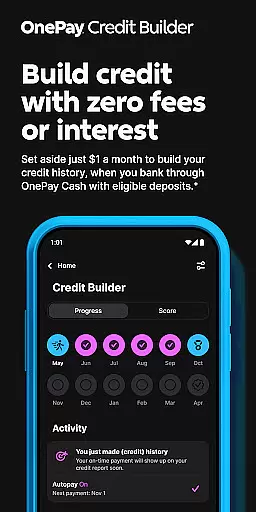
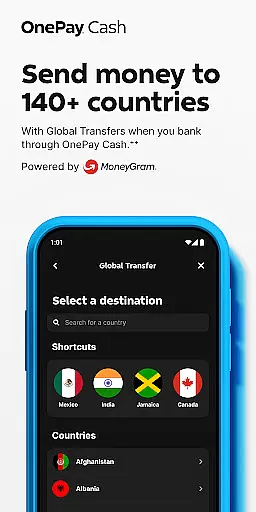
Another significant feature is the Credit Builder Program, allowing users to improve their credit scores through structured monthly payments on a 12-month loan with a 0% APR. Users can customize their payment amounts, with any remainder automatically deducted from a lockbox. Furthermore, the app provides detailed terms and conditions easily accessible via www.onepay.com/terms, ensuring transparency. With additional functionalities like global transfers and currency exchange at varying rates, OnePay equips users with versatile tools to manage their finances effectively.
Account and fund security is a critical aspect of any financial application, ensuring the safety of users' personal and financial information. OnePay u2013 Mobile Banking employs advanced encryption protocols to protect data transmission between the app and its servers. This ensures that sensitive information such as account details and transaction history remains confidential and secure from unauthorized access.
In addition to encryption, OnePay implements multi-factor authentication processes to verify user identities during login and when performing sensitive operations like transferring funds. By requiring more than just a passwordu2014such as biometric verification or one-time codes sent to trusted devicesu2014OnePay adds an extra layer of security, significantly reducing the risk of unauthorized account access.
Furthermore, OnePay provides real-time notifications for all account activities, allowing users to monitor their transactions closely and report any suspicious actions immediately. This proactive approach not only enhances security but also builds trust with users by keeping them informed about their financial activities at all times.
The transaction experience in a finance app encompasses the ease, speed, and reliability of conducting financial operations. OnePay u2013 Mobile Banking excels in providing a seamless transaction process, enabling users to perform various banking activities such as transferring funds, paying bills, and managing deposits with just a few taps on their mobile devices. The intuitive interface ensures that even those new to digital banking can navigate and execute transactions effortlessly.
OnePay stands out by offering instant transaction notifications, which keep users updated on the status of their financial activities in real time. Whether it's a successful payment or pending transfer, these alerts contribute to a transparent and reassuring banking experience. Additionally, the app supports multiple payment methods, including Direct Deposits and global transfers, catering to diverse user needs while maintaining competitive exchange rates.
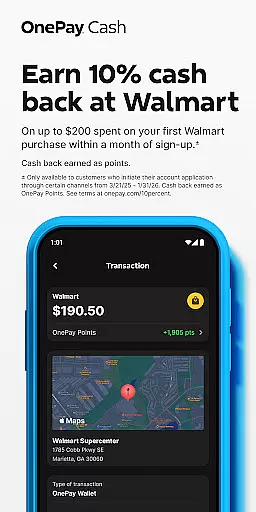
To further enhance the transaction experience, OnePay integrates personalized cashback rewards through its CashRewards Mastercard. Users earn points on purchases, redeemable as deposits into their OnePay Cash account, adding value to every transaction. With features designed to simplify financial management and reward user loyalty, OnePay delivers a superior transaction experience that meets modern banking expectations.
User-friendly interface
Flexible payment options
Rewarding points system
Strong security measures
Comprehensive financial tools
Limited to eligible deposits
Requires direct deposit
Overdraft fees may apply
Credit approval needed
Variable exchange rates

Download the MySynchrony App to manage your accounts securely and conveniently!
 4.60
4.60
Pay rent on your schedule.
4.70
Get a cash advance instantly. File taxes & cover unexpected bills in minutes.
4.60
Get, Earn, and Save Money
4.30
Simple & secure international money transfers - for personal & business needs.
4.80
BTC, Crypto, Stocks & Options.
4.20
Easy budgeting planning on a calendar!
4.80
Manage budget, save money, or file tax. Build, track & improve your credit score
4.40
Trade NFL, NBA, Crypto, Tech
4.50
Banking with no monthly fees, fee-free overdraft, and early payday.
4.70
Over 180 currencies conversion rates with live exchange rates and offline mode.
4.60
Early payday & cash advances with no-fee mobile banking!
4.60
Banking, Budgeting & Investing
4.60
Earn cash & save money daily. Access instant cash advances* - no credit check!
4.50
Registration of your debts and Mdionatk and assembled, as well as a significant reports
4.30
Read and extract public data on NFC Contactless banking card (VISA, MasterCard
4.30
Invest, bank & save in one app. Trade stocks, earn high APY & budget smarter.
4.00
Bitcoin gpu app helps you remote mine using your cell phone easily .
3.60
Bill Manager is a simple app to help you keep track of your upcoming bills.
4.4


User Reviews