





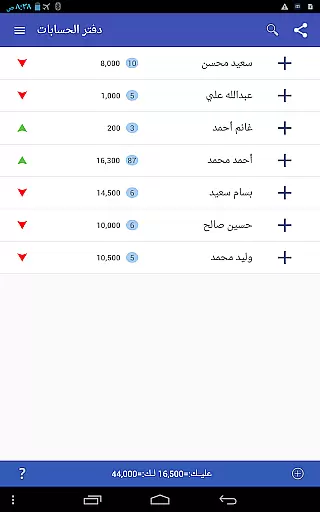



Pro Accounting Book is a comprehensive financial management application designed to simplify accounting processes for individuals and small businesses. The app allows users to effortlessly record debts, track receivables, and manage automatic account aggregation. With its intuitive interface, it ensures ease of use while delivering powerful functionality.
Beyond basic accounting, Pro Accounting Book offers advanced features such as detailed financial reporting, database export/import capabilities, and secure data sharing via Bluetooth or social media platforms. Whether you need quick access through its smart search function or require organized data via sorting options, this app provides tools that save both time and effort. Its ability to close accounts and summarize balances makes it an invaluable tool for streamlined financial oversight.
Ideal for those seeking efficient ledger management, Pro Accounting Book supports various operations including editing, deleting, and backing up critical financial data. This ensures users can maintain accurate records while safeguarding against device loss or damage. By combining practicality with innovation, the app delivers significant value to anyone managing personal or business finances.
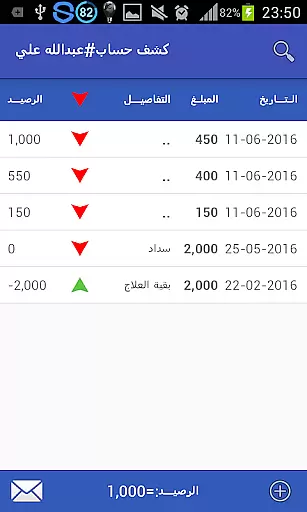
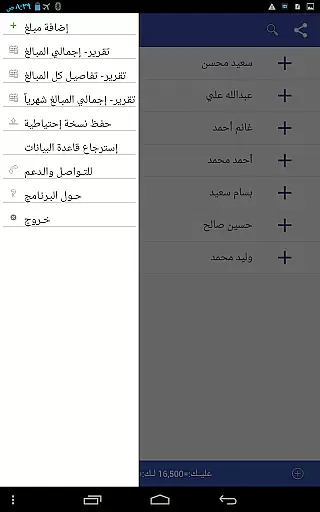
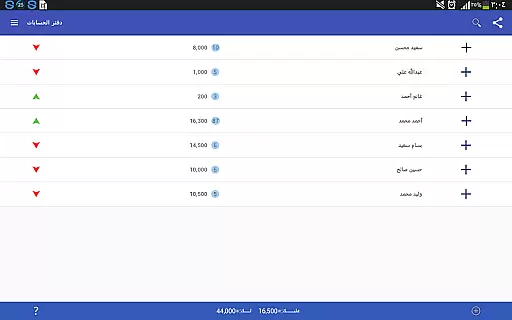
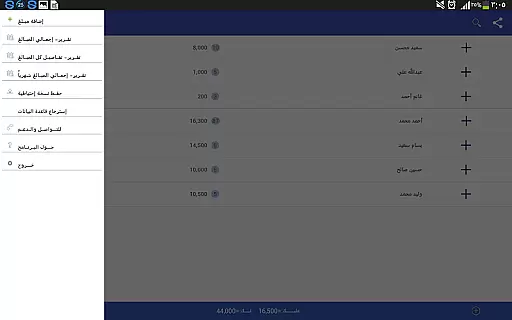
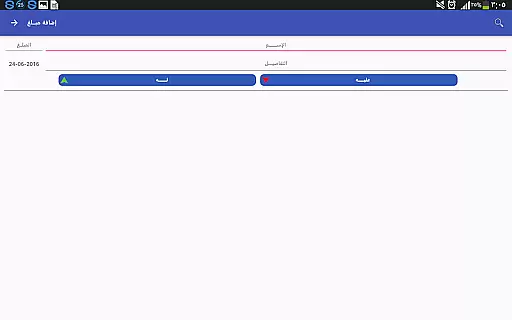
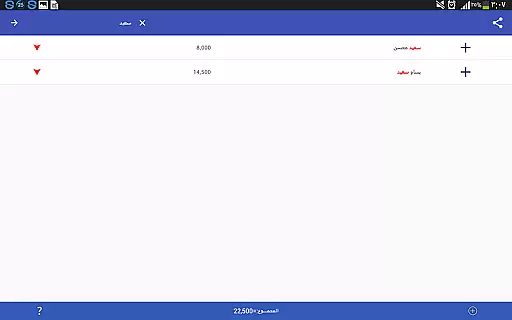
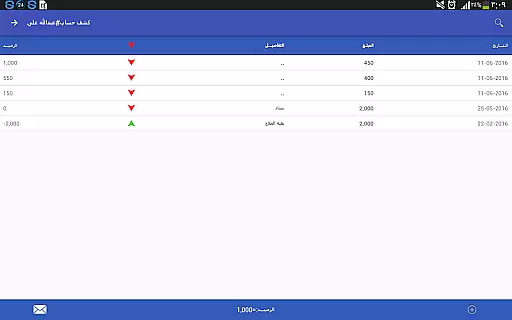
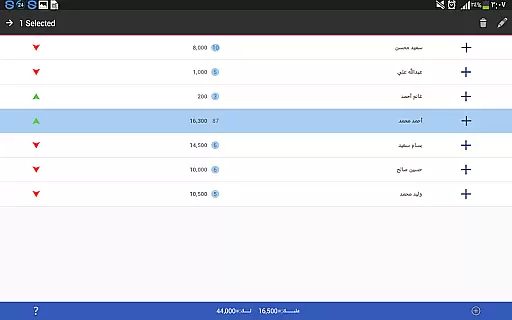
Pro Accounting Book stands out with its diverse range of features tailored to enhance financial organization. One key feature is the ability to add transactions seamlessly by clicking the Add Amount (+) button. Users can input new names or select existing ones, specify transaction dates, and save entries with ease. Each saved entry appears in a history log where users can edit or delete records by long-pressing on them.
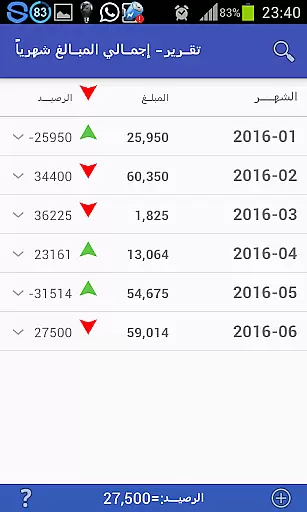
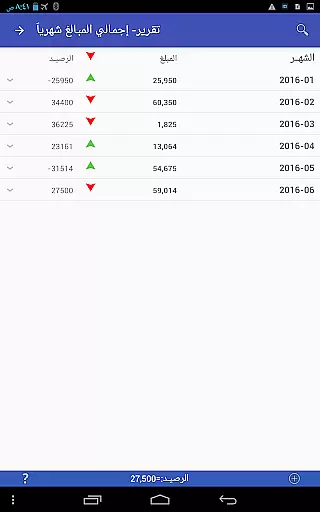
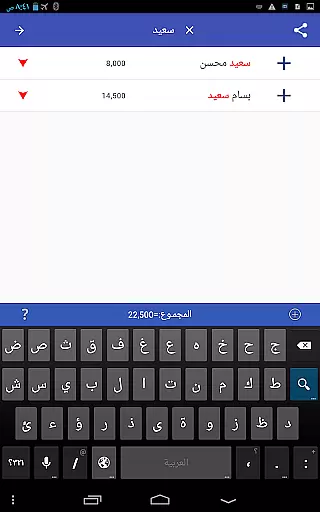
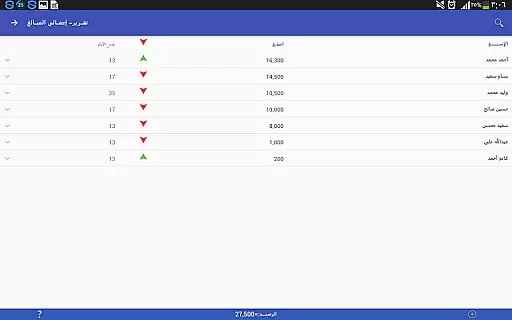
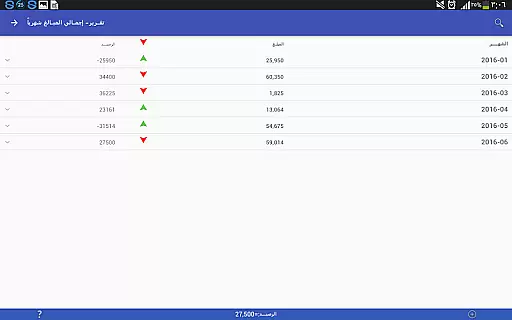
The app also excels in generating analytical reports that provide deep insights into financial activities. Accessible through the Settings menu, these reports help users monitor trends and make informed decisions. Additionally, the search and ranking functionalities allow for precise filtering and sorting of data based on specific criteria like date, amount, or keywords. These tools ensure quick retrieval and optimal arrangement of information.
Another notable feature is database protection through backup and restore options. Users can create secure backups via Bluetooth, email, or social media apps, ensuring their data remains safe even if their device is lost or damaged. Combined with account-closing capabilities that consolidate transactions into a single summary balance, Pro Accounting Book offers a robust solution for maintaining accurate and protected financial records.
Account and fund security is a critical aspect of any financial application, ensuring that users' sensitive information is protected from unauthorized access. Pro Accounting Book takes this responsibility seriously by implementing robust data encryption protocols. Every transaction and personal detail entered into the app is encrypted, making it extremely difficult for hackers to decipher even if they manage to intercept the data.
In addition to encryption, the app provides database protection features such as backup and restore options. Users can create a backup copy of their financial data and store it securely or share it via safe channels like email or Bluetooth. This ensures that even if a device is lost or damaged, the financial records are not lost with it. The ability to restore a previously saved copy adds another layer of security and peace of mind for the user.
Furthermore, the app allows for secure sharing of accounts through trusted social networking sites or Bluetooth, without compromising the integrity of the data being shared. By focusing on these security measures, Pro Accounting Book not only protects user data but also builds trust, which is essential in the Finance category.
A seamless transaction experience is vital for maintaining user engagement and trust in a financial app. Pro Accounting Book excels in providing an intuitive interface for recording debts and credits, allowing users to quickly add new transactions with ease. The process is streamlined by enabling users to either enter a new name or select from existing ones, while also specifying the date of the operation, thus reducing input time and potential errors.
The app goes beyond simple entry by offering advanced features such as automatic completion of aggregate accounts and generating reports that save both time and effort. These reports provide valuable insights into one's financial status without requiring manual analysis, enhancing the overall transaction experience. Additionally, the account closing feature simplifies complex data by consolidating all transactions related to a specific entity into a single entry reflecting the final balance.
Pro Accounting Book further enriches the transaction experience with functionalities like search and sort, which allow for quick access to past entries and organized views of financial activities. Users can filter data based on various criteria including date and amount, making it easier to manage and review their financial history. Such comprehensive tools ensure that managing finances is not only secure but also efficient and user-friendly.
User-friendly interface
Comprehensive reporting tools
Secure data sharing
Efficient search functionality
Automatic account aggregation
Limited customization options
No cloud sync feature
Occasional performance lags
Basic UI design
Requires manual backups

Currency Converter, Exchange Rates, Widgets
 4.90
4.90
Bitcoin gpu app helps you remote mine using your cell phone easily .
3.60
The simplest way to budget, bank, save and invest.
4.50
Managing your money just got easier. Get the new Mobile app.
4.70
All your crypto & stocks in one secure and trusted app.
4.40
Early payday & cash advances with no-fee mobile banking!
4.60
View BSC Transactions for multiple accounts
3.90
Wells Fargo Mobile allows you to access your investment and bank accounts.
4.80
Make Real Cash by Playing Games! Fetch Playful Rewards, Win & Triumph
4.50
Currency Converter supports all currencies of the world.
5.00
Secure, simple money transfer app. Send money to Mexico and worldwide fast.
4.80
All expenses at a glance.
4.80
Early payday cash advance up to $150 a day with a max of $1,000 per pay period
4.70
Your Big Financial Friend
4.70
Loan Calculator, Mortgage Calculator, Compound Interest Calculator
4.70
Cash Advance, Credit Cards, Credit Lines, Score Monitoring, Saving, Budgeting
4.70
Get a cash advance instantly. File taxes & cover unexpected bills in minutes.
4.60
Debt pay off. Build credit history. AI budget tool. Loan offers.
4.60
Bank better with our new app
3.80


User Reviews