
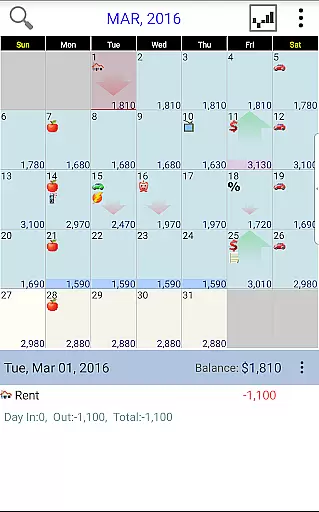
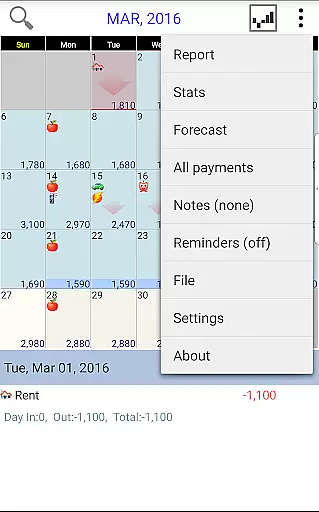
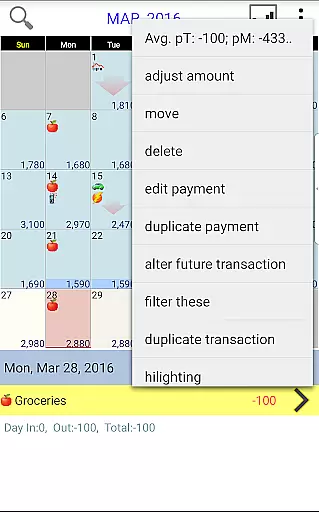
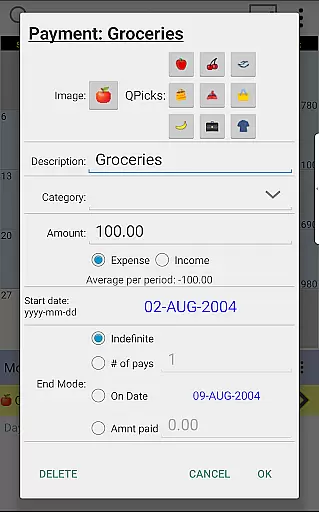
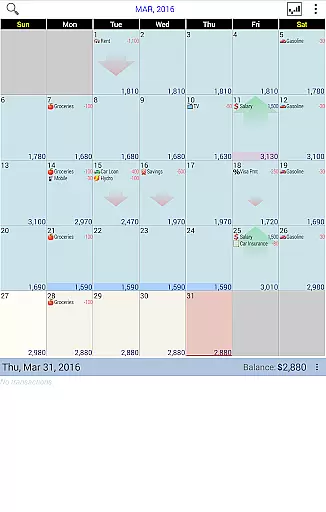
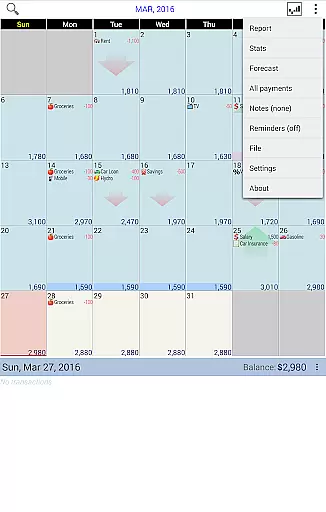
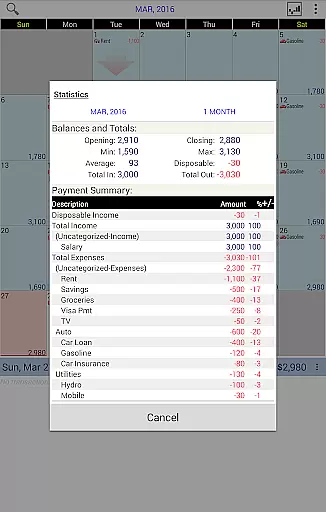
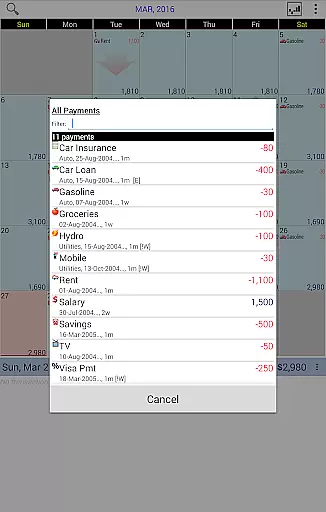
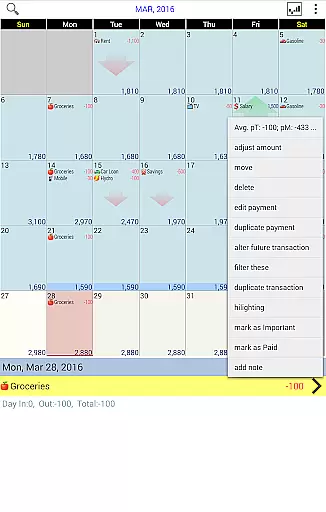
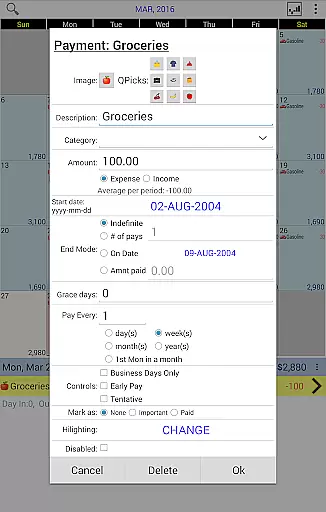
Budget Calendar is a comprehensive financial planning tool designed to simplify budget management through an intuitive calendar-based interface. Unlike traditional ledger systems, this application visually represents all transactions on a calendar, allowing users to easily track and adjust their payments. Each transaction can be customized with unique icons for quick identification, and entries can be moved between dates to accommodate changing needs.
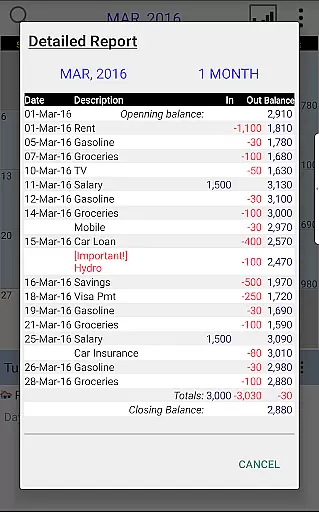
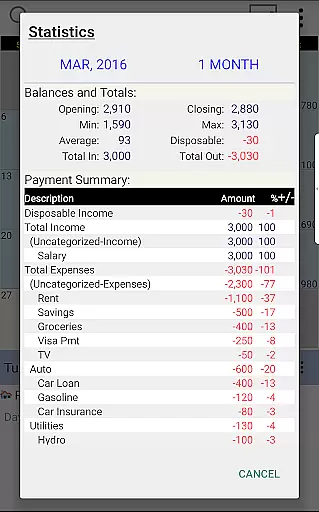
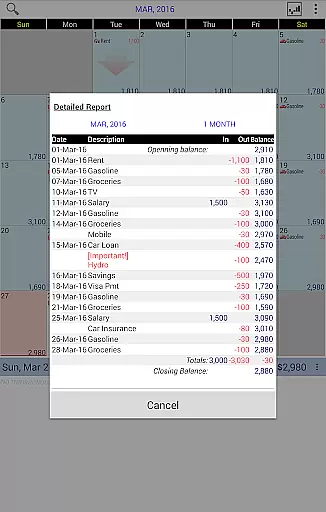
The app provides clear statistics and reports for single or multiple months, enabling users to maintain an accurate overview of their financial situation. With compatibility between smartphone and desktop versions, Budget Calendar ensures seamless synchronization across devices using Google Drive. This feature allows users to access and update their budget from anywhere, making it an ideal solution for those seeking consistent financial oversight.
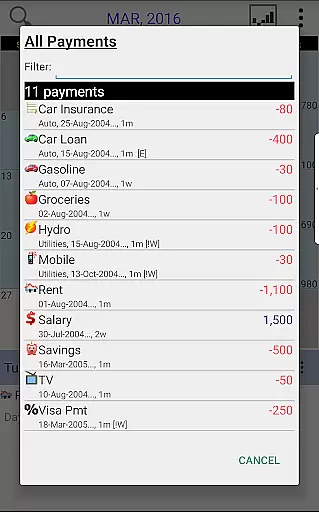
Budget Calendar stands out with its innovative approach to budget tracking. The app's core feature is its calendar-based transaction system, which transforms the often tedious process of financial record-keeping into an engaging visual experience. Users can effortlessly drag and drop transactions between dates, set up recurring payments, and assign distinctive icons to different payment types.
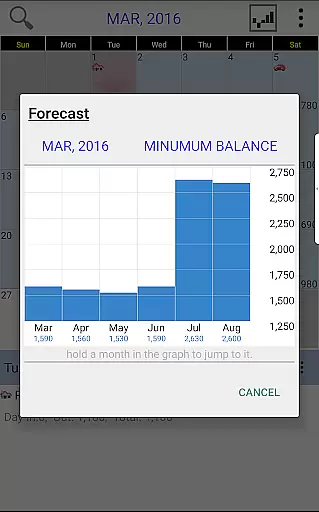
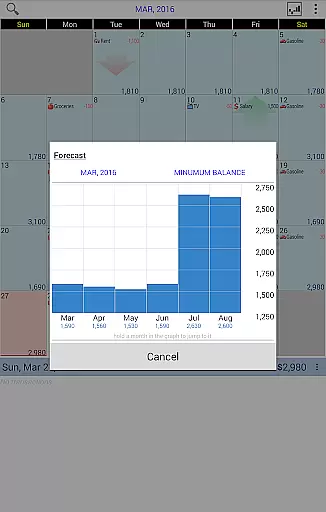
Advanced reporting capabilities enable users to generate detailed financial summaries and projections. The app supports cross-platform synchronization through Google Drive, ensuring that your financial data remains consistent across all devices. Additionally, the desktop version offers extended functionality for more complex financial planning, while maintaining complete file compatibility with the mobile application.
For those new to budgeting applications, Budget Calendar includes a trial desktop version that allows users to explore its features before committing to the full purchase. This thoughtful approach to user onboarding demonstrates the developer's commitment to helping users make informed financial decisions.
Budget Calendar ensures robust account and fund security through multiple layers of protection. The app employs advanced encryption protocols to safeguard your financial data, ensuring that all transactions and personal information remain confidential and secure from unauthorized access.
In addition to encryption, the app provides secure login features, including password protection and optional biometric authentication. This means only you can access your budget and payment details, giving you peace of mind when planning your finances. Furthermore, all data synced via Google Drive is also encrypted, maintaining security across all your devices.
For users who prioritize privacy, Budget Calendar offers complete control over data sharing and storage preferences. You can manage what information is stored locally versus what is synced across devices, allowing for customized security settings tailored to individual comfort levels.
The transaction experience in Budget Calendar is designed to be intuitive and user-friendly, making financial management effortless. Each transaction is displayed on a calendar interface, providing a clear visual representation of your financial activities. This approach simplifies tracking expenses and managing budgets compared to traditional ledger systems used by other applications.
Users can easily move transactions to different days, assign unique icons for quick identification, and view future spending plans at a glance. Real-time updates ensure that any changes made are immediately reflected, keeping your financial overview current and accurate. Additionally, the app offers comprehensive statistics and reports, enabling users to analyze their spending habits over one or more months.
Budget Calendar's seamless integration with desktop versions allows for consistent functionality across devices, enhancing the overall transaction experience. Whether adjusting balances or reviewing detailed reports, users benefit from a cohesive and efficient financial management tool that adapts to their needs.
User-friendly interface
Customizable icons
Seamless device sync
Detailed reporting
Cross-platform support
Paid desktop version
Limited free features
Requires Google account
No automatic categorization
Subscription fees apply

Earn cash & save money daily. Access instant cash advances* - no credit check!
 4.50
4.50
All your crypto & stocks in one secure and trusted app.
4.40
Simple & secure international money transfers - for personal & business needs.
4.80
“Money Manager” is an optimized application for personal asset management.
4.70
StockTiles lets you view prices & charts of your favorite stock assets
2.30
The US Debt Clock .org App gives you a Real-Time glimpse of US Financial Stats
4.60
Wells Fargo Mobile allows you to access your investment and bank accounts.
4.80
Trade NFL, NBA, Crypto, Tech
4.50
The PayPal app is the secure way to send and receive money, shop and pay in 4.
4.20
Manage your Discover account conveniently from anywhere.
4.80
The Citi Mobile® App lets you manage your accounts virtually anytime, anywhere
4.80
All expenses at a glance.
4.80
Managing your money just got easier. Get the new Mobile app.
4.70
Loan Calculator, Mortgage Calculator, Compound Interest Calculator
4.70
Manage and cancel subscriptions, lower bills, track expenses, create budgets.
4.60
Banking, Budgeting & Investing
4.60
Access State Farm accounts, policies, ID cards and more
4.60
The simplest way to budget, bank, save and invest.
4.50
Put crypto to work & earn rewards. Stake crypto like Ethereum, Solana & Cardano
4.40


User Reviews