
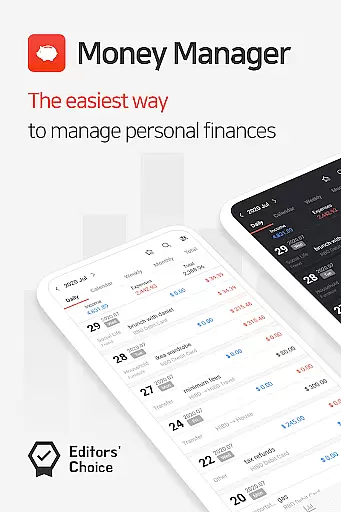
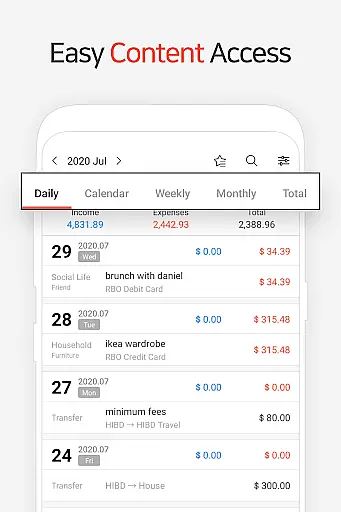
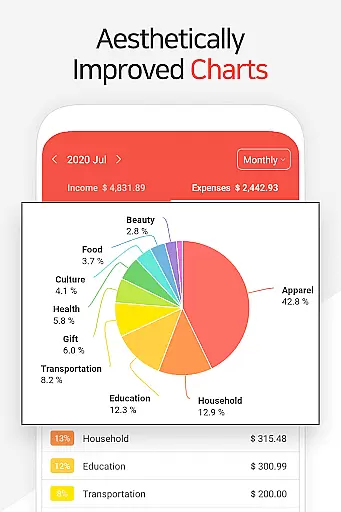
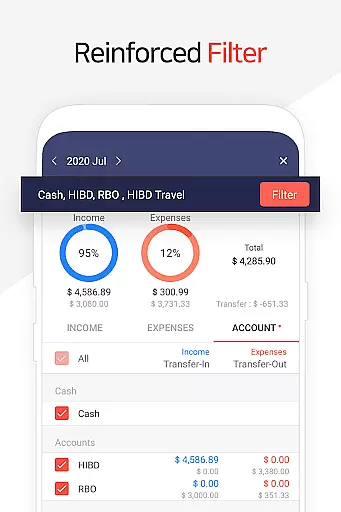
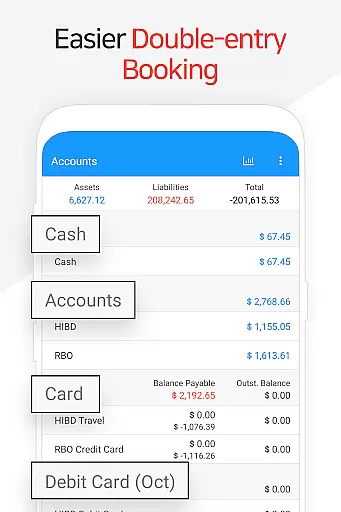
Money Manager is a comprehensive personal finance application designed to help users efficiently manage their assets and track financial activities. The app employs double-entry bookkeeping, ensuring accurate recording of income and expenses while automatically updating account balances. With its budget management feature, users can visualize spending patterns through intuitive graphs that compare actual expenses against set budgets.
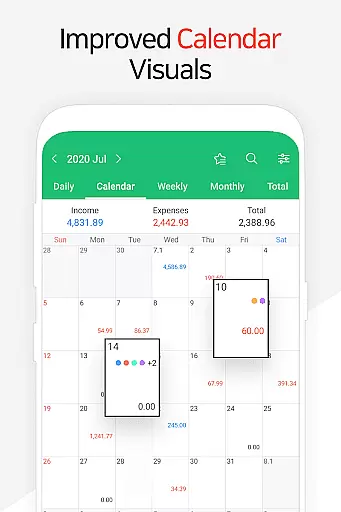
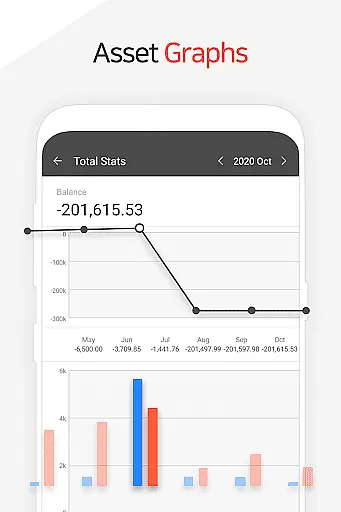
The application also offers advanced tools for managing credit and debit cards, including automatic payment tracking and scheduling. Users can benefit from the instant statistics feature, which provides real-time insights into monthly expenditures and asset changes. Additional security measures like passcode protection, along with convenient functionalities such as bookmarking frequent transactions and creating backups in Excel format or on Google Drive, make Money Manager an indispensable tool for anyone seeking to maintain meticulous control over their finances.
Money Manager stands out with its robust set of features tailored for effective financial management. One key aspect is the PC manager function, allowing users to view and edit data via Wi-Fi on a larger screen, with graphical representations of account fluctuations. This feature enhances the user experience by providing a more detailed and organized view of financial data.
Another notable feature is the ability to manage recurring payments and direct debits effortlessly. By setting up automatic transfers, users can streamline their salary, insurance, and loan management. The inclusion of a calculator function and customizable starting dates further augments the app's utility. Moreover, the app's support for Google Drive backups ensures data safety and accessibility, making it a reliable choice for those who prioritize both functionality and security in their financial management tools.
Account and fund security is a critical aspect of any financial management application. Money Manager ensures this through multiple layers of protection.
The app provides a passcode feature that allows users to set an additional layer of authentication, ensuring only authorized access to their financial data. This helps prevent unauthorized users from viewing sensitive information even if the device is lost or stolen.
In addition to local security measures, the app supports Google Drive backup, which means users can securely store their financial data in the cloud. This not only protects against data loss but also allows for secure cross-device synchronization.
By combining these features, Money Manager offers peace of mind to its users, knowing their personal asset information is safeguarded against both physical and digital threats.
A seamless transaction experience is essential for maintaining accurate financial records. Money Manager excels in this area by offering diverse functionalities tailored to simplify the process.
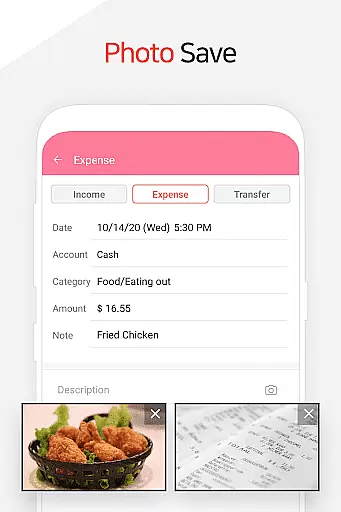
Users can easily manage income and expenses with automatic account updates. As soon as income or expense entries are made, the app immediately reflects these changes in the user's account balance, streamlining the tracking process.
Furthermore, the app includes advanced features such as transfer, direct debit, and recurrence functions. These allow users to efficiently handle salary deposits, insurance payments, term deposits, and loans by setting up automatic transfers and recurring transactions.
This comprehensive approach to transaction management ensures that users can maintain precise control over their financial activities while enjoying a smooth and intuitive user experience.
User-friendly interface
Comprehensive budget tracking
Secure passcode protection
Automatic transaction updates
Google Drive backup support
Limited investment tracking
No multi-currency support
Premium features require subscription
Occasional syncing issues
Complex for beginners

 4.50
4.50
Currency Converter supports all currencies of the world.
5.00
The all-in-one app to save, earn, travel, and put more money in your pocket
4.50
Bitcoin gpu app helps you remote mine using your cell phone easily .
3.60
BA Financial Calculator PRO – Perfect for CFA/FRM/CPA and finance professionals
4.90
Easily invest, save, and plan—all in one app.
4.60
Earn cash back. Build credit.
4.60
Real-time tracking: Stocks, Indices, Futures, Commodities, ETF, & Funds prices.
4.60
Trade NFL, NBA, Crypto, Tech
4.50
Manage your Discover account conveniently from anywhere.
4.80
Check EBT, SNAP, WIC balances, manage food stamps, and save money with benefits
4.80
Loan Calculator, Mortgage Calculator, Compound Interest Calculator
4.70
Military retirement pay estimation calculator
4.70
Cash Advance, Credit Cards, Credit Lines, Score Monitoring, Saving, Budgeting
4.70
Get a cash advance instantly. File taxes & cover unexpected bills in minutes.
4.60
Banking, Budgeting & Investing
4.60
Access State Farm accounts, policies, ID cards and more
4.60
Our Chase Mobile App makes it easy for you to bank on the go 24/7.
4.60
Save, spend & get paid faster²
4.50


User Reviews