
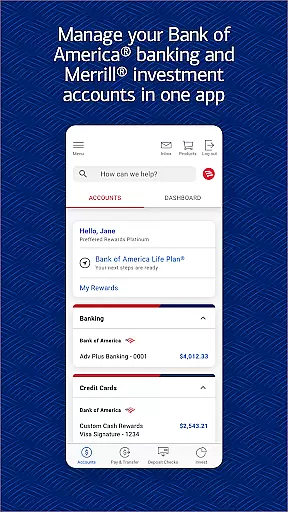
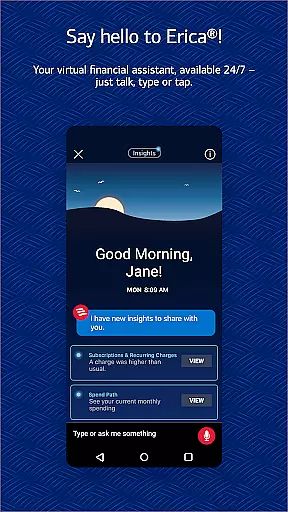
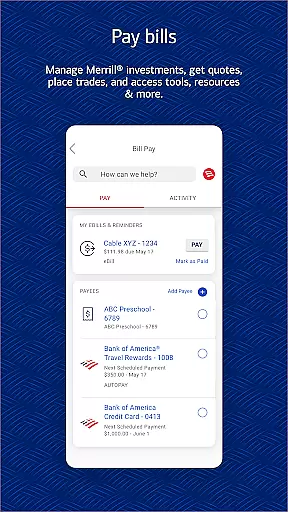
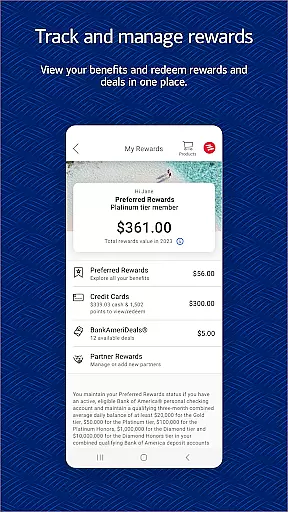
Bank of America Mobile Banking is a comprehensive financial management app designed for U.S.-based customers. It allows users to conveniently and securely manage their checking, savings, credit card, loan, and investment accounts from their mobile devices. The app provides robust features such as account monitoring, money transfers, bill payments, check deposits, and access to Erica, the virtual financial assistant.
With its user-friendly interface and advanced security measures like Touch ID/Face ID and fraud alerts, Bank of America Mobile Banking ensures both ease of use and protection of user data. Whether you're tracking spending, setting savings goals, or managing investments with Merrill, this app offers valuable tools to help you maintain healthy financial habits and make informed decisions.
One of the standout features of Bank of America Mobile Banking is its ability to provide complete account management. Users can view balances, review activity, activate or replace cards, set important alerts, and manage all types of accounts including checking, savings, credit cards, loans, and investments. This holistic approach ensures that users have full control over their financial activities in one place.
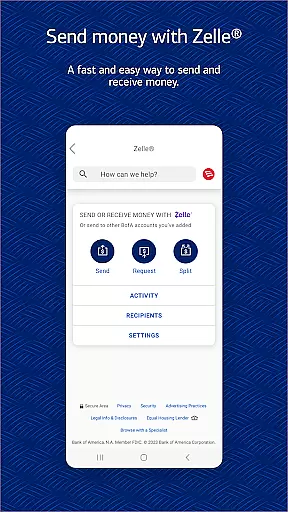
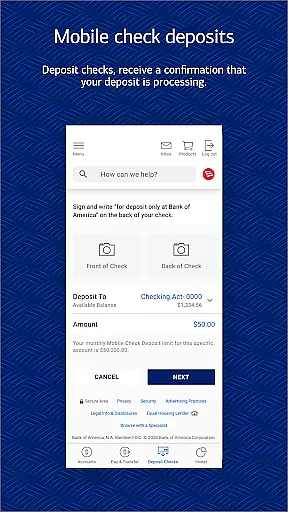
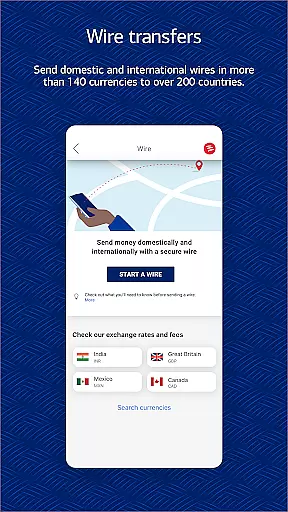
The app also excels in facilitating seamless transactions. With Zelle integration, users can send and receive money using just a U.S. mobile number or email address. Additionally, it supports transferring funds between Bank of America and linked Merrill accounts, paying bills, and depositing checks via photos. Erica, the virtual assistant, adds another layer of convenience by helping users find transactions, pay bills, and offering insights into their financial behavior.
Security is a top priority, with features like Touch ID/Face ID, immediate fraud notifications, and a dedicated security center. These measures ensure that users' sensitive information remains protected at all times. Furthermore, the app includes educational resources and budgeting tools, empowering users to make smarter financial decisions while keeping track of their spending habits effectively.
Account and Fund Security is a critical feature of the Bank of America Mobile Banking app, ensuring that users can manage their finances with confidence. The app incorporates advanced security measures such as Touch ID and Face ID for biometric authentication, providing an additional layer of protection against unauthorized access.
The application actively monitors for fraudulent activity on your accounts. If any suspicious behavior is detected, you are promptly notified, allowing you to take immediate action to secure your funds. This proactive approach helps mitigate risks associated with unauthorized transactions.
Furthermore, the Mobile Banking Security Guarantee assures customers that they will not be held liable for fraudulent transactions if reported promptly. By adhering to the app's security responsibilities and notifying the bank within 60 days of noticing any discrepancies, users can enjoy peace of mind knowing their assets are safeguarded.
With these robust security protocols in place, the Bank of America Mobile Banking app delivers a secure environment where users can perform banking activities without compromising their personal or financial information.
The Transaction Experience offered by the Bank of America Mobile Banking app is designed to provide users with a seamless and efficient way to manage their finances. Through this app, customers can easily view account balances, review recent transactions, and set up alerts for important account information, keeping them informed about their financial status at all times.
One standout feature is the ability to securely send and receive money using Zelleu00ae, which allows for quick transfers via a U.S. mobile number or email address. Additionally, users have the convenience of depositing checks remotely by simply taking photos of them, streamlining the process and eliminating unnecessary trips to the bank.
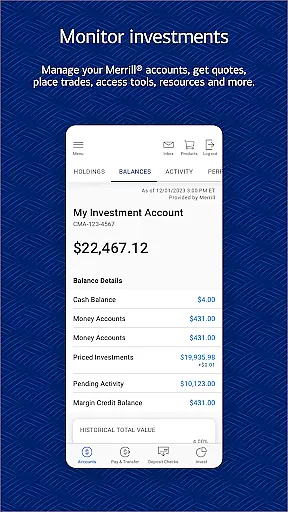
For those who require more than basic banking services, the app also supports investment management through Merrill. Users can trade stocks, ETFs, and mutual funds while accessing real-time market data and news updates. This integration empowers users to make informed decisions regarding their investments directly from their mobile devices.
Overall, the comprehensive transaction capabilities provided by the Bank of America Mobile Banking app ensure that users have full control over their financial activities in a user-friendly manner.
User-friendly interface
Comprehensive account management
Advanced security features
Seamless transaction capabilities
Valuable financial insights
Limited to U.S. customers
Requires registration for some features
Occasional bugs reported
Deposits not immediately available
Investment risks involved

Manage your account, make a payment, and redeem your rewards on the go.
 4.50
4.50
Manage your Discover account conveniently from anywhere.
4.80
Money transfer made easy. Send money to friends and family with great rates.
4.70
PayMe helps you claim money from settlements on companies that harmed you.
4.80
Put crypto to work & earn rewards. Stake crypto like Ethereum, Solana & Cardano
4.40
Easy budgeting planning on a calendar!
4.80
Real-time tracking: Stocks, Indices, Futures, Commodities, ETF, & Funds prices.
4.60
Cash Advance, Credit Cards, Credit Lines, Score Monitoring, Saving, Budgeting
4.70
Send money and bitcoin easily. Invest, bank and do more with your money
4.70
Companies owe you money.
4.80
“Money Manager” is an optimized application for personal asset management.
4.70
Need help before payday? Get cash advances with no interest or credit checks.
4.60
Manage your prepaid cards and add to Google or Samsung Wallet.
4.60
Easily invest, save, and plan—all in one app.
4.60
The all-in-one app to save, earn, travel, and put more money in your pocket
4.50
Registration of your debts and Mdionatk and assembled, as well as a significant reports
4.30
Expenses, Bills, Budget and Accounts - All seamlessly integrated in one app!
3.80
StockTiles lets you view prices & charts of your favorite stock assets
2.30
SuperQi, Your all-in-one Super App.
1.30


User Reviews