
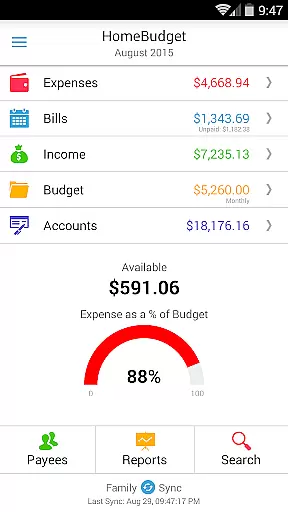
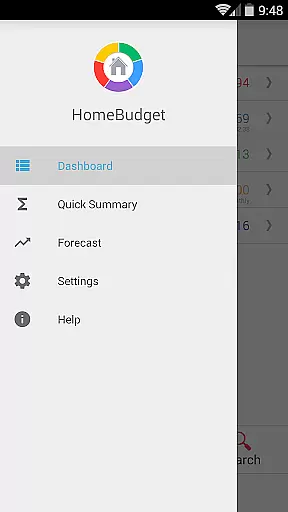
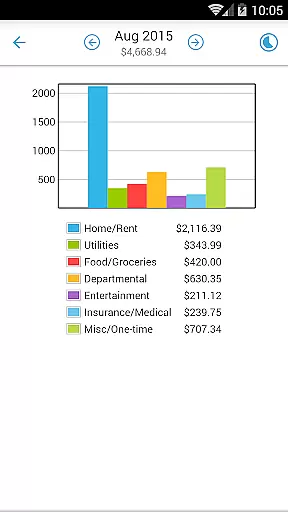
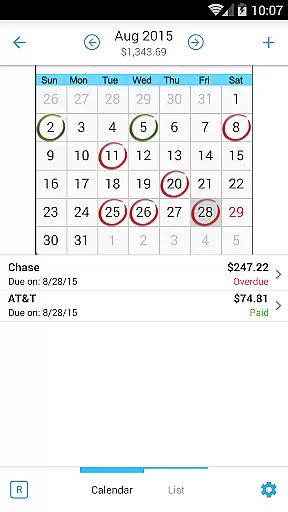
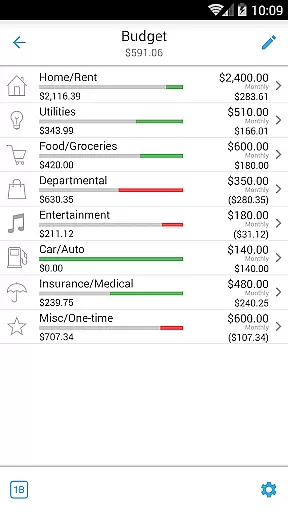
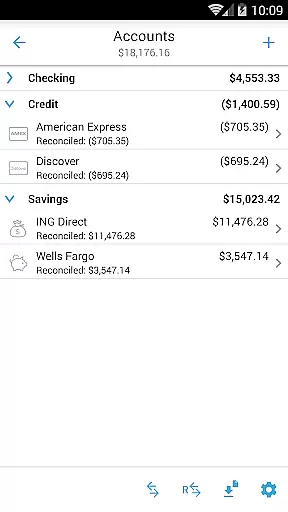
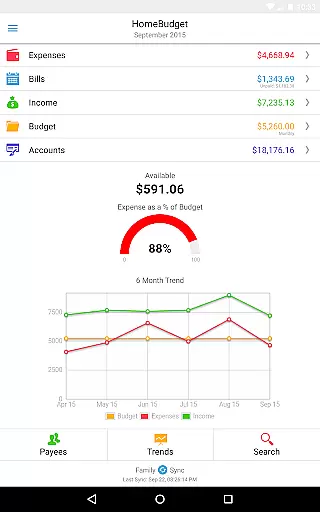
Home Budget with Sync is a comprehensive financial management application designed to help users track expenses, income, bills-due, and account balances across multiple platforms. Available on both mobile (Android, iPhone/iPad) and desktop versions (Windows, Mac OS), it offers instant data synchronization between devices, ensuring seamless access to your financial information wherever you are. The app stands out with two key features: an integrated set of tools that streamline financial tracking by linking expenses, bills, and account balances, and Family Sync, which allows household members to collaborate on a single budget.
This finance app provides robust support for budgeting, enabling users to analyze their financial habits through detailed charts and graphs. Whether you're managing personal finances or coordinating with family members, Home Budget with Sync delivers the tools necessary to maintain a clear overview of your financial health. Its ability to sync data across different operating systems makes it an invaluable tool for households looking to optimize their budgeting processes and improve financial communication.
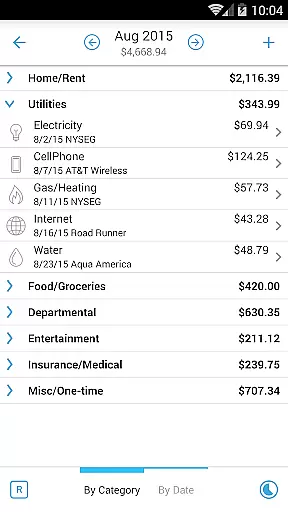
Home Budget with Sync boasts an array of features tailored to simplify and enhance personal and household financial management. Users can effortlessly create, edit, and delete entries for expenses, income, and bills, including recurring transactions. The app supports categorization of expenses, budget setting, and tracking at both category and sub-category levels, empowering users to gain deeper insights into their spending patterns. With dedicated sections for managing accounts such as checking, savings, credit, debit, and cash, users can accurately monitor their account balances and transaction histories.
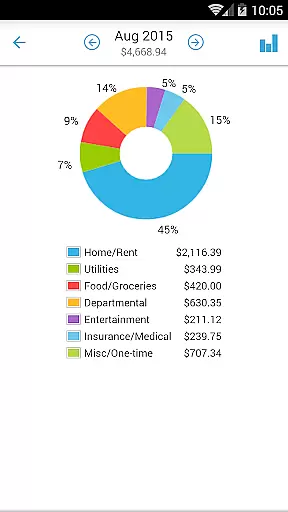
One of the standout features of Home Budget with Sync is its Family Sync capability, allowing multiple devices within a household to automatically exchange financial data over 3G/4G and Wi-Fi networks. This ensures all family members have access to the most current financial information, facilitating collaborative budgeting. Additionally, the app offers various reporting tools, including trend charts for expenses, budgets, and income over the last six months, as well as pie/bar charts for visual breakdowns of expenditures. These features collectively enable users to make informed financial decisions and maintain control over their economic wellbeing.
Account and fund security is a critical aspect of any financial management application. Home Budget with Sync ensures the safety of your financial data through multiple layers of protection. The app provides password protection, allowing only authorized users to access sensitive information.
In addition to password security, the application offers complete backup and restore functionality for all application data, including receipt images. This ensures that your financial records are safe even in cases of device loss or damage. The sync feature across devices uses secure protocols, maintaining data integrity during transmission.
The app's account management system supports various account types including checking, savings, credit, and debit accounts. Each transaction automatically updates the corresponding account balance, providing real-time accuracy in financial tracking. This integration of expense tracking with account management helps prevent errors and discrepancies in financial records.
Furthermore, the Family Sync feature enables secure sharing of financial information among household members without compromising individual account security. The automatic synchronization works across different platforms while maintaining strict data protection standards, making it an ideal solution for family budgeting.
A seamless transaction experience is essential for effective personal finance management. Home Budget with Sync offers intuitive features that make recording and managing transactions straightforward and efficient. Users can create, edit, and delete expenses and income entries with ease, including setting up recurring transactions for regular payments.
The app provides multiple ways to organize and view transactions. Expenses can be browsed by month or category, with drill-down capabilities for detailed analysis. The calendar view for bills and payment reminders helps users stay on top of their financial obligations and avoid late payments.
One of the standout features is the ability to attach receipt images to expense entries. Users can not only attach photos but also resize and position them on screen, creating a comprehensive digital record of transactions. The search functionality allows quick retrieval of specific transactions from the database.
Additionally, the app supports various methods of data export and sharing. Users can generate reports and export them via email or WiFi, facilitating easy sharing with accountants or family members. The inclusion of charts and graphs provides visual representations of spending patterns, enhancing the overall transaction management experience.
User-friendly interface
Comprehensive budgeting tools
Real-time data sync
Family collaboration features
Detailed financial reports
Paid version required
Separate purchase per platform
Limited free version
Complex setup for beginners
Occasional sync issues

Bank better with our new app
 3.80
3.80
Companies owe you money.
4.80
Get, Earn, and Save Money
4.30
BTC, Crypto, Stocks & Options.
4.20
Money App - Earn Cash back, Fast Cash Advance, Personal Loan Offers, Banking
4.70
StockTiles lets you view prices & charts of your favorite stock assets
2.30
Keep track of your subscriptions with no limitations
4.80
Real-time tracking: Stocks, Indices, Futures, Commodities, ETF, & Funds prices.
4.60
Make Real Cash by Playing Games! Fetch Playful Rewards, Win & Triumph
4.50
The Citi Mobile® App lets you manage your accounts virtually anytime, anywhere
4.80
No credit checked needed.
4.80
Easy budgeting planning on a calendar!
4.80
Currency Converter (200+ currencies) with live exchange rates and offline mode.
4.70
Banking with no monthly fees, fee-free overdraft, and early payday.
4.70
Need help before payday? Get cash advances with no interest or credit checks.
4.60
Earn cash back. Build credit.
4.60
Save, spend & get paid faster²
4.50
SuperQi, Your all-in-one Super App.
1.30
Bill Manager is a simple app to help you keep track of your upcoming bills.
4.4


User Reviews