
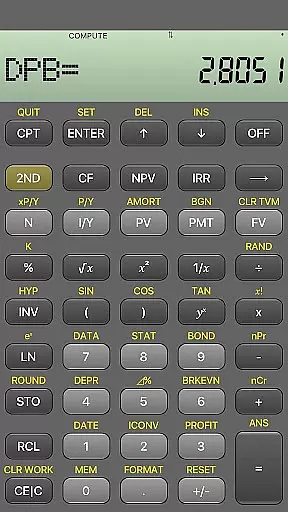
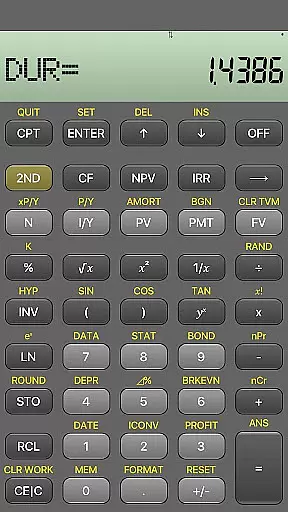
BA Financial Calculator PRO is a comprehensive mobile application designed specifically for finance professionals, CFA/FRM candidates, and students. This app fully emulates the TI BAII Plus financial calculator, offering identical functionality in a clean and user-friendly interface. With features like PB, DPB, DUR, and MIRR calculations, it provides reliable tools for financial analysis and exam preparation.
The app stands out with its ad-free experience, regular updates, and dedication to accuracy. Its fast performance and intuitive design make it an essential tool for anyone involved in finance, accounting, or professional certification exams like CFA, FRM, and CPA. Users can rely on this app for both study and professional work.
BA Financial Calculator PRO offers a complete set of advanced financial calculation tools that replicate the TI BAII Plus Professional calculator. It includes specialized functions such as Profitability Index (PB), Discounted Payback (DPB), Duration (DUR), and Modified Internal Rate of Return (MIRR). These features are crucial for accurate financial modeling and decision-making.
What sets this app apart is its commitment to quality and usability. The interface is designed to be fast, reliable, and easy to navigate, ensuring users can focus on their calculations without distraction. Regular testing and updates guarantee that the app remains a trusted tool for both academic and professional use. Additionally, the absence of ads and in-app purchases enhances the user experience.
When it comes to financial applications, security is paramount. BA Financial Calculator PRO ensures the safety of user data through its robust design and reliable functionality. The app operates offline, which inherently protects users from potential online threats and data breaches.
The calculator replicates all functions of the original TI BAII Plus Professional without requiring internet connectivity. This means sensitive calculations and financial data remain on the device, providing peace of mind for CFA/FRM candidates and finance professionals who handle confidential information regularly.
Additionally, the absence of ads and in-app purchases not only enhances the user experience but also reduces the risk of accidental downloads or exposure to unverified third-party content. Users can focus on their financial computations knowing that their data and device are safeguarded against common digital vulnerabilities.
A seamless transaction experience is crucial for any financial tool, even if it doesn't directly handle monetary transactions. BA Financial Calculator PRO excels in delivering a smooth and efficient user experience tailored to finance professionals. Its clean, fast, and user-friendly interface ensures that every interaction with the app is intuitive and error-free.
The app offers identical functionality to the TI BAII Plus Professional, including advanced features like PB, DPB, DUR, and MIRR. These tools allow users to perform complex financial analyses quickly and accurately, making it ideal for exam preparation and professional use. Regular updates and testing further guarantee that the app maintains optimal performance over time.
Moreover, the dedicated support from the developer adds an extra layer of reliability. Users can reach out for questions or feedback, ensuring any issues are promptly addressed. This commitment to quality and service enhances the overall transactional experience within the app.
Full-featured emulation
User-friendly interface
No ads or in-app purchases
Regular updates and testing
Ideal for finance professionals
Limited to financial calculations
Not suitable for basic math
Specific to finance exams
Requires familiarity with TI BAII
Premium-priced app

Expenses, Bills, Budget and Accounts - All seamlessly integrated in one app!
 3.80
3.80
Currency Converter, Exchange Rates, Widgets
4.90
Manage your Discover account conveniently from anywhere.
4.80
Payday cash advance & Instant cash advance: Borrow money instantly, Get cash now
4.60
Save, spend & get paid faster²
4.50
Get up to 500, get paid early, earn interest and find work with no hidden fees.
4.40
Powerful Money Manager, Expense & Savings Tracker, Budget Planner - Pro Version
4.70
Insurance that's quick and easy to buy and use—anytime, anywhere.
4.60
Navigate your unique financial path confidently with help from Credit Karma.
4.70
All expenses at a glance.
4.80
Your Big Financial Friend
4.70
Manage your credit card account with the Credit One Bank mobile app.
4.70
Loan Calculator, Mortgage Calculator, Compound Interest Calculator
4.70
Real-time tracking: Stocks, Indices, Futures, Commodities, ETF, & Funds prices.
4.60
The all-in-one app to save, earn, travel, and put more money in your pocket
4.50
The simplest way to budget, bank, save and invest.
4.50
Make Real Cash by Playing Games! Fetch Playful Rewards, Win & Triumph
4.50
Change the way you money with Credit Genie
4.30
Bill Manager is a simple app to help you keep track of your upcoming bills.
4.3


User Reviews