
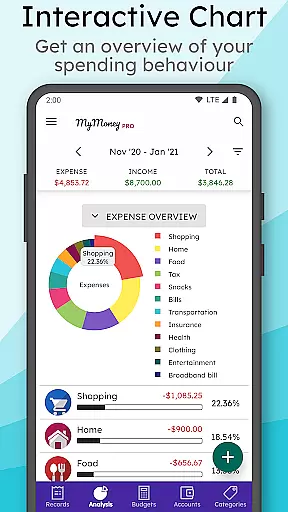


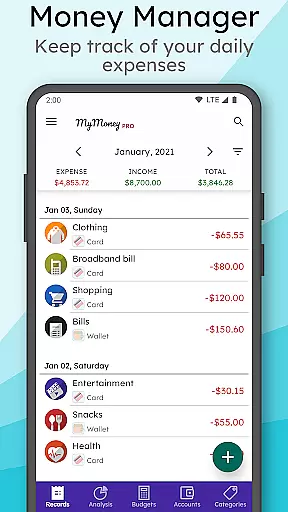
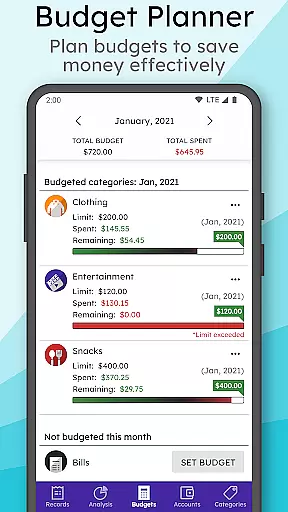
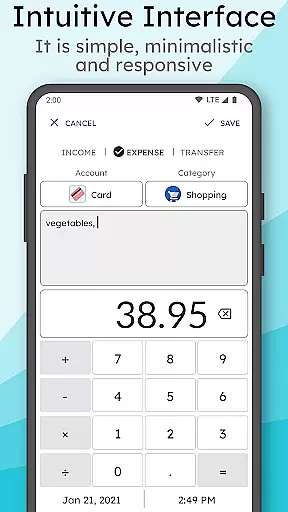
MyMoney Pro is a comprehensive personal finance management application designed to help users effectively track and manage their expenses. The app offers an intuitive interface that allows users to monitor their spending habits through detailed analysis charts and budget planning tools. With its offline functionality, users can access all features without requiring an internet connection.
The application provides essential tools such as an expense manager, budget planner, and effective analysis reports. Users can categorize their income and expenses, set monthly budgets, and gain insights into their financial behavior through clean charts. Additionally, the app includes smart features like a customizable homescreen widget for quick access and record-keeping, making it an ideal choice for those looking to save money and understand their expenses better.
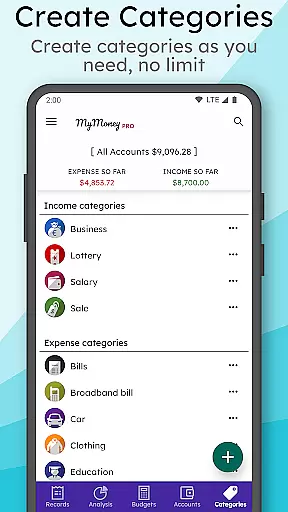
MyMoney Pro stands out with its rich feature set tailored for efficient financial management. One of its key features is the Expense Manager, which allows users to organize their transactions into categories such as Cars, Foods, and Clothing. This categorization helps in maintaining a clear overview of where money is being spent.
Another significant feature is the Budget Planner, enabling users to establish monthly budgets to control their expenditures. By setting budget limits on specific categories, users can avoid overspending and achieve their savings goals. Furthermore, the app's Effective Analysis tool presents monthly income and expense data through visually appealing charts, providing deeper insights into spending patterns and helping users make informed financial decisions.
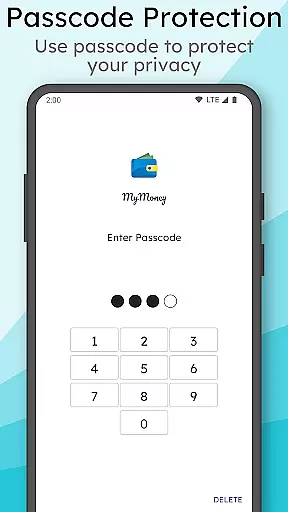
Account and fund security is a critical aspect of any financial management application. MyMoney Pro ensures the safety of your financial data through multiple layers of protection. The app provides passcode protection for privacy, which means only authorized users can access the app's content.
In addition to user authentication, the app allows you to keep your record data safe with backups. This feature ensures that even if your device is lost or damaged, your financial records are not. You can also restore these backups when needed, providing an extra layer of security.
Furthermore, MyMoney Pro enables you to export worksheets to print the records. This function is particularly useful for maintaining physical copies of your financial history, which can be stored securely offline. With these comprehensive security measures, MyMoney Pro offers peace of mind while managing personal finances.
A seamless transaction experience is essential for effective personal finance management. MyMoney Pro excels in this area by offering an intuitive interface that simplifies tracking expenses. Users can effortlessly add an expense record at the point of spending, making it easy to monitor where their money goes.
The app includes a daily expense tracker and a free budget planner, empowering users to manage their income and expenditures efficiently. By categorizing transactions into areas such as Cars, Foods, Clothing, and more, MyMoney Pro provides clear insights into spending habits.
Moreover, the smart homescreen widget enhances the transaction experience by allowing users to keep an eye on their balance and add records on the go. With fully offline functionality, there's no need for internet access, ensuring that users have a smooth and uninterrupted transaction experience at all times.
User-friendly interface
Comprehensive budgeting tools
Offline functionality
Customizable categories
Secure data backup
Limited free version
No automatic transaction import
Manual data entry required
Premium features locked
Occasional bugs reported

Bill Manager is a simple app to help you keep track of your upcoming bills.
 4.3
4.3
Get a cash advance instantly. File taxes & cover unexpected bills in minutes.
4.60
The DailyPay app lets you access earned wages before your next payday.
4.70
Early payday cash advance up to $150 a day with a max of $1,000 per pay period
4.70
BTC, Crypto, Stocks & Options.
4.20
Mine Bitcoin in the cloud! Earn BTC daily with high-speed mining power.
4.30
Currency Converter (200+ currencies) with live exchange rates and offline mode.
4.70
Loan Calculator, Mortgage Calculator, Compound Interest Calculator
4.70
The US Debt Clock .org App gives you a Real-Time glimpse of US Financial Stats
4.60
Currency Converter supports all currencies of the world.
5.00
The Citi Mobile® App lets you manage your accounts virtually anytime, anywhere
4.80
Wells Fargo Mobile allows you to access your investment and bank accounts.
4.80
Your Big Financial Friend
4.70
Navigate your unique financial path confidently with help from Credit Karma.
4.70
Download the MySynchrony App to manage your accounts securely and conveniently!
4.60
Debt pay off. Build credit history. AI budget tool. Loan offers.
4.60 4.50
4.50
Get, Earn, and Save Money
4.30
Retirement plan, IRA, retail and HSA customers serviced by Empower.
3.10


User Reviews