
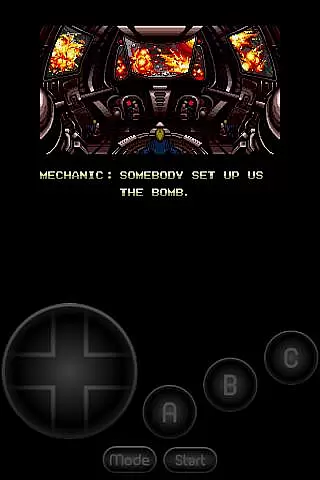
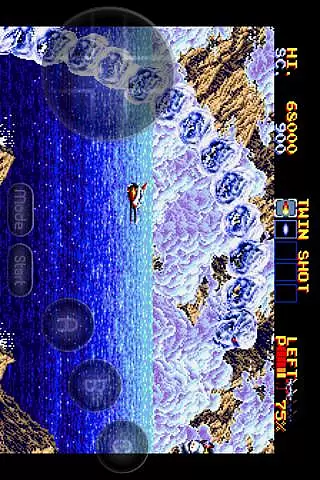
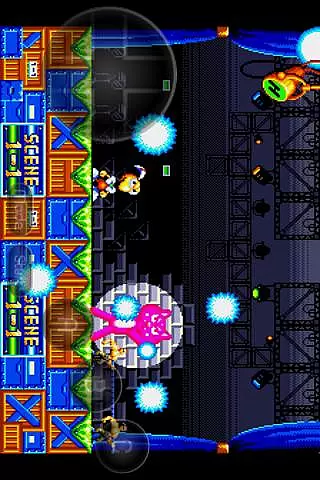
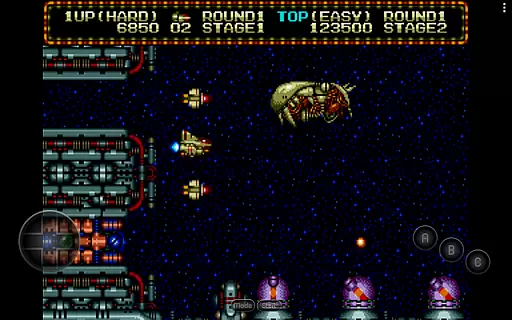
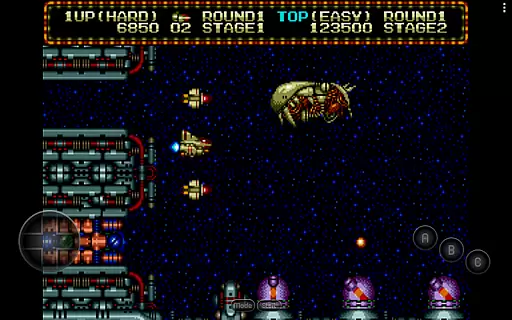
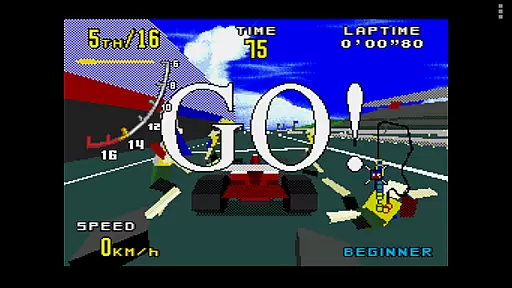
MD.emu is an advanced open-source emulator for Sega Genesis/Mega Drive, Sega CD, and Master System/Mark III. It offers a minimalist UI with a focus on low audio/video latency, making it suitable for a wide range of devices from the original Xperia Play to modern devices like the Nvidia Shield and Pixel phones. The app supports various file formats including .bin, .smd, .gen, and .sms, optionally compressed with ZIP, RAR, or 7Z.
One of its standout features is the support for Sega CD emulation via loading .cue or .bin files, although this feature is still in beta. Users can enjoy games with 6-button controller support, 4-player multitap, and even gun support for games like Menacer and Justifier. Additionally, cheat code support using .pat file format adds to the gaming experience. MD.emu also supports Bluetooth/USB gamepads and keyboards, enhancing its versatility.
This emulator is ideal for gamers who want to relive classic Sega titles on their Android devices with minimal setup and high performance. By supporting Android's storage access framework, users can easily access ROMs stored on both internal and external storage, making it convenient to manage and play games.
MD.emu stands out with its comprehensive feature set tailored for Sega enthusiasts. The app supports a wide array of file formats such as .bin, .smd, .gen, and .sms, which can be optionally compressed with ZIP, RAR, or 7Z, providing flexibility in managing game files. Its compatibility with various audio track formats like FLAC, Ogg Vorbis, and Wav ensures an authentic gaming experience.
The emulator's support for Sega CD is currently in beta, allowing users to load .cue or .bin files with the necessary BIOS. This feature, combined with SVP chip support for Virtua Racing, showcases the app's dedication to delivering a complete Sega experience. Additionally, the inclusion of 6-button controller support, 4-player multitap, and gun support for specific games enhances gameplay options.
Customization is key in MD.emu, offering configurable on-screen controls and supporting Bluetooth/USB gamepads and keyboards. This allows users to tailor their gaming experience to their preferences, whether they prefer tactile feedback from physical controllers or the convenience of on-screen controls. Overall, these features make MD.emu a versatile and powerful tool for enjoying classic Sega games on modern devices.
Arcade authenticity and nostalgia are crucial elements for any emulator aiming to recreate the classic gaming experience. MD.emu, as an advanced Sega Genesis/Mega Drive emulator, excels in delivering this aspect by supporting a wide array of original hardware features.
The app supports multiple file formats including .bin, .smd, .gen, and .sms, optionally compressed with ZIP, RAR, or 7Z, ensuring that users can enjoy games from different regions and eras. This compatibility allows gamers to relive their favorite moments from the past without worrying about format restrictions.
Additionally, MD.emu offers support for peripherals like the 6-button controller, 4-player multitap, and even gun accessories such as Menacer and Justifier. These features not only enhance gameplay but also bring back the authentic arcade feel that many enthusiasts cherish.
By focusing on low audio/video latency and providing a minimalist UI, MD.emu ensures that players can dive straight into their games with minimal distractions, capturing the essence of what made arcades so memorable.
Control responsiveness is a key factor in delivering an immersive and enjoyable gaming experience, especially for action-packed arcade games. MD.emu addresses this need by offering highly responsive controls that cater to both casual and hardcore gamers.
The emulator supports Bluetooth and USB gamepads, including popular models like Xbox and PS controllers, ensuring that users can choose their preferred input method. This flexibility enhances the overall gaming experience by allowing precise and comfortable control schemes.
Furthermore, MD.emu provides configurable on-screen controls, enabling users to customize the layout and size of virtual buttons according to their preferences. This level of customization ensures that every player can achieve optimal control settings tailored to their playstyle.
With its focus on low latency and compatibility with a variety of HID devices recognized by the OS, MD.emu guarantees that every button press translates instantly into in-game actions, maintaining the fast-paced nature of arcade classics.
Wide device compatibility
Low audio/video latency
Comprehensive file format support
Beta Sega CD support
Customizable controls
No included ROMs
Beta features may be unstable
Requires BIOS for Sega CD
Limited user interface
Device-specific issues

Monster Run its a game for relax.
 4.0
4.0
Enter Double Dragon Trilogy, a compilation of the beloved arcade series
4.10
Motorcycle racing games! Prove your paperboy can win in the bike race 3D!
4.50
PC Engine/TurboGrafx-16 Emulator
4.50
Slice up a juicy storm!
4.20
Infinite Arcade
4.5
Suck the other’s blood and be the longest surviving mosquito!
4.40
John GBA is GBA emulator. This emulator is easy to use.
3.10
Draw your legs to win the race!
4.20
Amid the vastness of the universe, you are a Black Hole about to be swallowed!
5.00
Jump and fly your way through danger in this rythm-based action platformer!
4.70
Gameboy Color Emulator
4.60
Master the hills in this extreme downhill racing game!
4.60
Nostalgia.GBC is a high quality GBC emulator.
4.50
Play, Craft and Share your Endless Runner Levels on Kooply Run: Subway Craft
4.50
Granny keeps you locked in her house.
4.30
Mine & Craft Block Mini World! Survival Crafting and Building & Creative Online.
4.30
Dig yourself a way to gold, diamonds and success with this addictive mining game
3.90
Welcome back to Vice City. Welcome back to the 1980s.
3.30


User Reviews