
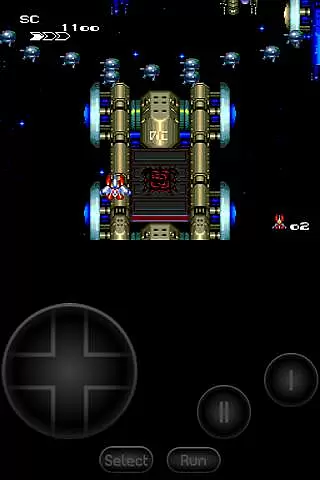
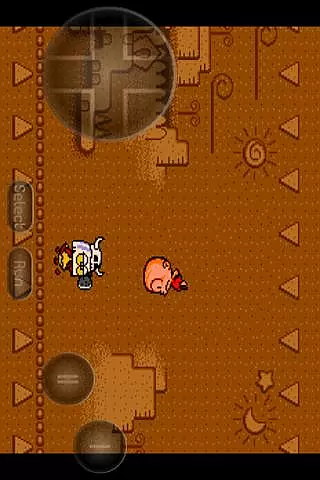
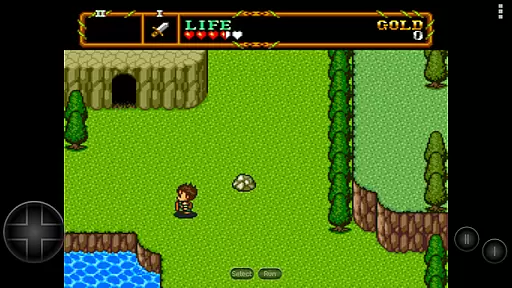
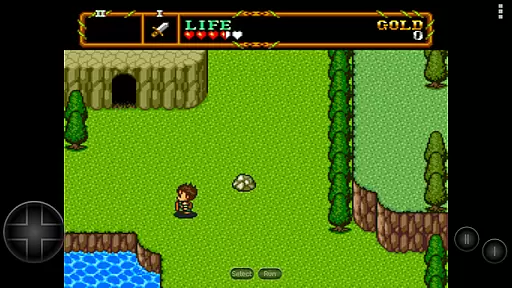
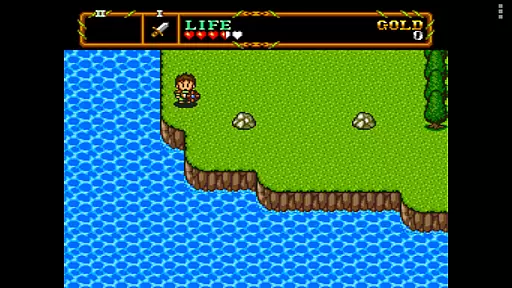
PCE.emu is an advanced open-source emulator for PC Engine and TurboGrafx-16 gaming systems, designed with a minimalist UI to ensure low audio and video latency. It caters to retro gaming enthusiasts who wish to relive classic games on modern devices like the Nvidia Shield and Pixel phones. The app supports a wide range of file formats including .pce, .sgx, and compressed files via ZIP, RAR, or 7Z.
One of its standout features is CD emulation through .cue files, requiring a Super CD-ROM System card. With support for FLAC, Ogg Vorbis, and Wav audio tracks, users can enjoy high-quality sound. Configurable on-screen controls and compatibility with Bluetooth/USB gamepads and keyboards make it versatile for various gaming preferences. PCE.emu focuses on delivering a seamless experience across different Android devices, ensuring broad compatibility and performance.
PCE.emu offers a comprehensive set of features tailored for retro gaming aficionados. The emulator supports multiple file formats such as .pce, .sgx, and compressed archives, allowing users to play a variety of games. Its CD emulation capability via .cue files enhances the authenticity of the gaming experience, provided users have the necessary Super CD-ROM System card.
The app ensures high-quality audio playback by supporting FLAC, Ogg Vorbis, and Wav formats. Configurable on-screen controls provide flexibility in gameplay, while robust support for Bluetooth and USB gamepads, including popular models like Xbox and PS4 controllers, caters to different user preferences. By leveraging Android's storage access framework, PCE.emu allows easy access to game files stored on both internal and external storage options, making it convenient for users to manage their game library.
Arcade authenticity and nostalgia are crucial elements for any emulator aiming to recreate the classic gaming experience. PCE.emu, as an advanced PC Engine/TurboGrafx-16 emulator, excels in this area by offering precise emulation of original hardware.
The app supports both .pce and .sgx file formats, which are native to the PC Engine and TurboGrafx systems. This ensures that users can enjoy games exactly as they were meant to be played on the original consoles. The inclusion of CD emulation via .cue files further enhances this authentic experience, allowing gamers to relive the full scope of what made these systems iconic.
For enthusiasts looking to recapture the magic of arcade-style gaming from the late '80s and early '90s, PCE.emu delivers with its meticulous attention to detail and compatibility with a wide range of devices. Whether you're playing on an older Xperia Play or a modern Nvidia Shield, the emulator maintains low audio/video latency, preserving the intended feel and responsiveness of classic games.
Control responsiveness is vital for an optimal gaming experience, especially when emulating classic arcade games where precision and timing are key. PCE.emu addresses this need by providing highly responsive controls tailored for mobile devices.
The emulator features configurable on-screen controls that allow players to customize their layout for maximum comfort and efficiency. Additionally, it offers extensive support for external controllers, including Bluetooth and USB gamepads, as well as keyboards. This versatility ensures that users can choose their preferred method of input without compromising performance.
By supporting HID devices recognized by the operating systemu2014such as Xbox and PS4 controllersu2014PCE.emu guarantees seamless integration and minimal input lag. Gamers can expect tight control feedback, making their virtual gaming sessions feel as close to the real arcade experience as possible on a mobile platform.
Low audio/video latency
Wide device compatibility
Supports multiple file formats
CD emulation feature
Configurable controls
No ROMs included
Requires technical knowledge
Occasional crashes
Limited customer support
Device-specific issues

R-TYPE game
 4.60
4.60
Payback 2 includes everything from tank battles to high speed helicopter races!
4.50
Use superpower in your magic hands. Defeat the enemies in a fun elemental game.
4.50
Playing venom RPG alien games? Set spider alien isolation base, with no survivor
4.30
Eat & evolve your shark in the ultimate shark survival game!
4.50
Play fun multiplayer games with friends on one device! Two, Three, Four players!
4.60
Genesis/Mega Drive/CD & Master System/Mark III Emulator
4.30
Join the breathtaking chase!
4.80
A fast, full-featured GBA emulator with link cable emulation.
3.90
Amid the vastness of the universe, you are a Black Hole about to be swallowed!
5.00
*Try for free.* Survive alone in a Roguelike Reverse Bullet Hell.
4.80
Full featured version of Pizza Boy A (GBA emulator)
4.80
Ready… Set… DASH! Play now!
4.70
Master the hills in this extreme downhill racing game!
4.60
Relax and catch fish for your aquarium while earning rewards in these tank games
4.40
Granny keeps you locked in her house.
4.30
Stack the blocks as high as you can!
4.30
Mine planets, upgrade your space ship, battle others, and dominate the galaxy!
3.90
Neogeo MVS/AES Emulator
3.30


User Reviews