
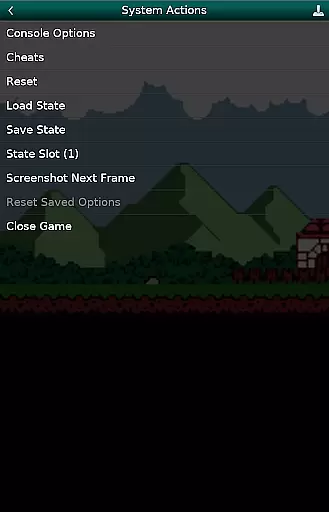
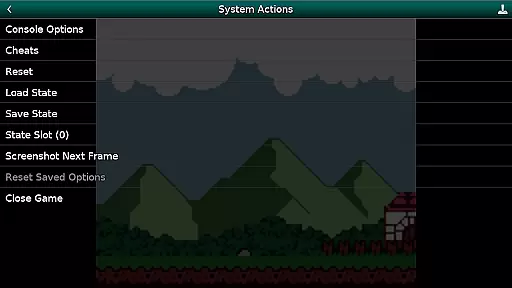
GBC.emu is an advanced open-source Gameboy and Gameboy Color emulator designed for Android devices. Built on the Gambatte emulation core, it delivers exceptional performance with a focus on minimal audio and video latency. The app supports a wide range of devices, from classic models like the Xperia Play to modern devices such as the Nvidia Shield and Pixel phones.
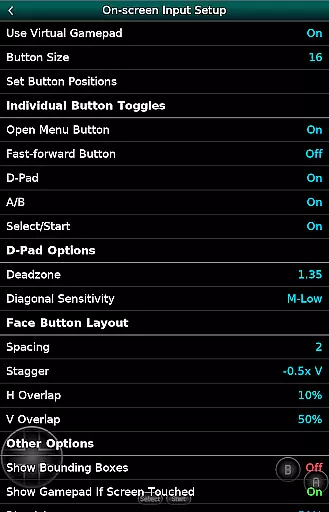
With its clean minimalist interface, GBC.emu offers an authentic retro gaming experience while incorporating modern features. Users can enjoy original GB games with customizable color palettes, apply cheat codes using Game Genie or Gameshark formats, and play both .gb and .gbc files. The emulator also provides flexible control options including configurable on-screen controls and support for Bluetooth/USB gamepads.
GBC.emu stands out with its comprehensive feature set tailored for retro gaming enthusiasts. The emulator supports multiple color palettes for original Gameboy games, allowing users to customize their visual experience. It maintains compatibility with various file formats including .gb, .gbc, and compressed archives like ZIP, RAR, and 7Z.
The app's control system is highly adaptable, featuring configurable on-screen controls that can be adjusted to suit individual preferences. For those who prefer physical controllers, GBC.emu offers robust support for Bluetooth and USB gamepads, working seamlessly with popular HID devices such as Xbox and PlayStation controllers. Additionally, the emulator integrates with Android's storage access framework, enabling users to access game files from both internal storage and external devices like SD cards and USB drives.
Arcade authenticity and nostalgia are crucial elements for any gaming emulator, as they ensure the original experience is faithfully recreated. GBC.emu (Gameboy Emulator) excels in this area by offering multiple color palettes for original GB games, allowing users to relive the classic gaming era with enhanced visuals while maintaining the nostalgic feel.
The emulator supports both .gb and .gbc file formats, optionally compressed with ZIP, RAR, or 7Z, ensuring that users can enjoy a wide variety of games from their childhood without compatibility issues. This dedication to preserving the original gaming experience makes it an ideal choice for enthusiasts looking to revisit classic titles.
With configurable on-screen controls and support for Bluetooth/USB gamepads, including Xbox and PS controllers, GBC.emu provides a flexible and immersive arcade experience. These features not only enhance gameplay but also contribute to the overall nostalgic value by mimicking the tactile feedback of traditional arcade machines.
Control responsiveness is vital for an optimal gaming experience, especially in arcade-style games where precision and timing are key. GBC.emu (Gameboy Emulator) ensures top-notch control responsiveness through its support for various input methods, including configurable on-screen controls and compatibility with Bluetooth/USB gamepads and keyboards.
This emulator's ability to work seamlessly with HID devices recognized by the OS, such as Xbox and PS controllers, guarantees that every action is registered accurately and without delay. Such reliable input performance is essential for maintaining immersion and delivering an authentic arcade experience.
By focusing on low audio/video latency, GBC.emu further enhances control responsiveness, providing gamers with a smooth and lag-free experience. Whether playing classic GB games or more demanding GBC titles, users can expect consistently tight controls that make gameplay enjoyable and engaging.
Low audio/video latency
Wide device compatibility
Customizable color palettes
Comprehensive file format support
Flexible control options
No included ROMs
Requires technical knowledge
Limited modern features
Occasional device issues
Minimalist UI only

Spaceship racing on a rocky planet — pure action and challenge.
 4.1
4.1
GBA Emulator
4.40
Flip the bottle! Do tricks and don't let the bottle fall!
4.50
A fluid, action-packed arcade space shootout!
4.1
Cool car builder & racing simulator: make a car to win the obstacle course race!
4.60
Create your restaurant story & make food on a crazy kitchen in this cooking game
4.70
Save the Galaxy from galaxiga alien - Classic arcade shooter game
4.60
This app is a very fast emulator
3.40
Jump and fly your way through danger in this rythm-based action platformer!
4.50
Hit as hard as you can and make the penguin learn to fly! Arcade jumping game
4.50
Fruit is waiting to be sliced, ninja. Play the hit mobile game !
4.50
Jump and fly your way through danger in this rythm-based action platformer!
4.50
Play all your favorite Playstation games in your android device!!
4.50
Outrun cops, ignite the thrill of a high-speed chase!
4.50
Millions of crafters have smashed billions of blocks! Now you can join the fun!
4.40
Running game: dance in a twerk battle and become the twerk hero in our fun race!
4.30
Collect layers in running game & build the biggest slinky toy to beat the giant!
4.30
Infinite Arcade
4.0
Divine powers at your fingertips! An innovative and frantic shoot-'em-up!
4.5


User Reviews