
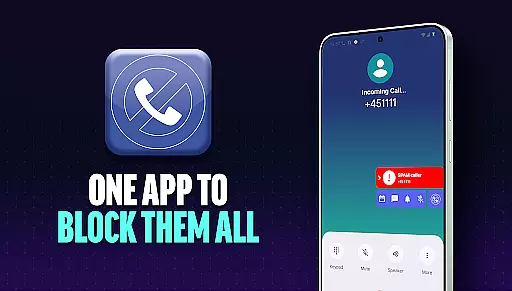
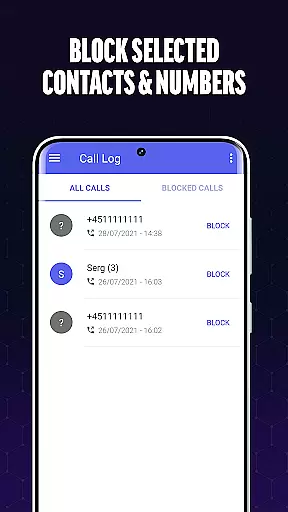
Call Blocker is a powerful communication app designed to help users eliminate unwanted spam calls and telemarketing intrusions. The app's core functionality revolves around its advanced call-blocking technology, which allows users to blacklist specific numbers or even entire number sequences. This ensures that users are protected from fraudulent schemes, sales calls, and other intrusive communications.
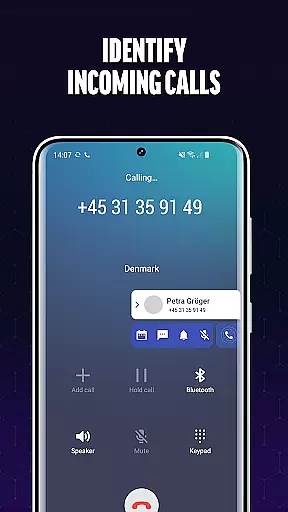
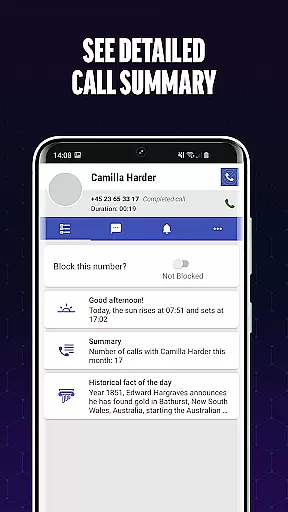
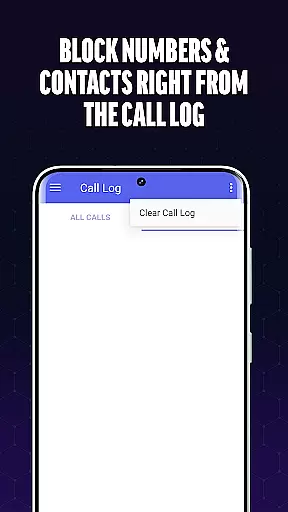
In addition to blocking unwanted calls, Call Blocker provides real-time caller identification for unknown numbers. This feature empowers users to make informed decisions about whether to accept or reject incoming calls. The app also offers a user-friendly interface where users can easily manage their blacklists, view call history, and adjust settings according to their preferences. With its intuitive design and robust features, Call Blocker delivers a seamless experience for anyone looking to take control of their phone communications.
This app is particularly useful for individuals who receive frequent spam calls and wish to maintain a peaceful, interruption-free environment. By using Call Blocker, users can enjoy the peace of mind that comes with knowing their phone is shielded from unwanted disturbances while still being able to identify important calls in real time.
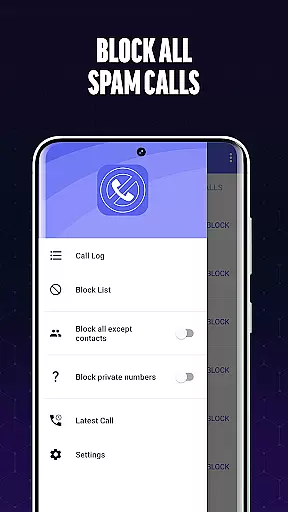
Call Blocker stands out in the Communication category due to its comprehensive set of features tailored specifically for managing and filtering incoming calls. One of the app's most notable features is its Spam Call Blocker, which uses advanced algorithms to detect and block calls from known spam numbers. Users can manually add numbers to their personal blacklist or block entire sequences of digits, ensuring maximum flexibility in controlling which calls get through.
Another key feature is the real-time caller identification system. This functionality scans incoming calls against an extensive database of known numbers, providing users with instant information about unknown callers. This not only helps in avoiding spam but also ensures that users never miss important calls due to uncertainty about the caller's identity. Additionally, the app's blacklist management system is exceptionally user-friendly, allowing users to effortlessly add or remove numbers as needed.
The app's ability to block calls instantly after they are identified as spam is another major advantage. Unlike some apps that automatically block calls without user consent, Call Blocker gives users full control over which numbers are blocked. This level of customization, combined with the app's sleek and intuitive interface, makes it an ideal solution for anyone seeking to streamline their phone communications while maintaining complete control over their privacy settings.
In today's fast-paced digital environment, the speed and reliability of real-time messaging are crucial for effective communication. Call Blocker excels in this area by providing instantaneous call scanning and filtering. This ensures that users are not bothered by unwanted calls while maintaining the integrity of their legitimate communications.
The app employs advanced algorithms to assess incoming calls with remarkable swiftness. By referencing an extensive and regularly updated database of known spam numbers, it can quickly identify potential threats or nuisances. This rapid assessment allows the app to block unwanted calls before they even reach the user, ensuring a seamless communication experience.
For users, this means no more interruptions from telemarketers or scam artists during important conversations or quiet moments. The reliability of Call Blocker's real-time processing provides peace of mind, knowing that their phone remains a tool for meaningful interaction rather than a gateway for intrusive disturbances.
While Call Blocker primarily focuses on filtering unwanted calls, its role in supporting media sharing is noteworthy. Although it doesn't directly engage in media sharing, by securing a user's communication channels, it indirectly facilitates smoother and more reliable media exchanges. Users can share photos, videos, and files without the concern of being interrupted by spam calls.
The app's robust blocking capabilities ensure that while media is being shared, there are no untimely interruptions. This creates a safer environment where users can confidently send and receive various types of media content. Whether it's for personal or professional purposes, having a secure line enhances the overall quality of media sharing experiences.
Moreover, Call Blocker's ability to maintain clear communication lines contributes to uninterrupted multimedia messaging sessions. Users can trust that their shared media reaches the intended recipients without distractions, thus preserving the context and flow of their conversations. This added layer of security and focus makes every media sharing interaction more productive and enjoyable.
Effective spam blocking
User-friendly interface
Real-time caller ID
Customizable blacklist
Full user control
Limited to Android
No automatic blocking
Database updates required
Manual setup needed
Premium features cost extra

Connect and browse the internet with a fast VPN proxy server and IP blocker.
 4.50
4.50
Fast Dialer & Contact Manager with Caller ID and Spam Protection
4.00
Call Blocker app: Identify unknown callers, block spam calls, fraud & robocalls
4.30
Federated instant messaging for your mobile device (Jabber, XMPP, Snikket)
4.10
A softphone with crystal clear SIP Calling & Reliable VoIP dialer
4.00
Call & Text Anywhere With A Canadian Number.
3.60
FolderSync enables easy sync of files between cloud storage and Android devices.
4.60
Talk & text free with a second phone number plus unlimited 5G data, no fees.
4.50
Useful. Social. Expressive.
4.70
Read OBD2 data and DTCs Create custom dashboards Enhanced diagnostics available
4.70
Build your web browser around you with private search, and more.
4.60
Smart and simple anti-wiring application - IMSI-catchers catcher
4.40
Our Black Friday sale is here. Unlock special discounts on Proton Mail now.
4.30
Simplify texting with Messages SMS, offline messaging, themes & smart tools!
4.30
A customizable phone number in the cloud
4.20
BE PRIVATE
Anonymous. No Trace. Fast.
4.20
Weargram is an unofficial Telegram Client for Wear OS.
3.50
A softphone app with seamless SIP calling and an intuitive VoIP dialer
3.50
An app dedicated solely to marriage, not dating, and supported by a rigorous verification mechanism to ensure seriousness.
4.5


User Reviews