


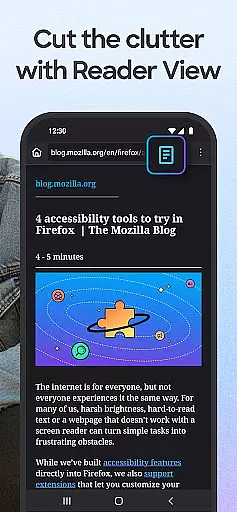
Firefox Fast & Private Browser is a top-tier communication tool designed to provide users with a secure and efficient browsing experience. As a privacy-focused browser, Firefox blocks trackers by default, including social media trackers and cross-site cookies, ensuring your online activities remain confidential. The browser also offers enhanced tracking protection in its 'strict' mode, functioning as an effective ad blocker while allowing you to customize your preferred search engine for convenience.
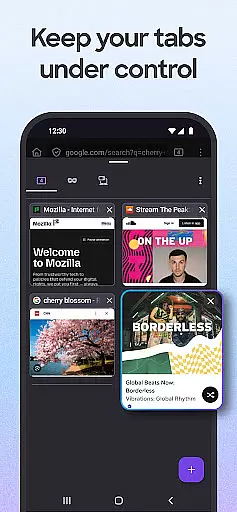
In addition to its robust security features, Firefox provides an intuitive tab management system that lets you organize multiple tabs easily. You can view open tabs as thumbnails or lists and sync them across devices through your Mozilla account. The browser's password management capabilities allow seamless login experiences by remembering passwords securely. Moreover, Firefox optimizes browsing speed by blocking ad trackers that slow down web pages, making it one of the fastest browsers available today.
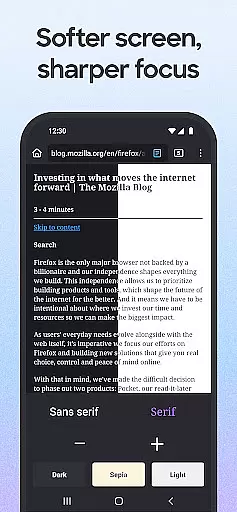
With tailored search engine options, customizable settings, and a user-friendly interface, Firefox caters to diverse user needs. Its dark mode reduces eye strain and saves battery life, while video pop-out features enable multitasking without interruptions. Whether you're looking for a private search engine or need a reliable web browser, Firefox delivers exceptional performance and customization options that enhance your internet experience significantly.
Firefox Fast & Private Browser stands out due to its comprehensive feature set designed to enhance user privacy and browsing efficiency. One of its key features is automatic tracker blocking, which prevents various types of trackers such as social media trackers, cross-site cookie trackers, crypto-miners, and fingerprinters from monitoring your online behavior. This ensures a high level of privacy protection right out of the box.
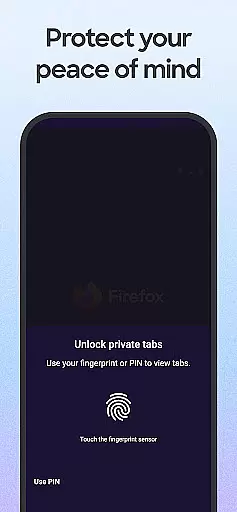
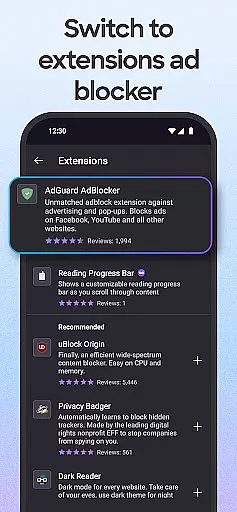
Another notable feature is the enhanced tracking protection offered in 'strict' mode, which acts as an advanced ad blocker. Users can customize their browsing experience further by setting their preferred private search engines and choosing from a variety of ad blocker extensions to eliminate unwanted pop-ups and ads. Additionally, Firefox's private browsing mode automatically deletes your browsing history when you close the app, and it can be configured to lock automatically, requiring biometric authentication for access.
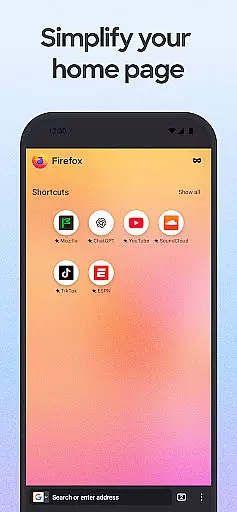
Firefox also excels in usability with its easy-to-use tab management system. Users can create numerous tabs without losing track, view them as thumbnails or lists, and sync their tabs across devices via their Mozilla account. The browser's password management system securely stores and suggests strong passwords, enhancing both security and convenience. Furthermore, Firefox offers tailored search engine options, allowing users to move the search bar location, use a search widget directly from the home screen, and see recent searches across multiple devices, providing a seamless and personalized browsing experience.
Real-time messaging speed and reliability are crucial for a seamless communication experience. Firefox Fast & Private Browser ensures that your interactions with web applications and messaging platforms remain smooth and uninterrupted.
The browser's optimized architecture allows for faster loading times of web pages, which is essential for real-time messaging applications. This means you can send and receive messages without noticeable delays, making conversations flow naturally.
Firefox also focuses on reliability by offering Enhanced Tracking Protection that blocks unnecessary scripts and trackers. By reducing the load on your connection, it minimizes the chances of service interruptions, ensuring that your messaging remains consistent and dependable.
Moreover, the browser's robust security features protect your data during transmission, giving you peace of mind while communicating online. With automatic tracker blocking and private browsing modes, Firefox safeguards your conversations against eavesdropping and unwanted surveillance.
Media sharing support in a browser enhances user interaction by allowing seamless exchange of images, videos, and other content. Firefox Fast & Private Browser excels in this area by providing users with tools to share media effortlessly across different platforms.
With its customizable interface, Firefox enables easy access to sharing functionalities. Users can quickly send links or specific items on a page through their most recently used apps, streamlining the process of media sharing.
The browser also supports modern web standards and formats, ensuring compatibility with various media types. Whether you're uploading high-resolution images or streaming videos, Firefox handles these tasks efficiently without compromising performance.
In addition, Firefox's privacy-focused approach extends to media sharing. Even when using private browsing modes, users can securely share content knowing that their activities are protected from trackers and unauthorized access.
Strong privacy protections
Effective ad blocking
Customizable search engines
Intuitive tab management
Secure password handling
Occasional sync issues
Memory consumption
Limited mobile features
Slower on older devices
Complex settings

Phone Dialer with Caller ID, Address Book & Contacts Manager.
 4.30
4.30
A Browser with powerful ad blocker to help focus on what really matters.
3.00
Manage and Fund Calling Accounts and Schedule and Join Video Sessions
3.60
Call Blocker app: Identify unknown callers, block spam calls, fraud & robocalls
4.30
Watchgram for Telegram: Experience seamless Telegram messaging on your watch
1.80
Auto Reply SMS, Text Messaging, Away SMS Response, Busy SMS messages, Block Text
3.10
An app dedicated solely to marriage, not dating, and supported by a rigorous verification mechanism to ensure seriousness.
4.3
Enhance browsing with AI-powered features and Copilot.
4.70
Useful. Social. Expressive.
4.70
فیلتر شکن قوی پرسرعت کلید جدید برای اندرویدسریع ترین وی پی ان برای همه اپراتورها
4.70
Identify unknown numbers, block spam calls, customize calls with cool themes.
4.60
Connect and browse the internet with a fast VPN proxy server and IP blocker.
4.50
Create a secure hotspot on-the-go with Portable WiFi - Mobile hotspot.
4.40
Caller ID App! Add names & photos to unknown calls & Call Recording
4.40
Enjoy secure messaging & calling. Safe Messenger: group chats, calls, messages.
4.20
Federated instant messaging for your mobile device (Jabber, XMPP, Snikket)
4.10
Messages: Fast, simple SMS app with scheduling and smart features.
4.00
Tether to Windows, OS X, Linux PCs or Android tablets. No root. No tether fees.
3.90
Fun, free app that lets kids video call and message family and close friends.
3.80


User Reviews