
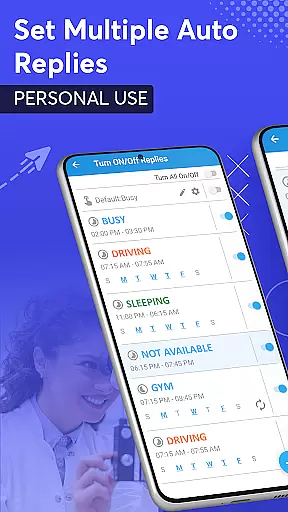
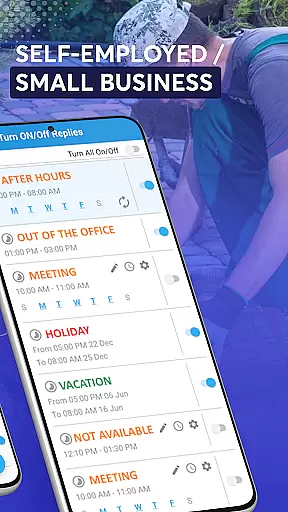
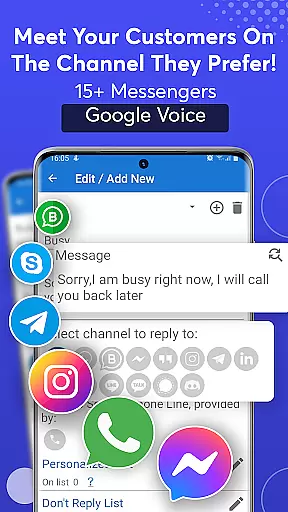
SMS Auto Reply is a versatile communication tool designed to enhance user convenience and safety. This app allows users to automatically respond to incoming messages across multiple platforms, including SMS, WhatsApp, Facebook, and more. Whether you're driving, in a meeting, or simply need some quiet time, SMS Auto Reply ensures that your contacts are informed of your current status without requiring manual intervention.
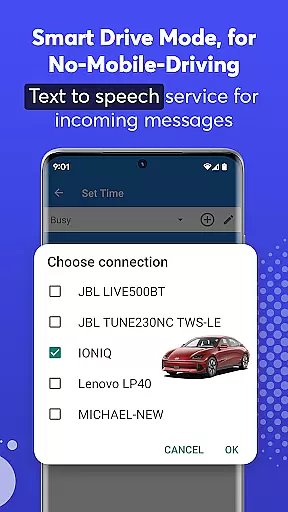
The application offers customizable auto-reply options based on various triggers such as time of day, location, or specific contacts. Additionally, its Text-to-Speech feature reads out incoming messages, providing an extra layer of accessibility and convenience. With its Smart Drive Mode, the app promotes safer driving habits by minimizing distractions while on the road.
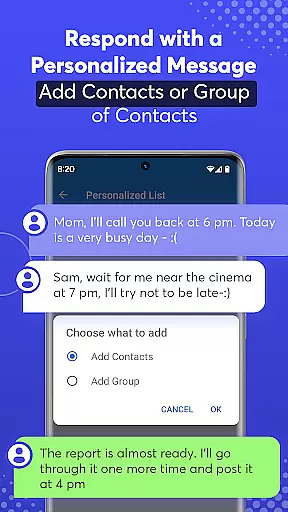
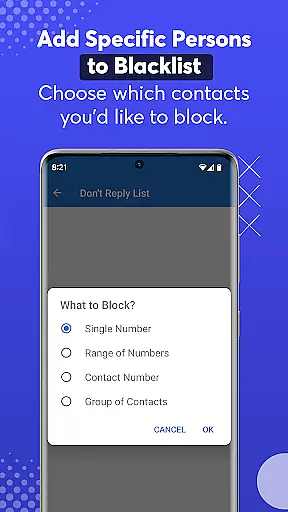
SMS Auto Reply stands out with its comprehensive set of features tailored for modern communication needs. The app supports multiple messaging platforms, allowing users to set up distinct auto-responses for different scenarios like driving, sleeping, or attending meetings. Users can create personalized lists for specific contacts and even blacklist certain numbers to prevent unwanted responses.
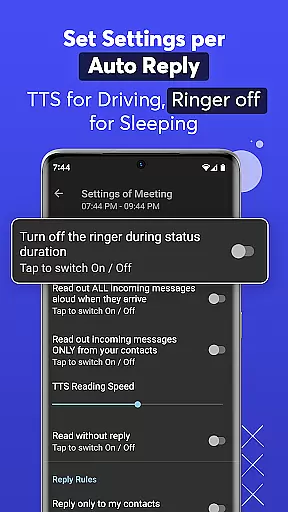
Advanced automation capabilities enable recurring auto-replies at scheduled times and days, ensuring consistent communication management. The app's Text-to-Speech functionality not only reads incoming messages aloud but also allows customization of reading speed. Moreover, the Smart Drive Mode activates automatically via Bluetooth pairing, promoting safer driving practices by keeping hands free and eyes on the road.
With minimal impact on device resources, SMS Auto Reply operates efficiently without draining battery life or consuming significant CPU and RAM. Its intuitive interface makes it easy to configure settings and manage automated responses effectively.
Real-time messaging speed and reliability are crucial for any communication app, ensuring that messages are delivered instantly and without fail. SMS Auto Reply excels in this area by providing automated responses to incoming messages across multiple platforms such as SMS, WhatsApp, Facebook, and more.
The app's architecture is designed to handle high volumes of messages with minimal delay. It uses optimized algorithms to ensure that auto-replies are sent out as soon as the incoming message is received, maintaining a seamless communication flow even when the user is unavailable.
For users, this means peace of mind knowing that their contacts will receive timely responses regardless of their situation. Whether driving, in a meeting, or simply needing some downtime, SMS Auto Reply ensures that no important message goes unanswered.
Moreover, the reliability of the service extends to various features like setting specific auto-responses based on time, day, or contact lists. This flexibility not only enhances user experience but also reinforces the trust in automated communication systems.
Media sharing support is an essential feature for modern communication apps, allowing users to exchange images, videos, and other file types effortlessly. SMS Auto Reply incorporates comprehensive media sharing capabilities, enabling automatic responses that can include multimedia content.
The app supports a wide range of file formats, ensuring compatibility with most media types shared through popular messaging platforms. When an auto-reply is triggered, users have the option to attach predefined media files, enhancing the personalization and engagement of the automated response.
This functionality proves particularly beneficial in scenarios where visual or auditory information adds value to the conversation. For instance, businesses can set up auto-replies with promotional videos or product images, creating a richer interaction with customers.
By integrating robust media sharing support, SMS Auto Reply not only meets but exceeds user expectations, offering a versatile tool that adapts to diverse communication needs while maintaining ease of use and efficiency.
Multi-platform support
Customizable auto-replies
Text-to-Speech functionality
Smart Drive Mode
Efficient resource usage
Premium version required
Limited free features
Occasional response delays
Complex setup for beginners
Inconsistent Bluetooth pairing

Manage your data, talk & text - affordable phone plans & data usage made simple
 4.30
4.30
We’re taking the yada yada out of wireless—now we’ve taken it out of your app.
4.70
Save 10% automatically on your first international mobile top up.
4.60
A Browser with powerful ad blocker to help focus on what really matters.
3.00
WazzapMigrator: transfer your WhatsApp history from iPhone to Android
4.00
Message and video call your family and friends in HD!
3.80
Messages is Private SMS Messenger 2023 with text message, instant messaging.
4.00
Watchgram for Telegram: Experience seamless Telegram messaging on your watch
1.80
Threema is the messenger with the most consistent focus on security and privacy.
4.00
Enhance browsing with AI-powered features and Copilot.
4.70
Useful. Social. Expressive.
4.70
FolderSync enables easy sync of files between cloud storage and Android devices.
4.60
Messenger, an MMS & SMS messages app with Blockers, Driving mode & Private box
4.60
Talk & text free with a second phone number plus unlimited 5G data, no fees.
4.50
Tether to Windows, OS X, Linux PCs or Android tablets. No root. No tether fees.
3.90
This app enables the phone to receive and send FT8 traffic!
3.80
Secure Messaging App to Enhance Messenger Texting Experience and Organize SMS.
3.50
Official NDI app: turn your phone into a professional live-streaming IP camera.
3.20
Manage Phone Calls, call history, and contacts easily with Phone Pro.
4.1


User Reviews