
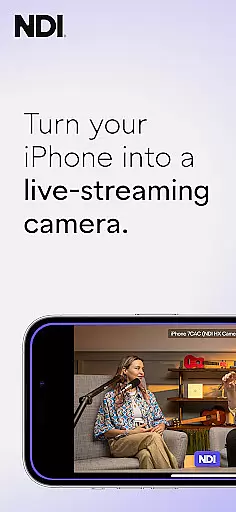
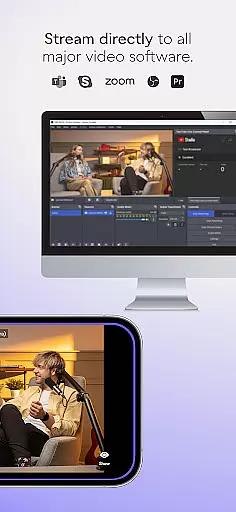
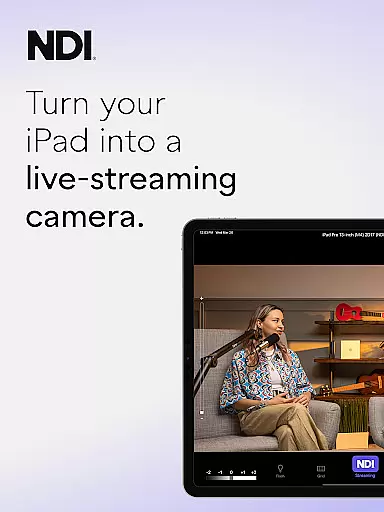
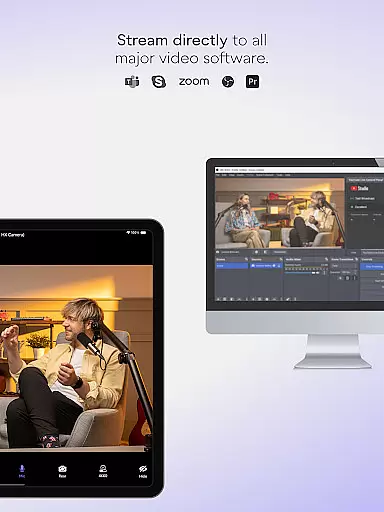
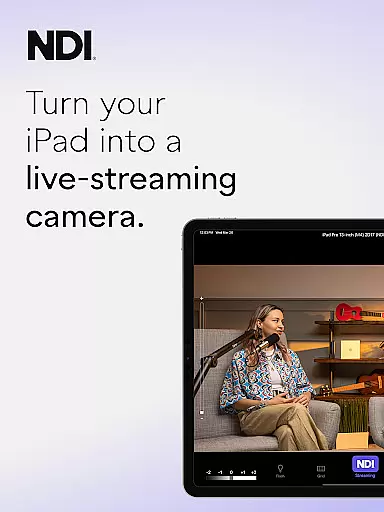
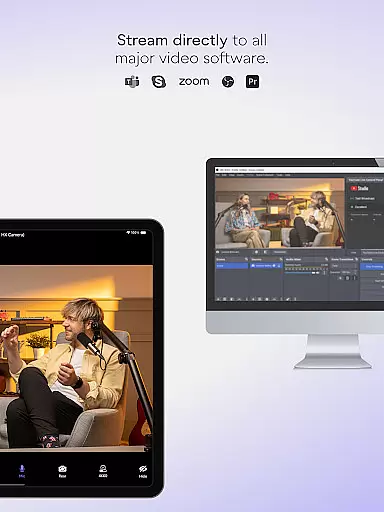
NDI Camera is a professional live-streaming application that transforms your mobile device into a high-quality NDI camera. With its intuitive interface and advanced features, the app allows users to stream low-latency video and audio directly to popular platforms such as MS Teams, Skype, and Zoom. The latest version brings a modernized UI, full video height viewfinder, and tally light functionality with multiple modes.
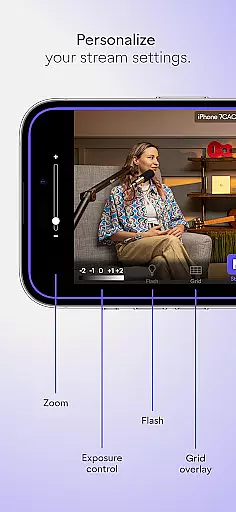
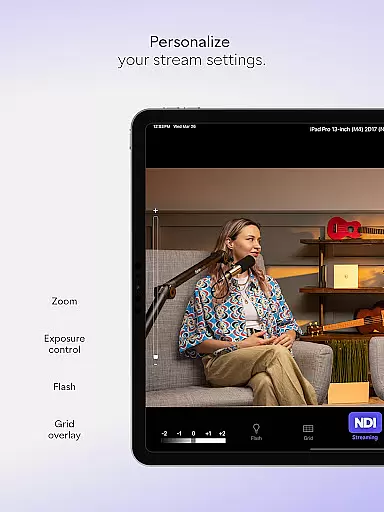
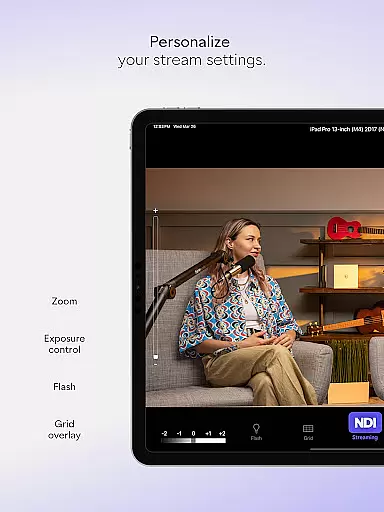
This app is ideal for professionals seeking to integrate mobile devices into their live production systems. It offers flexible camera settings, including front and rear camera selection, pinchable zoom, autofocus, and an optional grid overlay. Whether you're conducting live broadcasts, webcasts, or presentations, NDI Camera provides the tools needed to deliver professional-grade streams.
The app's ability to introduce new camera angles and perspectives enhances live coverage significantly. By supporting NDI 4 or newer, it ensures compatibility with the latest technology standards, making it an essential tool for expanding your production capabilities.
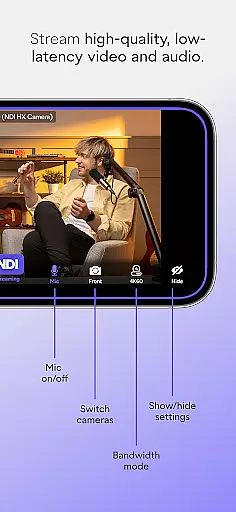
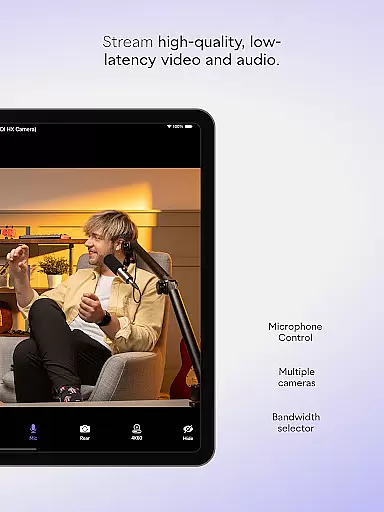
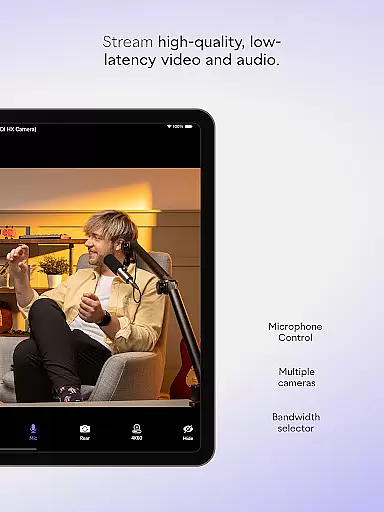
NDI Camera stands out with its comprehensive feature set tailored for professional use. One of its key highlights is the support for multiple bandwidth modes - high, medium, and low - allowing users to adapt to different network conditions seamlessly. This flexibility ensures stable streaming quality regardless of the environment.
The app includes practical tools like an on-screen connection meter, tally display indicating preview and on-air status, and a variety of camera controls. Users can leverage pinchable zoom, autofocus, and front/rear camera switching to capture the perfect shot. Additionally, the optional grid overlay assists in framing and composition.
With its recent updates, NDI Camera now boasts a modernized UI for easier navigation and operation. The fixed viewfinder showing full video height and enhanced tally light functionality with multiple modes further improve the user experience. These thoughtful features make the app an indispensable tool for professional live-streaming.
Real-time messaging speed and reliability are crucial for seamless communication in live-streaming applications like NDI Camera. This app ensures that video and audio streams are transmitted with minimal delay, providing an efficient and smooth experience.
NDI Camera achieves this by utilizing advanced network protocols and optimizations tailored for high-quality, low-latency video streaming. The integration with platforms such as MS Teams, Skype, and Zoom is designed to maintain top-notch performance even under varying network conditions.
Users benefit from the ability to stream professional-grade content directly from their mobile devices without noticeable lag. This immediacy enhances interactive sessions, making them more engaging and effective, whether for broadcasts, webcasts, or presentations.
Media sharing support in NDI Camera allows users to effortlessly send high-quality video and audio streams to a variety of popular platforms. By turning a phone into a professional NDI camera, it expands the possibilities for live production systems and enriches content creation.
The app supports multiple features that enhance media sharing, including front and rear camera selection, pinchable zoom, autofocus, and optional grid overlays. These functionalities ensure that users can capture and share versatile and dynamic footage tailored to their specific needs.
With NDI Camera, introducing new camera angles and vantage points becomes simple, adding depth and variety to live broadcasts. This flexibility not only improves the visual storytelling but also provides professionals with the tools needed to elevate their productions significantly.
User-friendly interface
High-quality streaming
Flexible camera options
Professional settings
Wide platform compatibility
Requires NDI 4 or newer
Limited free features
Occasional connectivity issues
Advanced settings may overwhelm beginners
Heavy battery consumption

SMS Messenger ensures that communication become effortless and accessible.
 3.80
3.80
Save 10% automatically on your first international mobile top up.
4.60
Messages: Fast, simple SMS app with scheduling and smart features.
4.00
Google's fast and secure browser
4.10
Fast Dialer & Contact Manager with Caller ID and Spam Protection
4.00
Watchgram for Telegram: Experience seamless Telegram messaging on your watch
1.80
Use this SMS app standalone or as a TREK: Total Interface companion.
4.30
Threema is the messenger with the most consistent focus on security and privacy.
4.00
SMS Messenger is a lightning-fast messaging app.
4.20
A browser that does more than load page, like keeping your privacy safe.
4.70
Say “hello” to privacy.
4.60
An agentic AI browser for Android, built by Perplexity
4.50
Manage your data, talk & text - affordable phone plans & data usage made simple
4.30
A customizable phone number in the cloud
4.20
Messages is Private SMS Messenger 2023 with text message, instant messaging.
4.00
A softphone with crystal clear SIP Calling & Reliable VoIP dialer
4.00
Measure BHP, Torque & 0-60 Clear car OBD faults View engine data in Google Earth
4.00 3.90
3.90
Chat on the Jabber network (XMPP protocol); support for SMS and other gateways
2.10


User Reviews