
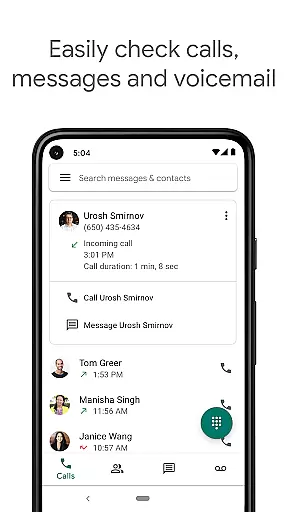
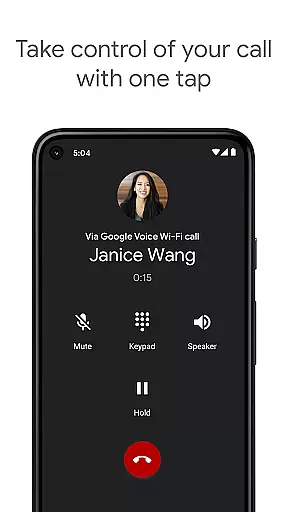
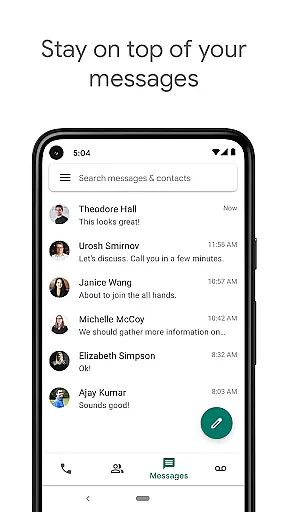
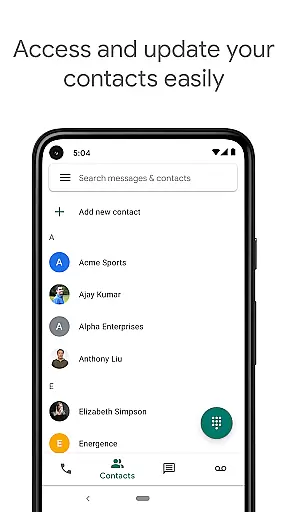
Google Voice is a communication app that provides users with a dedicated phone number for calling, text messaging, and voicemail services. The app seamlessly syncs across smartphones and computers, ensuring accessibility whether you're at home, in the office, or traveling. It offers advanced features like automatic spam filtering, personalized call settings, and voicemail transcriptions, making it an all-in-one communication solution.
The app's standout feature is its ability to store and back up calls, messages, and voicemails, allowing users to search their communication history effortlessly. Additionally, Google Voice supports sending and receiving SMS messages from multiple devices, providing flexibility and convenience. With competitive international calling rates, users can save on long-distance charges while enjoying a reliable communication platform.
Google Voice stands out with its comprehensive set of communication tools tailored for personal and professional use. One of its key features is automatic spam filtering, which helps users avoid unwanted calls by intelligently identifying and blocking potential spam numbers. This ensures a more streamlined and interruption-free communication experience.
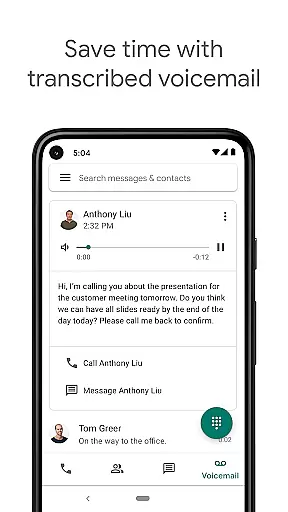
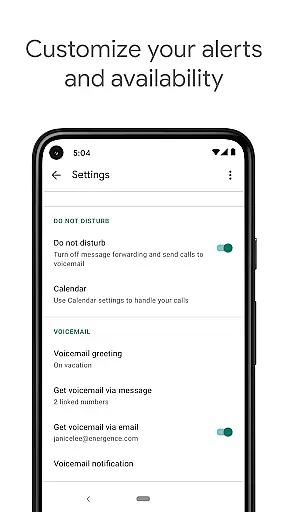
Another notable feature is the voicemail transcription service. Instead of listening to lengthy voicemail messages, users can read transcribed texts directly within the app or receive them via email. This functionality not only saves time but also makes it easier to prioritize important messages. Furthermore, the app allows users to manage their communication preferences by customizing call forwarding, text message notifications, and voicemail settings according to their schedules and needs.
Lastly, Google Voice enables cross-device synchronization, meaning users can access their call logs, messages, and voicemail transcriptions from any connected device. This ensures continuity and convenience, especially for those who frequently switch between smartphones, tablets, and computers during their day-to-day activities.
Google Voice ensures real-time messaging speed and reliability by syncing across all your devices. Whether you are using a smartphone, tablet, or computer, messages are updated instantly, ensuring that you never miss an important communication.
The app's infrastructure is designed to offer minimal latency in message delivery. This means that text messages, voicemails, and call notifications reach you as quickly as possible, maintaining the flow of conversation without unnecessary delays.
With features like spam filtering and personalized settings for managing calls and texts, Google Voice not only delivers messages quickly but also ensures they are relevant and wanted. This enhances the overall reliability of the communication experience, making it more efficient and user-friendly.
Google Voice supports media sharing, allowing users to send and receive multimedia content seamlessly across devices. This feature enriches communication by enabling the exchange of images, videos, and audio files alongside traditional text messages.
The integration with other Google services enhances the media sharing experience. Users can easily access and share media from their Google Photos or Drive accounts, streamlining the process of sending larger files or important documents.
While Google Voice provides robust media sharing capabilities, it is important to note that the quality and speed of these transfers depend on your internet connection. Nonetheless, the app optimizes media files for quicker transmission without compromising too much on quality, ensuring a smooth and efficient sharing experience.
User-friendly interface
Spam call protection
Voice mail transcription
Multi-device sync
Cost-effective international calls
Limited to US users
No video calling
SMS not supported in all regions
Dependent on cellular plan
Occasional transcription errors

Fast and simple walkie talkie app
 4.20
4.20
Radio communication simulator for gaming communities
4.1
We’re taking the yada yada out of wireless—now we’ve taken it out of your app.
4.70
Identify unknown numbers, block spam calls, customize calls with cool themes.
4.60
Our Black Friday sale is here. Unlock special discounts on Proton Mail now.
4.30
Experience real private browsing without tracking, surveillance, or censorship.
4.50
An agentic AI browser for Android, built by Perplexity
4.50
Smart and simple anti-wiring application - IMSI-catchers catcher
4.40
Comprehensive and powerful scan tool app with enhanced functions
3.00
Fast internet with AI, Adblock & VPN. Browse on a safe, incognito web browser.
4.70
Save 10% automatically on your first international mobile top up.
4.60
Connect and browse the internet with a fast VPN proxy server and IP blocker.
4.50
Talk & text free with a second phone number plus unlimited 5G data, no fees.
4.50
RemoteHams.com Android RCForb Client Pre-Release
4.30
Group Chat That’s Fun & Games
4.30
Chill zone on your phone: relax with fun reels & hype shorts!
4.20
Telegram is a messaging app with a focus on speed and security.
4.00
Caller ID, Spam Call & SMS Blocker
3.80
An app dedicated solely to marriage, not dating, and supported by a rigorous verification mechanism to ensure seriousness.
4.2


User Reviews