
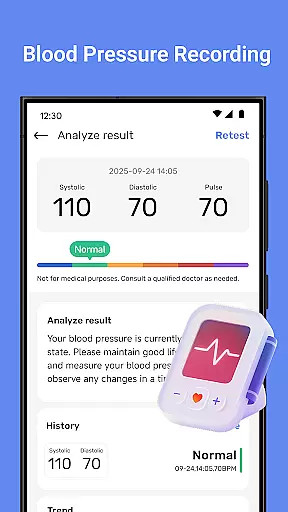
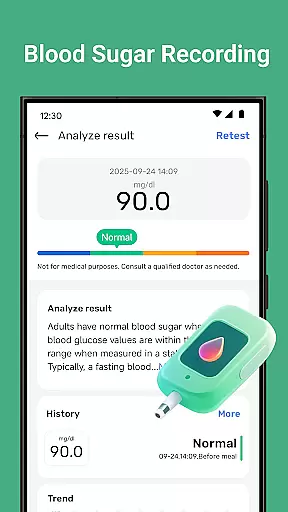
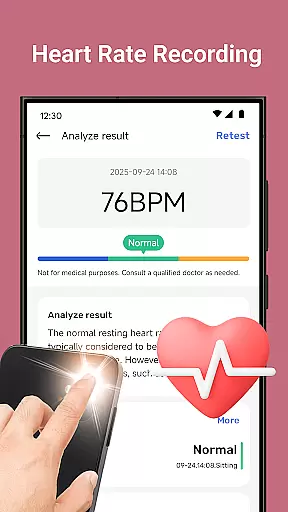
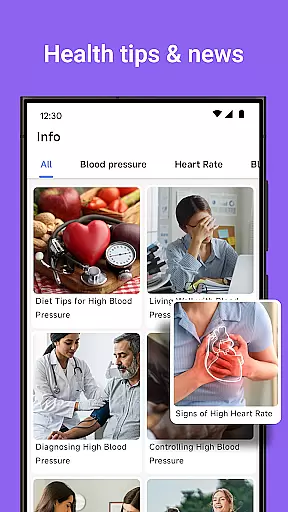
Blood Pressure Tracker is a comprehensive health companion app designed to help users monitor and manage their heart rate, blood pressure, and blood sugar levels. The app provides smart trend analysis through visual charts that display health patterns over time, enabling users to make informed decisions about their well-being.
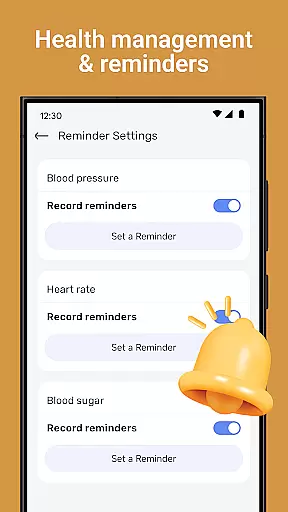
In addition to vital sign tracking, the app offers wellness reminders for hydration, exercise, and rest, alongside weight management tools and nutrition tips. It also features guided meditation and breathing exercises to reduce stress, as well as daily health insights to enrich users' lifestyles. With an intuitive interface suitable for all ages, Blood Pressure Tracker empowers users to take control of their health with ease.
Blood Pressure Tracker stands out with its robust feature set tailored for health-conscious individuals. Users can log their heart rate and track daily fluctuations in blood pressure and blood sugar with precision. The app's smart trend analysis presents data through easy-to-understand visual charts, providing instant clarity on personal health trends.
The app goes beyond basic tracking by offering personalized recommendations based on individual health metrics. It includes wellness reminders, weight management tools, nutrition advice, and mindfulness exercises. These features combine to create a holistic approach to health management, making Blood Pressure Tracker an invaluable tool for those seeking to maintain a balanced and healthy lifestyle.
Personalized planning in health applications refers to the ability to create tailored health strategies based on individual user data. Blood Pressure Tracker exemplifies this by offering personalized recommendations derived from your unique health metrics.
The app allows you to log heart rate, blood pressure, and blood sugar levels, providing a comprehensive approach to managing your well-being. With smart trend analysis, users can visually track their health patterns over time, making it easier to understand their personal health journey.
By integrating weight management and nutrition tips, the application goes beyond mere tracking. It offers dietary insights that are specifically relevant to the logged data, ensuring that each piece of advice is pertinent to the user's current health status.
This personalized experience empowers users to make informed decisions about their lifestyle choices, ultimately leading to improved health outcomes and a more proactive approach to personal healthcare.
Progress visualization is a critical component in health apps, transforming raw data into understandable and actionable insights. Blood Pressure Tracker excels in this area by presenting users with visual charts that depict their health trends clearly and effectively.
Through the app's intuitive data visualization, users can instantly grasp fluctuations in their heart rate, blood pressure, and blood sugar levels. This immediate comprehension of personal health patterns enables users to respond promptly to any significant changes.
In addition to vital sign tracking, the app provides wellness reminders and mindfulness exercises, which contribute to a holistic view of the user's health progress. These features encourage a balanced approach to physical and mental well-being.
With clear visual feedback, users are not only more engaged but also better equipped to communicate their health status with healthcare professionals, making progress visualization an invaluable tool for both personal and clinical health assessments.
User-friendly interface
Comprehensive health tracking
Personalized recommendations
Intuitive data visualization
Guided mindfulness exercises
No direct measurement capability
Limited to tracking and management
Requires manual data entry
Premium features may cost extra
Dependent on user consistency

The simplest way to track your 21 Day Program containers, exercises, and water.
 4.50
4.50
Your Health Has Met Its App (℠)
3.90
Enjoy the Gluten Free living with the best app. SCAN the barcodes & SEARCH.
3.60
Meditation app, head space app provides calm music to help you meditate & sleep
5.00
Histamine intolerance, low FODMAP diet and irritable bowel syndrome (IBS)
4.00
Interval timer for High Intensity Interval Training, Tabata and Circuit Training
4.20
Memory, mind & logic exercises. Puzzle games, IQ & brain test for kids & adults
4.50
Pilates, Calisthenics, Yoga
4.50
Focus on BP & Health
3.80
App to stop smoking slowly or now with a motivational badges and helpful tips
4.80
A brain game that moves you
4.70
Effortlessly and naturally release anxiety by harnessing the power of your brain
4.60
50 HD sounds to help you relax during the day and sleep great at night!
4.40
Track heart rate & HRV in 30s! Get live health insights and anomaly alerts
4.40
Blood Pressure Log, HRV & Heartbeat Tracker. Pulse Checker.
4.40
Your portable blood pressure tracker. Record, monitor, and analyze BP anytime.
4.30
This is an application that serves as a companion app for smart watch.
4.20
Measure real-time wrist & ambient temperature with your Galaxy Watch (Wear OS)
3.20
Using Recognise™ has been shown to reduce pain, and improve performance.
4.3


User Reviews