
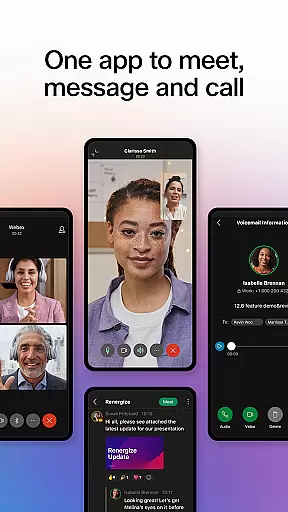



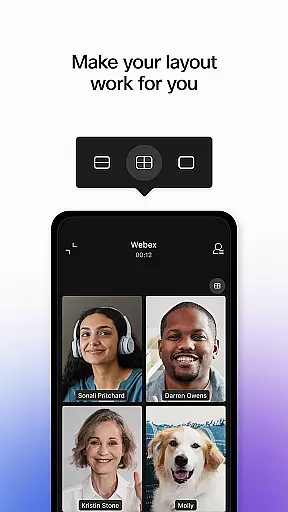

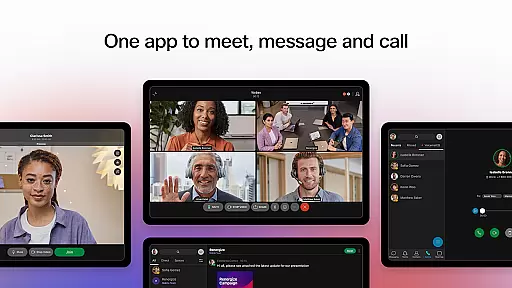
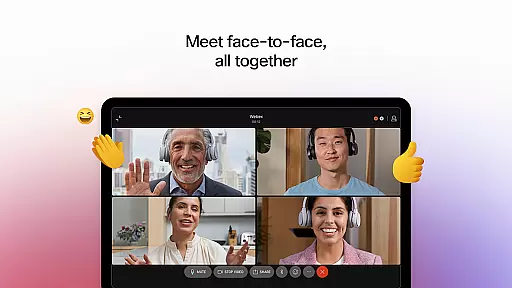


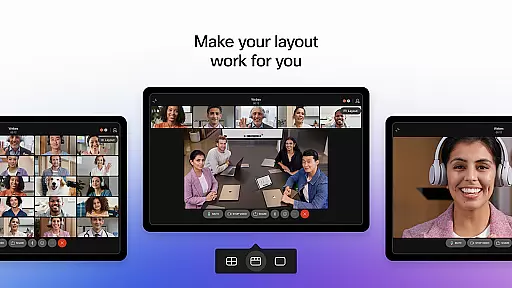
Webex is a comprehensive business communication app that unifies meetings, messaging, and calling into a single platform. Designed for seamless collaboration, it offers features like real-time language translation in over 100 languages, background noise removal, and personalized meeting layouts to ensure every participant can engage effectively regardless of location. Its secure environment makes it suitable for both internal teams and external partners.
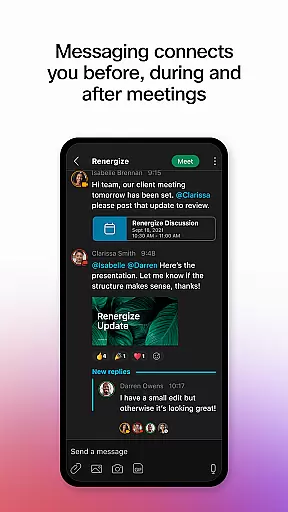
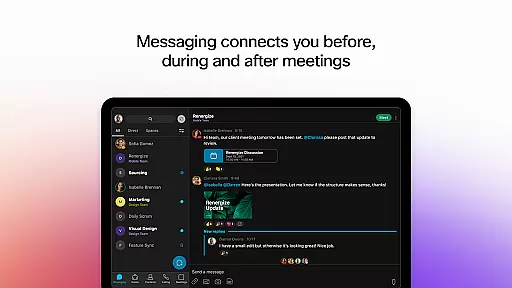
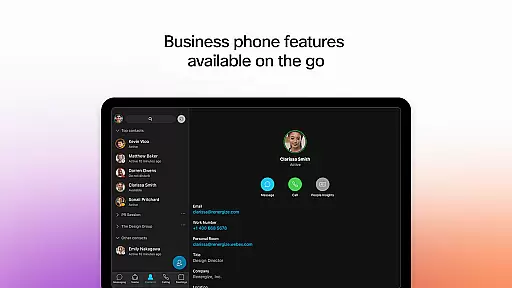
In addition to its robust meeting capabilities, Webex provides intelligent messaging tools that facilitate ongoing conversations before, during, and after meetings. Users can easily share files with team members or external contacts using just an email address. The app also integrates essential calling features, allowing users to make business calls anytime, anywhere, access visual voicemail, and start impromptu discussions effortlessly.
This application is particularly valuable for distributed teams and global organizations looking to maintain consistent communication and collaboration. By bringing together multiple communication modes into one interface, Webex helps businesses improve productivity and foster stronger working relationships.
Webex stands out through its innovative features designed to enhance virtual collaboration. One of the most notable capabilities is its real-time translation feature, which supports over 100 languages, breaking down language barriers and making global teamwork more accessible than ever. Additionally, the app's advanced audio technology removes background noise, ensuring crystal-clear communication during meetings.
The app's messaging functionality goes beyond basic chat by enabling persistent conversations across different contexts. Whether you're preparing for a meeting, following up afterward, or simply staying connected throughout the day, Webex keeps your discussions organized and accessible. File sharing is simplified too – even external collaborators can be brought into conversations using just their email addresses.
For voice communications, Webex incorporates enterprise-grade calling features directly within the app. Users can initiate calls, join conferences, and manage voicemails without switching between different applications. These integrated capabilities create a unified communication experience that adapts to various work styles and preferences while maintaining high security standards.
Collaborative work features are essential for modern business applications, enabling teams to work together efficiently regardless of location. Webex excels in this area by providing a unified platform that combines video meetings, messaging, and calling capabilities.
The application supports real-time collaboration through its comprehensive meeting features. With support for over 100 languages, real-time translations ensure that language barriers do not hinder productivity. Personalized meeting layouts and background noise removal further enhance the collaborative experience, making sure every participant can be clearly seen and heard.
Webex also offers robust messaging capabilities that keep team members connected throughout the entire workflow process. Users can engage in both one-on-one and group chats, facilitating seamless communication before, during, and after meetings. Secure file sharing with internal teams and external partners is simplified, requiring only an email address to initiate collaboration.
These collaborative features provide significant value to users by streamlining communication processes and ensuring that all team members can contribute effectively, regardless of their physical location or time zone.
Effective task management is crucial for maintaining productivity and meeting deadlines in business environments. While Webex primarily focuses on communication, it incorporates several features that support task management and organizational efficiency.
The application's integrated approach allows users to instantly start impromptu conversations and meetings, which helps in quickly addressing tasks and issues as they arise. The visual voicemail feature enables users to prioritize communications and manage their call-related tasks more effectively.
Although Webex may not offer traditional project management tools, its ability to maintain continuous communication through persistent chat rooms serves as an informal task management system. These spaces allow teams to keep track of ongoing discussions, decisions, and action items related to various projects.
By combining these communication-focused features with its core collaboration tools, Webex provides users with a flexible system for managing both formal and informal tasks within their daily workflow, ultimately enhancing overall team productivity and responsiveness.
User-friendly interface
Secure communication channels
Multi-language support
Integrated calling features
Background noise removal
Limited free tier options
Occasional connectivity issues
Steep learning curve
High resource consumption
Complex permission settings

The revolutionary flexible staffing platform
 4.40
4.40
Scan Business Cards & Conference Badges - Capture Leads at Events & Tradeshows
4.20
FaxCover - Create fax cover pages. Works with any app or fax machine.
4.90
Manage work life on the go
4.50
Find the right fit, faster.
4.70
Finance, Investing, Stocks, Trading and Stock news
4.60
Delivery Track App - Tracking with Fedex, USPS, UPS, DHL. Monitor your Orders.
3.20
The app that lets you deliver with Amazon.
4.50
Make money as a delivery driver with DoorDash and work when you want as a Dasher
4.30
Ask Accio anything about business. Alibaba-backed, built by experts, not just AI
4.60
Mobile POS for any business: sales, invoices, retail, restaurants & appointments
4.60
Earn money with the driver & delivery partner app for Uber, UberEats & Postmates
4.60
From Gone to Back Again — In Just a Few Taps
4.50
Find work, shifts and gigs near you. Jobs lasting a few hours to a few months.
4.30
Deliver and earn money
4.30
Smarter career moves start here. AI job alerts, insights & the right tools.
4.20
Shop, deliver, and earn with the Spark Driver™ App
4.10
Zoom built for Chrome OS
3.90
view, manage, and share every PDF file you have
3.60


User Reviews