
Transparent Clock & Weather Pro is a comprehensive weather application that provides accurate local and worldwide weather forecasts. The app delivers live weather updates, hourly and daily forecasts, and timely weather alerts to keep users informed about changing weather conditions. With features like 24x7 weather forecasts, severe weather alerts, and radar maps, it ensures users stay prepared for any weather scenario.
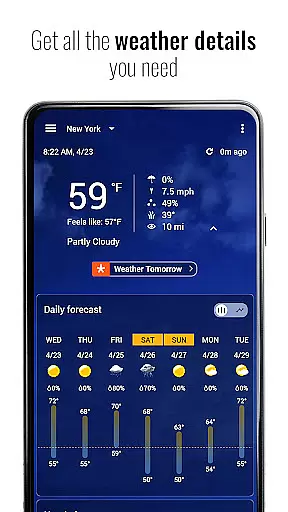
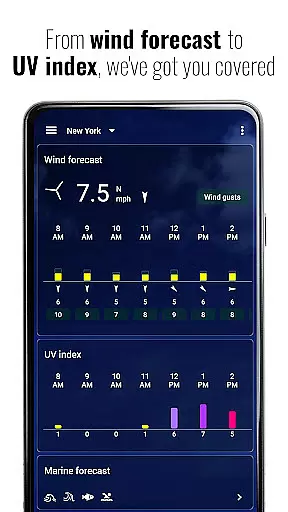
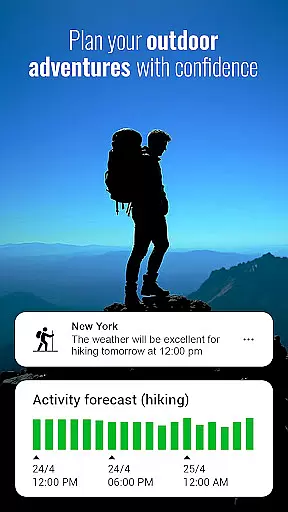
The app goes beyond basic forecasting by offering detailed insights into rain and snow predictions, 'feels like' temperatures, air quality index (AQI), UV index, humidity, visibility, wind direction, wind speed, and pressure changes. Its unique Activities feature helps outdoor enthusiasts plan their adventures by providing suitability forecasts for activities such as hiking, running, camping, kayaking, fishing, and hunting up to 48 hours in advance.
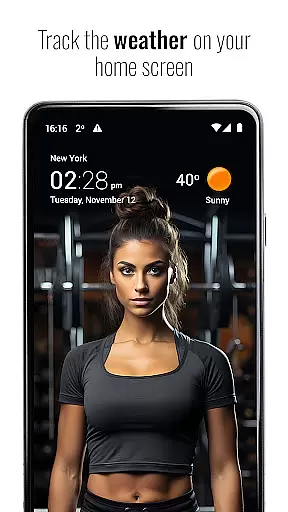
Designed for convenience, Transparent Clock & Weather Pro includes customizable widgets, sun and moon trackers, and premium features available through subscription. These include animated doppler weather radar, hurricane tracking, extended air quality information, and access to premium weather icons and backgrounds. Whether you need current weather data or planning tools for future activities, this app serves as your daily companion for all weather-related needs.
One of the standout features of Transparent Clock & Weather Pro is its robust set of tools designed to provide users with precise and actionable weather information. The app offers 24x7 weather forecasts, giving users the ability to check the latest weather conditions at any time, from anywhere. This includes everything from hourly updates to 15-day forecasts, ensuring comprehensive coverage for both short-term and long-range planning.
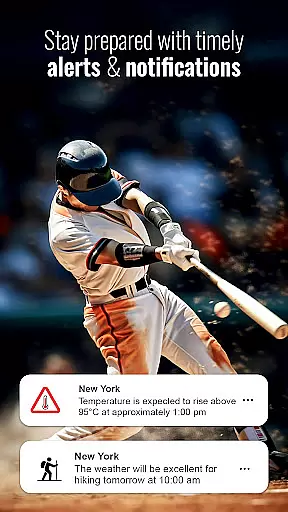
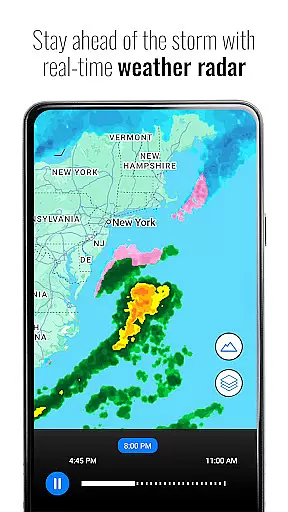
In addition to standard forecasts, the app includes advanced functionalities such as radar maps, which allow users to track hazardous weather conditions in real-time. Users can switch between different map layers, including rainfall, temperature, and other meteorological data, to get a complete picture of ongoing weather patterns. Severe weather alerts are another critical feature, notifying users of potential dangers such as high winds, extreme temperatures, and storm warnings.
For those who enjoy outdoor activities, the app's Hourly Activity Forecast is particularly useful. It evaluates weather suitability for various pursuits like hiking, running, and fishing over the next 48 hours. Customizable notifications further enhance user experience by alerting them to specific conditions relevant to their interests. Additionally, the app offers aesthetic enhancements such as customizable widgets and dynamic displays of sunrise and sunset times, making it not only functional but also visually appealing.
Transparent Clock & Weather Pro delivers precise weather forecasts by leveraging advanced meteorological data sources. The app provides users with reliable local and worldwide weather updates, ensuring accuracy in both short-term and extended predictions.
Through its integration of live weather updates and detailed 15-day forecasts, the application ensures that users receive timely and credible weather information. This includes insights into temperature fluctuations, precipitation probabilities, and other critical weather metrics that are essential for planning daily activities or travel.
Users benefit from the app's commitment to data credibility, as it consistently cross-references multiple weather models to deliver the most accurate forecast possible. Whether checking current conditions or planning for future events, individuals can trust the app's comprehensive weather data to make informed decisions.
The app offers an extensive temporal and spatial forecast range, enabling users to access weather predictions not only for their immediate location but also for destinations worldwide. With coverage spanning from hourly updates to detailed 15-day outlooks, Transparent Clock & Weather Pro caters to both short-term and long-term planning needs.
Its global forecasting capabilities allow travelers and locals alike to prepare for upcoming weather changes wherever they are. By providing localized weather data, including rain and snow forecasts, 'feels like' temperatures, and air quality indexes, the app ensures users have a complete understanding of environmental conditions.
This broad forecast range empowers users to anticipate weather patterns across different time zones and geographic locations. Such comprehensive coverage makes Transparent Clock & Weather Pro an invaluable tool for staying prepared and safe in various weather scenarios.
User-friendly interface
Accurate weather forecasts
Customizable widgets
Real-time radar maps
Comprehensive activity planner
Premium features require subscription
Some features may overwhelm casual users
Limited free content compared to paid
Occasional notification delays
High resource consumption on older devices

Live local weather updates: various widgets & radar maps & hourly forecast.
 4.70
4.70
The Weather Network TV App - Your weather when it really matters
2.90
Room Temperature Thermometer meter shows indoor, outdoor temperature, humidity.
4.40
NOAA radar, weather forecasts, hurricane tracking & customizable alerts.
4.50
Hurricane Tracker, Rain Map
4.80
Track rainfall totals with ease using our rain gauge app. Accurate rain tracker.
4.50
Accurate Weather App: various widgets, real-time storm radar, hurricane tracker.
4.50
Analog Weather Watch Face for Wear OS 5+
4.10
Prepare for severe weather with notifications, future radar, and live alerts.
4.60
Local weather forecast app, your personal 7*24 local weather forecast assistant.
4.90
Weather - Local weather forecast, weather daily & hourly, weather radar
4.80
Powerful US and worldwide earthquake feed with earthquake alerts and maps.
4.60
The most accurate weather app, hourly and daily weather, severe weather alerts
4.50
Weather related custom complications for Wear OS. UV, Hi-Lo, AQI and more!
4.40
All-in-one weather radar launcher with rain, temperature maps & local forecast.
4.30
Stay ahead of the weather with Daily Weather
4.10
Know the weather earlier.
3.90
Magnetic Compass meets smart tech: Get directions and weather alerts seamlessly
3.30
Your local weather app with storm radar, rain tracker, weather maps & AQI.
4.3


User Reviews