
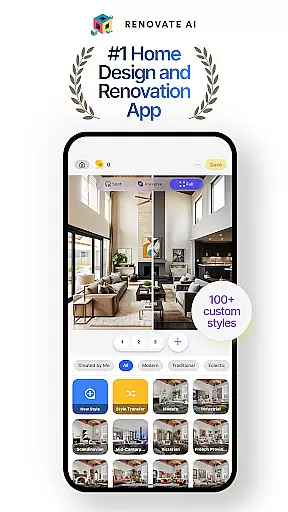
Renovate AI represents the forefront of home and interior design technology, utilizing sophisticated AI models to assist users in crafting photorealistic interior and exterior designs. It serves as an all-in-one platform for anyone looking to undertake home renovations, room redesigns, or complete house makeovers without the need for expensive professional consultations.
This app provides powerful tools like virtual staging, 3D renderings, and image upscaling, making it possible to experiment with colors, furniture, and layouts until achieving the desired outcome. Whether planning a new bedroom layout or revamping an entire garden, Renovate AI equips users with everything needed to bring creative visions to life.
With its user-friendly interface and cloud-based security measures, Renovate AI ensures that personal data remains protected while offering seamless integration across devices. Its innovative approach not only simplifies the design process but also democratizes access to top-tier design resources, making it invaluable for homeowners and professionals alike.
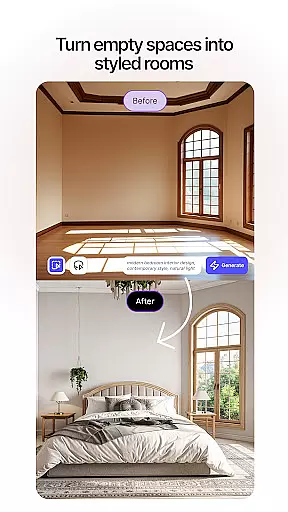
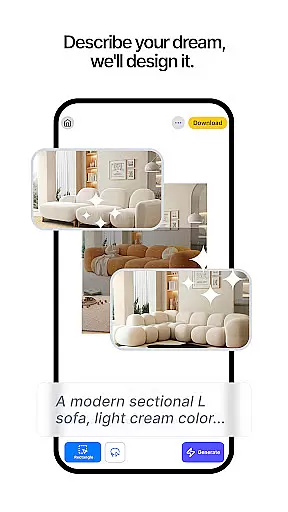
Renovate AI offers a comprehensive suite of design tools that cater to both amateur decorators and professional designers. The application leverages artificial intelligence to provide users with capabilities such as virtual staging, where furniture and decor can be added to spaces virtually, and 3D elevation rendering, transforming flat plans into three-dimensional models.
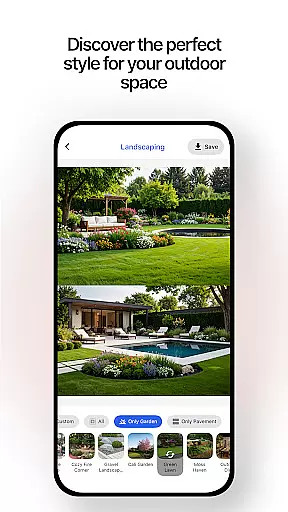
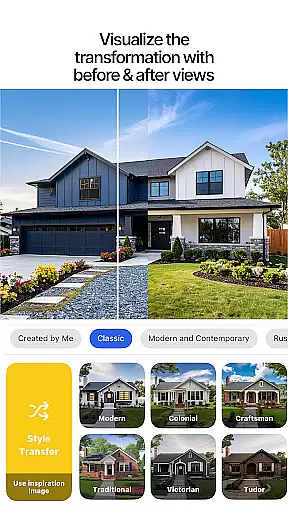
One standout feature is the ability to upscale images, turning low-resolution design plans into high-definition visuals. This is complemented by robust exterior renovation options, allowing users to remodel facades and experiment with landscape designs. With over 40 styles available, users can craft outdoor spaces that align with their aesthetic preferences.
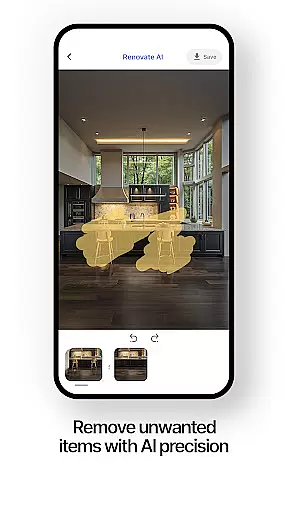
The app also includes sketch-to-render functionality, enabling users to turn hand-drawn sketches into polished design concepts. Additionally, object removal tools allow for the editing of existing spaces by eliminating unwanted items from the design canvas. These features collectively empower users to visualize and execute complex design projects efficiently.
When it comes to home design and renovation, having accurate and reliable property information is crucial. Renovate AI ensures the authenticity of its design listings by employing advanced verification mechanisms that align with real-world data. This means every room design, exterior remodel, or landscape plan you explore is based on verified parameters that reflect realistic possibilities.
The app's integration with 10+ specialized AI models allows it to cross-check design elements against established architectural standards. Whether you're working on a bedroom design or experimenting with exterior color schemes, you can trust that the options presented are not only aesthetically pleasing but also practically feasible. This commitment to accuracy extends to all facets of home planning, from furniture placement to facade remodeling.
Users benefit from this rigorous validation process as it eliminates guesswork from their design decisions. With Renovate AI, you can confidently experiment with different styles, knowing that each suggestion is backed by credible design principles. This feature saves both time and resources by preventing costly mistakes during actual renovations.
Furthermore, the platform's cloud-based system guarantees that all design templates and project files are kept up-to-date. Regular updates ensure that users always have access to the latest design trends and technological advancements in AI home design. This dedication to maintaining current and authentic property listings makes Renovate AI an invaluable tool for anyone looking to transform their living space.
Effective home management goes beyond just designing beautiful spaces; it involves organizing and maintaining various aspects of your household. Renovate AI addresses this need by providing comprehensive tools that help users manage their home projects efficiently. From initial concept sketches to final 3D renders, the app offers an all-in-one solution for tracking and implementing design changes.
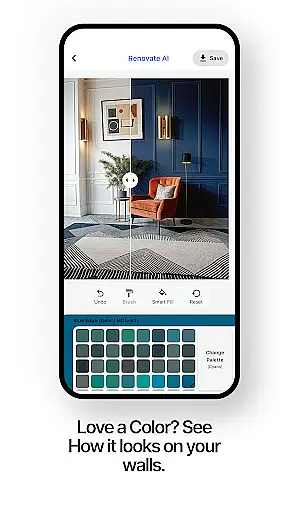
One standout feature is the smart room planner, which allows users to customize every corner of their home with precision. Whether you're rearranging furniture in your living room or planning a complete kitchen overhaul, the room designer tools enable you to visualize modifications before committing to them. The inclusion of AI-powered suggestions for colors, layouts, and decor further enhances this planning process.
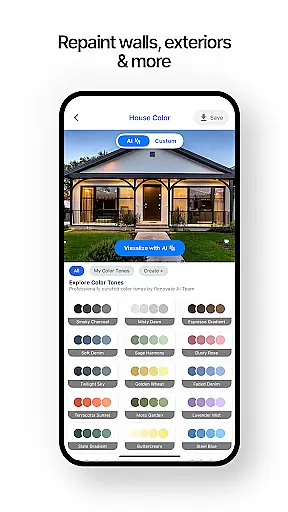
In addition to interior design capabilities, Renovate AI supports exterior and landscape management through its specialized modules. Users can experiment with over 40 garden styles and preview facade alterations using the exterior painting tool. These features are particularly useful for homeowners who want to maintain cohesive aesthetics across both indoor and outdoor spaces.
The app also facilitates project organization by storing all design iterations securely in the cloud. This ensures that users can access their work from any device while enjoying seamless synchronization between sessions. By combining these robust home management features with user-friendly interfaces, Renovate AI empowers individuals to take full control of their renovation journeys while keeping everything well-organized and easily accessible.
AI-powered designs
Photorealistic renders
Extensive style options
User-friendly interface
Cloud data security
Subscription required
High system requirements
Limited free renders
Occasional bugs
Steep learning curve

Unlock AI-based barcode scanning and support the development of Grocy Android
 4.0
4.0
The official app for Home Assistant. Control your home anywhere in the world.
4.30
Download today to join the community to help bring lost pets home faster.
4.70
Fully control your Philips TV with this all-in-one remote control app.
4.20
Plants, Beauty, Collectibles
4.60
Schlage Lock Company LLC
4.00
Floor Plan Creator Home Design with 2D interior design and 3d view.
3.90
Find contractors for all home renovation projects. Remodeling, repair, and more.
4.20
Turn old phones into security cameras, baby monitors, pet cams, and more.
4.70
Convert your Phone to HiSense Smart TV Remote Control
4.70
Innovative and budget-friendly housing options
4.60
Your guide to apartments & rental homes. Find your next place to rent with AG.
4.60
Security App with HD Video, 2-way Audio, and event detection for Home monitoring
4.40
WiZ smart light system
4.40
Set up your devices, customize settings, and monitor your home—from anywhere
4.40
Make your phone a surveillance camera remote with a home camera app for Android!
4.40
AI floor creator to design your dream house, plan rooms & style your home
4.00
Book your local plumber 24/7, track your service order & get exclusive coupons
4.00
Control Fire TV & mirror your phone screen instantly over Wi-Fi.
3.30


User Reviews