
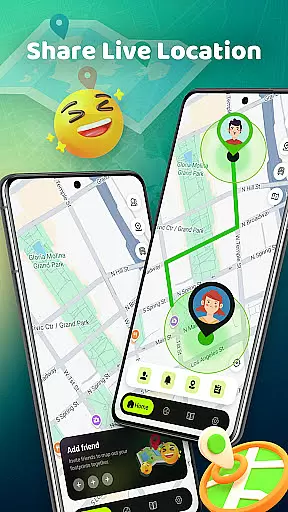
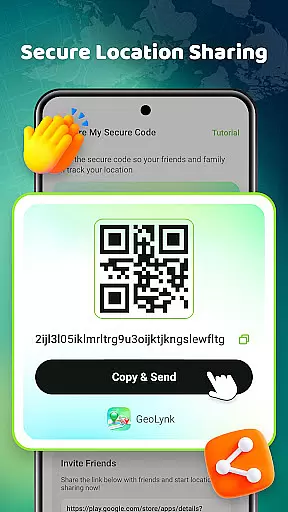
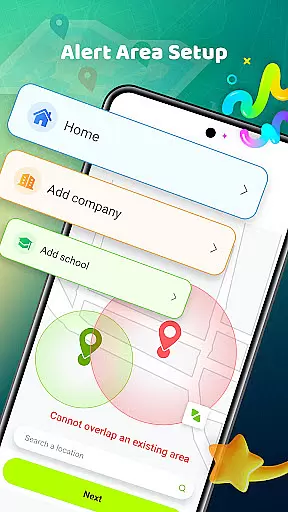
Phone Tracker - Location Share is a versatile navigation app designed to simplify daily life while keeping users connected. The app's core functionality revolves around secure location sharing, allowing users to share their real-time location with family and friends through unique codes. Beyond basic tracking, the app offers advanced features like custom alert zones, which notify users when loved ones arrive at or leave specific locations such as school or work.
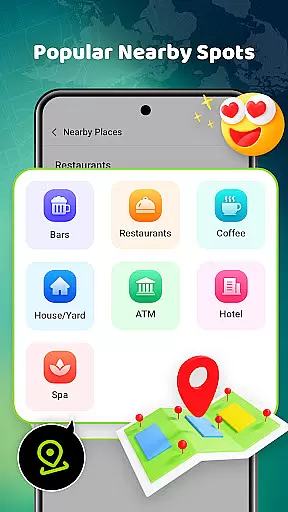
In addition to its tracking capabilities, Phone Tracker provides practical navigation tools. Users can explore nearby restaurants, shops, and hangout spots, while also accessing a built-in metro line map for convenient urban travel. This combination of safety, privacy, and utility makes the app particularly valuable for families, friends, and individuals who are frequently on the go.
Phone Tracker - Location Share stands out with its comprehensive set of features tailored for both navigation and secure location sharing. One of its key strengths is the ability to toggle location visibility on and off, giving users complete control over their privacy. The app employs unique codes for secure sharing, ensuring that only authorized contacts can access location data.
Beyond location sharing, the app includes several innovative tools. Users can create customized alert zones to receive notifications about the whereabouts of loved ones. Additionally, the built-in directory of nearby places helps users discover popular local spots for dining, shopping, and entertainment. With its intuitive interface and robust functionality, Phone Tracker ensures both safety and convenience without compromising on user experience.
Map accuracy is essential for any navigation app, and Phone Tracker u2013 Location Share excels in this area. The application provides real-time location tracking that ensures users can see accurate positions on the map at any given moment.
The app uses advanced mapping technology to offer precise location data, which is crucial when navigating unfamiliar areas or trying to meet up with friends and family. This precision helps in avoiding delays and confusion, making daily commutes or travel more efficient.
Moreover, the live location feature allows users to share their whereabouts securely with unique codes. This function not only enhances safety but also empowers users by giving them control over who sees their location and when.
In addition to individual location tracking, the app includes a built-in metro line map and highlights popular nearby places. These features further enhance the user experience by providing comprehensive tools for both urban exploration and practical commuting solutions.
Route planning is a core component of Phone Tracker u2013 Location Share, designed to make your travels as smooth as possible. With an intuitive interface, users can easily set destinations and receive optimal routes based on current traffic conditions.
The app goes beyond basic route suggestions by allowing users to create alert zones. These zones notify you when someone you care about arrives at or leaves specific locations like school or work, adding an extra layer of convenience and security.
Furthermore, the application offers insights into nearby attractions such as restaurants, shops, and entertainment spots. By integrating these points of interest into route planning, it encourages spontaneous exploration while ensuring you have all necessary information at your fingertips.
Overall, Phone Tracker u2013 Location Share combines detailed maps with smart route planning capabilities, making it an invaluable tool for families, friends, or individuals looking to simplify their daily movements while staying connected safely.
User-friendly interface
Secure location sharing
Customizable alert zones
Comprehensive nearby directory
Privacy-first design
Limited offline functionality
Requires mutual consent
Occasional sync delays
Premium features locked
Ad-supported free version

Route schedules, maps, and real-time tracking of MTA buses in New York City.
 4.20
4.20
Turn your tablet or Android powered unit into a full blow Android Auto headunit.
2.30
Voice GPS with driving directions, offline maps navigation GPS for safe travel
4.50
Parcel map, property lines, owner, acres, land use, zoning and more from Regrid.
4.60
Phone Tracker and GPS Location Sharing
4.20
GPS navigation offers route finder, compass, translator, currency converter, etc
4.30
Neshan: map & navigation app with 20M+ monthly active users
4.50
GPS phone tracker, family locator, secure location sharing app
4.20
Navigate MTA, NJ Transit, MBTA, SEPTA, BART, MARTA, CTA & 900+ cities
4.60
GPS Speedometer & Odometer: Track car, bike, truck speed & distance in real-time
4.70
Route tracker, Speedometer, Odometer, Fuel, HUD mode, save route as .GPX
4.40
Explore a light pollution map to find suitable dark sky locations for observing.
4.30
ParkWhiz, an Arrive Mobility brand, part of the Arrive Network
4.30
Simple & easy to use a compass app. Get accurate directions.
4.20
Avoid delays. Get real-time GPS navigation, safety alerts and live traffic.
4.10
Live Satellite view app for find GPS navigation Direction and live location map
3.70
Navigate via GPS Maps of GPS Voice Navigation, driving directions to find routes
3.60
Off-Roading Navigation App With Trails, Public Lands, & Private Property Info
3.30
Ride CTA, Metra & Pace: Manage your fares, buy Metra tickets, get arrivals.
3.00


User Reviews