
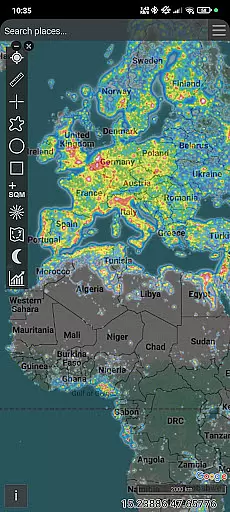
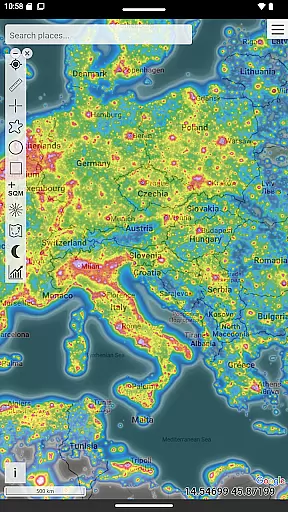
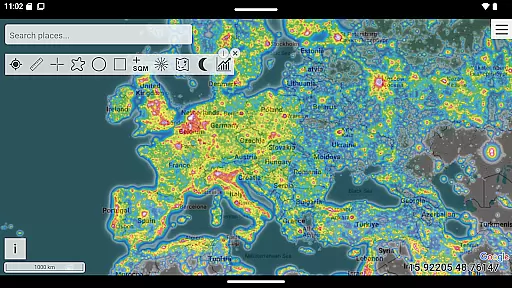
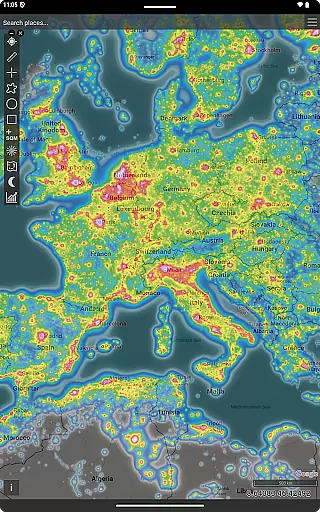
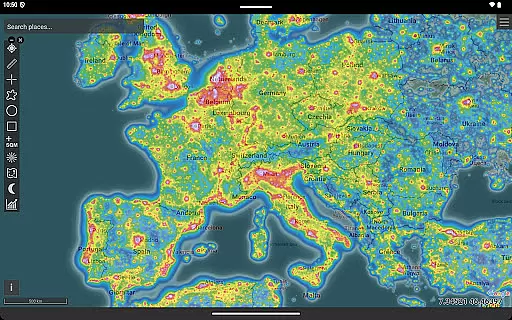
Light Pollution Map is a specialized navigation tool designed for astronomers, astrophotographers, and night sky enthusiasts. The app combines high-resolution VIIRS satellite data with an interactive global map to help users locate the darkest areas nearby. With features like sky brightness estimation, Bortle scale ratings, and aurora predictions, it provides detailed insights into light pollution levels across the globe.
The application stands out through its accuracy and scientific approach. It uses NASA's VIIRS Day/Night Band data, ensuring reliable information for planning astrophotography sessions, stargazing trips, or camping excursions under dark skies. Its offline-friendly design and additional mapping tools make it an essential companion for both hobbyists and professionals seeking pristine night-sky conditions.
Whether you're researching light pollution trends or simply enjoying the beauty of the stars, Light Pollution Map offers practical value by identifying optimal dark-sky locations worldwide. This makes it particularly useful for travelers and nature lovers who want to escape urban glow and experience true nighttime darkness.
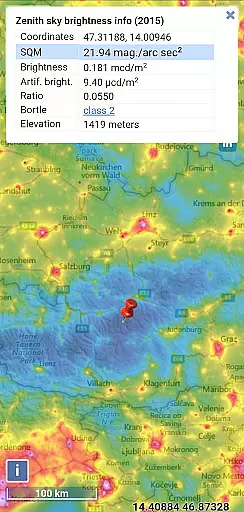
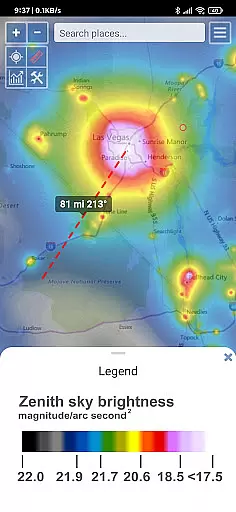
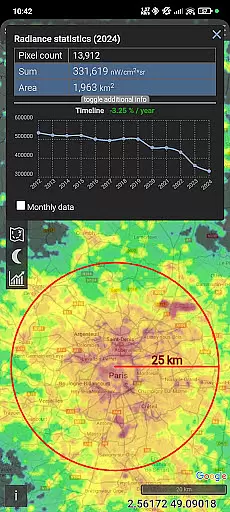
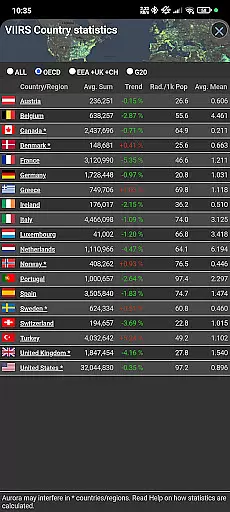
Light Pollution Map boasts a variety of advanced features tailored to meet the needs of astronomy enthusiasts and researchers alike. One standout capability is its integration of multiple datasets, including VIIRS radiance and historical comparisons, which allow users to evaluate changes in artificial sky glow over time. These datasets are presented through intuitive overlays such as MPSAS (magnitude per square arc second) and Bortle scale estimations, making complex data accessible even to beginners.
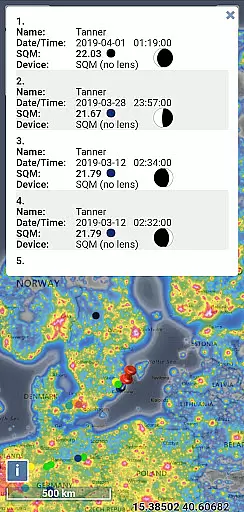
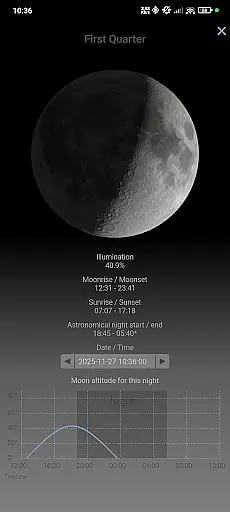
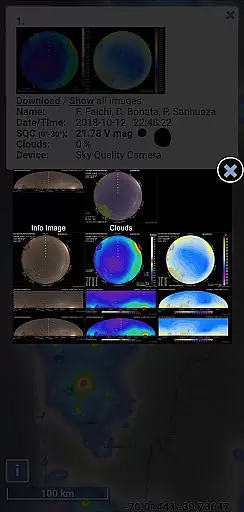
In addition to its core functionality, the app includes supplementary layers like aurora forecasts, cloud coverage, and user-submitted SQM measurements. Tools such as moon phase tracking, brightness simulation, and closest dark site finder further enhance usability. The clean, ad-free interface ensures uninterrupted exploration while respecting user privacy—a rare feature among modern apps.
Another notable aspect is its offline mode, enabling GPS-based navigation without requiring constant internet access. This makes the app highly versatile for remote adventures where connectivity may be limited. Overall, these features collectively position Light Pollution Map as an indispensable resource for anyone passionate about preserving and exploring the natural night sky.
Map accuracy is essential for any navigation or location-based application, and Light Pollution Map excels in this area. The app combines high-resolution VIIRS satellite data with an interactive global map to provide users with the most accurate and up-to-date night-time light data available. This scientific dataset, also used by research institutions and environmental agencies, ensures maximum precision when evaluating artificial sky glow.
The accuracy of the map is further enhanced by various mapping tools integrated into the app. Users can access point and area information, moon details, brightness simulation, and even find the closest dark site. These features allow astronomers, astrophotographers, and stargazers to plan their activities with confidence, knowing they have reliable data at their fingertips.
For those who require additional accuracy, the app offers MPSAS (magnitude per square arc second) and Bortle scale estimation for easy comparison. Users can switch between multiple light pollution datasets and explore historical VIIRS data to track how light pollution changes over time. This level of detail and accuracy makes Light Pollution Map an invaluable tool for anyone interested in understanding and mitigating the effects of light pollution.
While Light Pollution Map primarily focuses on providing accurate sky brightness data, it also offers valuable route planning features for users looking to explore dark-sky locations. Whether you're an astronomer, astrophotographer, or simply a curious traveler, the app helps you identify and navigate to the darkest places nearby for optimal stargazing experiences.
The app's interactive map allows users to quickly locate ideal spots for astrophotography, camping trips, Milky Way observations, meteor shower watching, and more. By integrating GPS functionality, the app provides precise directions to these locations, ensuring that users can easily find their way even in unfamiliar areas. Additionally, the inclusion of Aurora prediction and cloud layers enhances the route planning process, allowing users to account for weather conditions and aurora activity.
One of the standout features of Light Pollution Map is its ability to function offline. With the World Atlas 2015 cacheable, users can plan their routes without worrying about internet connectivity. This offline-friendly capability, combined with smooth controls and fullscreen mode, makes route planning both convenient and efficient. Whether you're planning a single trip or conducting long-term light pollution research, this app provides the tools necessary to reach your destination with ease.
User-friendly interface
Highly accurate VIIRS data
Offline functionality
No ads or tracking
Comprehensive feature set
Paid app with no free version
Steep learning curve
Limited appeal outside niche
Requires technical knowledge
Occasional data delays

Start your next adventure confidently using our Accurate Compass App
 3.70
3.70
TACNAV-X: Precision MGRS navigation, built specifically for the military.
4.00
Use GPS maps or search by property owner, address or parcel to view parcel data
4.30
LIRR and Metro-North tickets and trips
4.80
Affordable rides and food delivery with incredible discounts in just one app.
4.50
Drive safe with real-time speed camera radar, police, and traffic alerts
3.80
Bolt is a ride-hailing app for requesting fast, safe, and affordable transport
4.80
Explore offline maps with radar, satellite view, and real-time alerts.
3.60
Simple & easy to use a compass app. Get accurate directions.
4.20
Truck Safe GPS Navigation & Maps: Parking, Fuel, Diesel, Weight Station
4.80
GPX Viewer PRO shows tracks, routes and waypoints from gpx and kml files.
4.60
Find radar maps, GPS coordinates, altitude, offline maps, location, travel route
4.40
Maps, Driving Directions & GPS navigation using directions app & GPS App
4.30
Use GPS Maps and GPS Voice Navigation to find your way and get directions
4.10
GPS Navigation: Get map directions and find the shortest routes to avoid delays!
4.00
Discover over 800 points of interest along the canal.
3.70
NJ TRANSIT information and ticketing at your fingertips
3.70
Off-Roading Navigation App With Trails, Public Lands, & Private Property Info
3.30
All of NHSA's trail information at your fingertips for the 2025-2026 season
4.4


User Reviews