
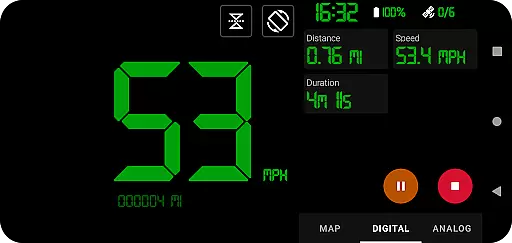
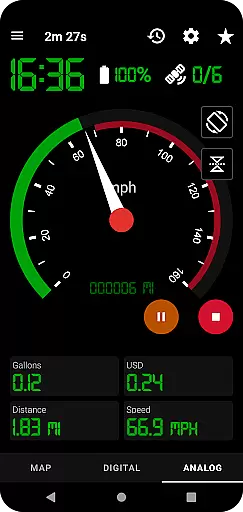
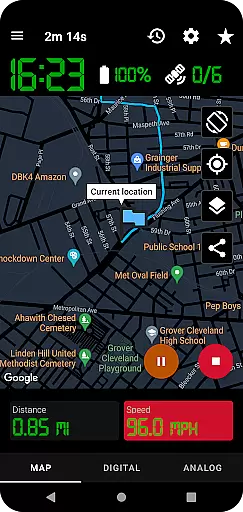
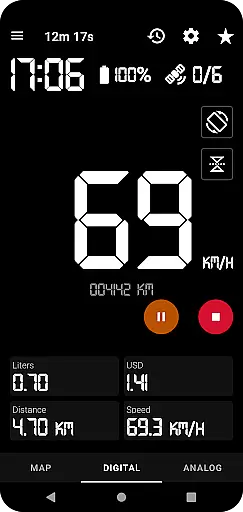
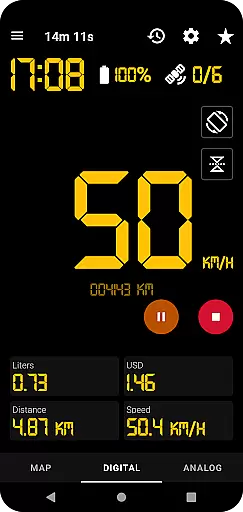
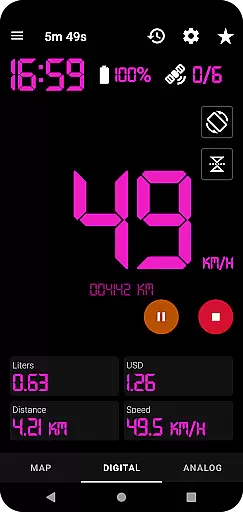
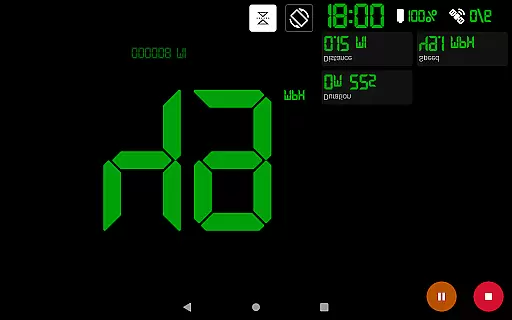
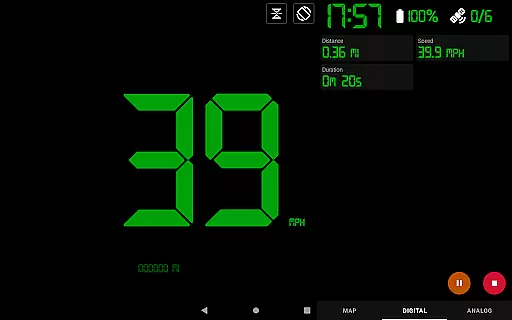
GPS Speedometer Pro is a versatile navigation app that transforms your smartphone into a comprehensive speed tracking and route recording tool. The app utilizes your phone's built-in GPS to provide real-time speed monitoring, making it ideal for various activities such as driving, running, walking, or cycling.
One of the standout features of this app is its ability to operate seamlessly in the background, allowing users to multitask on their phones without interrupting the tracking process. Whether you need an analog or digital display, want to estimate fuel costs, or require over-speed alerts, GPS Speedometer Pro has got you covered. It also supports downloading routes in .gpx format for third-party software compatibility.
This app is particularly useful for those who frequently travel or engage in outdoor activities. With functionalities like head-up display (HUD) mode, odometer readings, and detailed history tracking, users can maintain precise logs of their journeys while enjoying enhanced safety features.
GPS Speedometer Pro boasts an array of advanced features designed to enhance user experience. The app offers multiple display options including analog and digital speedometers, catering to different user preferences. Its HUD mode provides an easy-to-read display that minimizes distractions while driving.
For meticulous tracking, the app allows users to download their routes in .gpx file format, enabling further analysis in third-party applications. Additionally, the latest update introduces route replay functionality within the app itself, letting users review recorded speeds and paths.
Privacy-conscious users will appreciate the app's commitment to data protection. No sign-in is required, and the developers ensure no Personally Identifiable Information (PII) is collected or shared with third parties. This focus on privacy, combined with practical features like one-tap start/stop recording and customizable map types, makes GPS Speedometer Pro a reliable choice for navigation enthusiasts.
Map accuracy is a crucial feature for any navigation app, and GPS Speedometer Pro excels in this area. The application leverages your phone's built-in GPS to meticulously record your routes and speed, ensuring that the map data reflects your actual location with precision.
The app offers multiple map types including light, dark, and terrain views, which not only enhance visual clarity but also adapt to various lighting conditions and personal preferences. This flexibility ensures users can select the most suitable and readable map type for their environment, improving overall accuracy perception.
Moreover, the map follows your current location while tracking, providing real-time updates and seamless navigation. This dynamic tracking capability allows users to maintain orientation and make informed decisions based on the latest positional data.
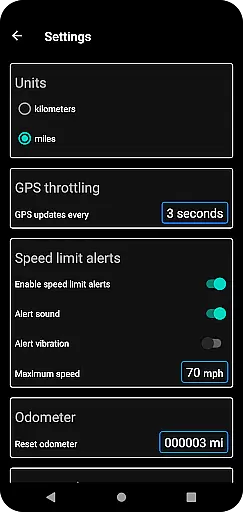
Route planning in GPS Speedometer Pro is designed to offer users comprehensive control over their journeys. With features like setting maximum speed thresholds and receiving over-speed alerts, even when the app runs in the background, users can plan safer trips tailored to specific road conditions or personal preferences.
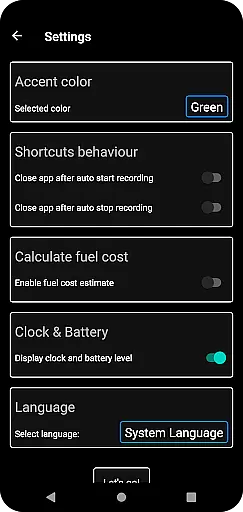
In addition to speed management, the app provides tools such as an odometer and fuel cost estimation, enabling more efficient route planning by considering distance and expenses. These functionalities empower users to optimize their travel plans economically and environmentally.
Furthermore, the ability to pause, stop, and resume tracking at any time adds another layer of convenience to route planning. Users can manage power consumption effectively while having the flexibility to adjust their routes dynamically without losing previously recorded data, thus enhancing both safety and efficiency during travels.
User-friendly interface
Accurate GPS tracking
Customizable display options
Background operation capability
Strong privacy protections
Limited offline functionality
Occasional GPS inaccuracies
Requires constant internet
Drains battery quickly
No voice guidance feature

Offline maps for phone and smart watch: topographic maps, satellite images...
 3.30
3.30
This app is military GPS coordinate systems helper. (MGRS, UTM & DMS Maps)
4.80
CamSam PLUS - The speed and red light camera warning system!
4.40
Turn your tablet or Android powered unit into a full blow Android Auto headunit.
2.30
Navigate confidently with our precise Digital Compass app & Direction Compass!
4.70
Find radar maps, GPS coordinates, altitude, offline maps, location, travel route
4.40
Find routes fast with GPS Maps, GPS Navigation & driving directions.
4.10
Simple & easy to use a compass app. Get accurate directions.
4.20
Park in Chicago, NYC, Boston, SF, Houston & more!
4.70
Truck Safe GPS Navigation & Maps: Parking, Fuel, Diesel, Weight Station
4.80
GPX Viewer PRO shows tracks, routes and waypoints from gpx and kml files.
4.60
Navigate with your watch and keep the phone in your pocket!
4.60
Track friends in real-time and explore worldwide live cameras.
4.60
America’s largest public fast charging network, with over 500 charging stations.
4.50
Explore a light pollution map to find suitable dark sky locations for observing.
4.30
Get real-time bus and train schedules for easy, hassle-free city transportation.
3.90
Start your next adventure confidently using our Accurate Compass App
3.70
NJ TRANSIT information and ticketing at your fingertips
3.70
Compass is an accurate compass and a great tool for any outdoor activities
4.2


User Reviews