
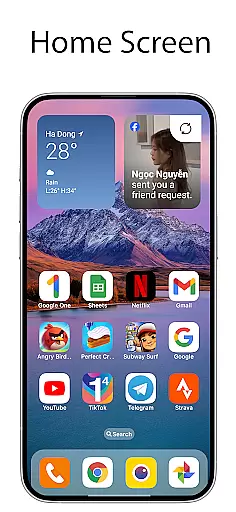
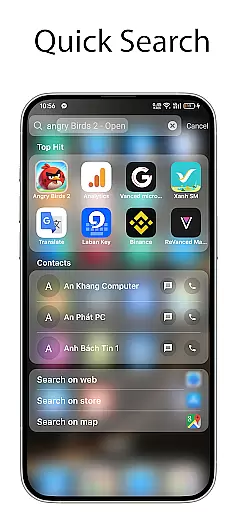
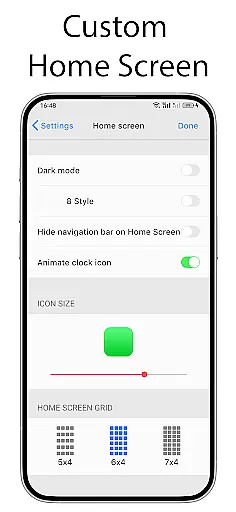
OS Launcher 18 - Phone 16 Max is a personalization app that transforms the visual appearance of Android devices into a more simple and luxurious interface. This launcher provides users with a customized experience, including redesigned app icons, wallpapers, and various other features. It allows Android users to enjoy an elegant UI while retaining the full functionality of their device's operating system.
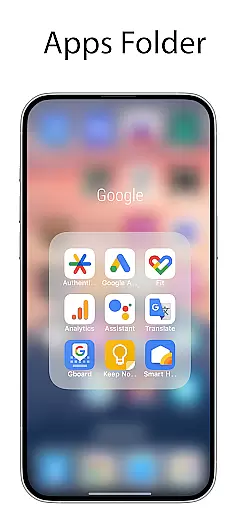
The app offers several key features such as an Apps Library for organizing apps into categories, a Today View that displays weather information and calendar events, and customizable widgets. Users can also create folders by dragging and dropping apps together, modify app icons and names, and hide apps from the home screen. These features collectively provide a personalized and streamlined user experience.
This launcher is particularly useful for those who want to simplify their device's interface without losing any core functionalities. By offering both aesthetic enhancements and practical tools, OS Launcher 18 - Phone 16 Max adds significant value to Android users seeking a balance between style and usability.
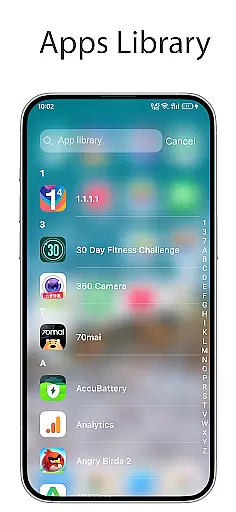
OS Launcher 18 - Phone 16 Max stands out with its comprehensive feature set designed to enhance the Android user experience. One of its main attractions is the Apps Library, which intelligently groups applications into categories, making navigation effortless. The Lock App feature ensures privacy by preventing unauthorized access to specific apps, adding an extra layer of security.
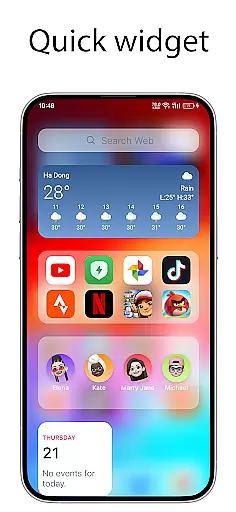
Another highlight is the Today View, which consolidates essential information like weather forecasts, favorite contacts, and calendar events on a single screen. The Weather feature itself is beautifully designed, providing detailed insights such as temperature, wind speed, and humidity. Additionally, the app supports numerous cool widgets that users can add to their home screens for quick access to frequently used functions.
Customization options are abundant, allowing users to modify app icons and names according to their preferences. The Hide Apps feature lets users conceal certain apps from the home screen, maintaining a clutter-free interface. Furthermore, the Unread Notification Dot visually alerts users about unread messages, ensuring they never miss important communications. These features collectively make OS Launcher 18 - Phone 16 Max a versatile tool for personalizing Android devices.
OS Launcher 18 - Phone 16 Max offers a wide array of customization options that allow users to tailor their Android device's interface with precision. This app provides features such as an Apps Library to categorize your apps, customizable icons and names for applications, and the ability to hide apps from the home screen. These elements collectively ensure that personalizing your device is not only comprehensive but also intuitive.
The launcher includes a Today View which displays weather information, favorite contacts, and calendar events, enhancing the user's daily productivity. Additionally, it supports creating folders by simply dragging and dropping apps onto each other, making app organization effortless. With these tools at hand, users can enjoy a personalized yet efficient mobile experience.
For those who appreciate aesthetic modifications, OS Launcher 18 offers beautiful wallpapers along with many cool widgets that can be added to the home screen. The inclusion of a Weather forecast feature adds both functionality and visual appeal. By providing so many useful details like temperature, wind speed, and humidity, this app ensures that users have access to critical information while enjoying a visually pleasing interface.
Theme compatibility in OS Launcher 18 - Phone 16 Max ensures that users can seamlessly integrate various themes into their deviceu2019s interface without any disruptions or inconsistencies. This means you can apply different themes across your device while maintaining uniformity in design language and visual elements, resulting in a cohesive look and feel.
This launcher supports numerous themes that align perfectly with its existing features such as lock app functionality, unread notification dots, and more. Users will find it easy to switch between themes knowing that all aspects of their UIu2014from app icons to system settingsu2014will remain visually consistent and functionally intact.
Moreover, the theme compatibility extends beyond just visual aesthetics; it encompasses functional components too. For instance, when using customized icons or hiding certain apps, the chosen theme adapts accordingly, ensuring everything looks natural and operates smoothly. This holistic approach guarantees that every aspect of your device remains harmonized under your selected theme.
User-friendly interface
Highly customizable
Enhanced privacy controls
Beautiful weather widget
Efficient app organization
Limited default themes
Occasional performance lags
Ads in free version
Complex settings for beginners
Requires manual updates

Vertically oriented rectangular icons
 4.70
4.70
Customizable flower power digital watch face for Wear OS watches.
4.00
Wear Os Watch Face - Seasonal - Animated Snow Effect - 9 Animals
4.20
Themes - Widget & Wallpaper: Customize home screen, icon changer w unique themes
4.30
Art & Emoji Keyboard with Cool Fonts, Cute Themes and Custom Designs.
4.40
Transform your device in a game console
4.40
A minimalist productivity launcher. One-hand-friendly. Zero ads.
4.70
Transform your phone with stunning video wallpapers and a unique, personal touch
3.80
Transform your phone with stylish zipper lock themes and 4D live wallpaper
4.10
Personalize your phone with stunning HD and 4K wallpapers!
4.70
Nothing Icon pack with more than 3750+ highly crafted icons.
4.70
Embrace the Night. Unleash the power of darkness with Raven Dark Icon Pack
4.60
Ninja Turtles Cowabunga SE watch face for Wear OS
4.50
3D, live, and moving wallpapers & themes in 4K and HD for your device.
4.50
Fingerprint Lock Screen & Live Animations with 4K Wallpapers as Live Wallpaper
4.40
Unique Fonts, typefaces and stylish text. Fonts for Instagram, Whatsapp & others
4.20
Realistic animated snow on your wrist, with 10 images landscapes to choose from
4.00
Transfer your live wallpapers from Windows to Android using Wallpaper Engine!
4.00
HappyLighting is a Bluetooth lamp control software.
3.40


User Reviews