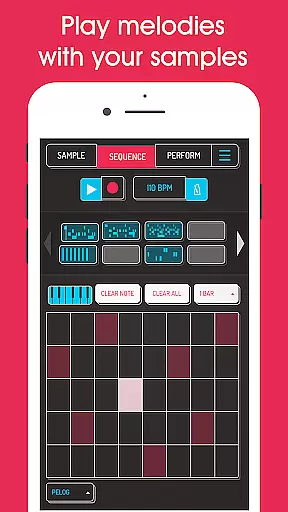
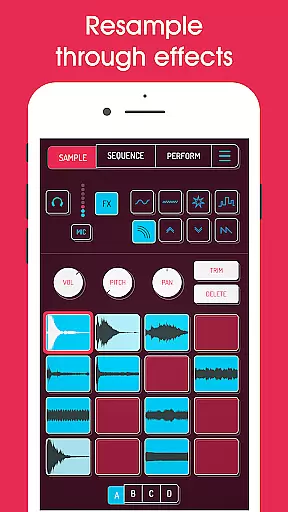
Koala Sampler is a pocket-sized music production tool that allows users to record sounds via their phone's microphone or import custom samples. Designed for both amateur beatmakers and professional musicians, this app provides an intuitive interface for creating tracks quickly and efficiently.
The application stands out with its seamless resampling capabilities, enabling users to route the output back into the input through various effects. This creates endless sonic possibilities while maintaining a streamlined workflow. With features like AI-powered sample separation, MIDI control, and 16 built-in effects, Koala Sampler ensures an engaging and creative experience without overwhelming users with unnecessary complexity.
Whether you're transforming your voice, crafting beats, or exporting high-quality WAV files, Koala Sampler keeps the music-making process fun and fluid. Its focus on instant usability makes it ideal for artists who want to stay in the flow of creation.
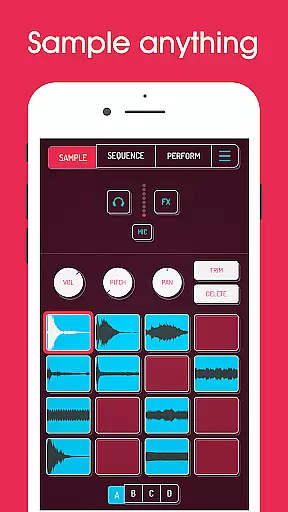
Koala Sampler offers a robust set of tools tailored for audio creativity. Users can record up to 64 unique samples using their device’s mic and enhance them with 16 professional-grade effects such as reverb, fuzz, and synthesizer transformations. The app also supports importing pre-recorded samples, which can be separated into individual instruments like drums, bass, and vocals using AI technology.
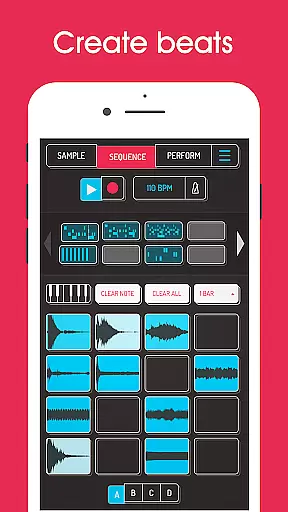
One of the standout features is the ability to resample audio within the app, allowing for layered sound design. A high-resolution sequencer lets users build beats with precision, while adjustable parameters like attack, release, and tone provide fine-tuned control over each sample. Additionally, MIDI compatibility enables integration with external controllers, offering a tactile approach to performance and composition.
For advanced users, optional in-app purchases unlock pro-quality timestretching, piano roll editing, and auto-chopping functionalities. These additions cater to those seeking deeper customization options without compromising the app's user-friendly essence.
Koala Sampler offers a robust music library that allows users to record up to 64 different samples using their phone's microphone. This extensive capability ensures a vast personal music library, which can be further expanded by importing your own samples.
The app emphasizes copyright authenticity by enabling users to work with their recorded or imported sounds, ensuring all audio content is original and owned by the user. This feature provides peace of mind for creators who want to use their material without infringing on others' copyrights.
Additionally, Koala Sampler uses AI technology to separate samples into individual instruments such as drums, bass, vocals, and others. This not only enhances the creative possibilities but also maintains the integrity of the original recordings, reinforcing the authenticity of the music produced within the app.
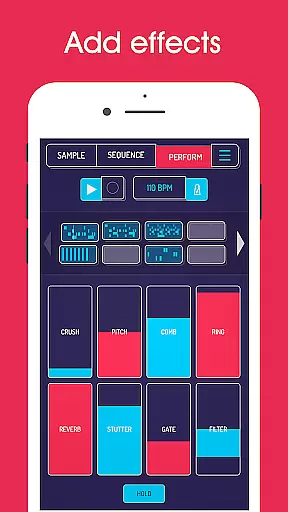
With 16 built-in effects, Koala Sampler delivers superb audio quality options that allow users to transform their voice or any sound with professional-grade processing. The range includes essential effects like reverb, fuzz, and synthesizer, catering to diverse audio manipulation needs.
For those seeking more advanced audio control, the app features adjustable attack, release, and tone settings on each sample, providing nuanced sound shaping capabilities. These meticulous controls ensure that the output meets high-quality standards expected by audio professionals.
Moreover, exporting loops or entire tracks as professional-quality WAV files is possible, preserving the audio fidelity throughout the production process. Users can trust that their final creations will maintain clarity and dynamic range, making Koala Sampler a reliable tool for both amateur and experienced musicians alike.
Intuitive interface
Extensive effect library
AI-driven sample separation
MIDI controller support
Professional export quality
Limited free features
Occasional mic input issues
In-app purchase required
Steep learning curve
High system requirements

The Cubase remote control app
 3.60
3.60
Full-featured, High-Quality Groovebox Workstation, perfect for Live Performance!
4.80
Walkout Song DJ is the most intuitive app to manage your sports music.
4.70
Unleash your creativity! Turn simple prompts into full fledged songs.
4.70
Enjoy singing any song, no matter how high or low it is
4.30
Offline Music Player & MP3 Player.Powerful equalizer, Lyrics, Themes, Tag Editor
4.80
Let your Android device with the sound effects you want
4.50
Powerful 10-Band equalizer pro with sound booster improves Android audio quality
4.30
Be a true music maker: create beats, mix and make music like a real DJ!
4.30
Most Advanced AI Song Generator and Music Creator. Rap, Pop, Rock, Gospel & more
4.70
Ultimate Sonos Controller
4.70
AI Music Maker: Generate And Compose AI Tunes & AI Songs & AI Music & AI Melody!
4.60
Enhance the sound quality of your devices, listen to what you want
4.50
Help you quickly get started with Shokz headphones
4.40
Turn your phone into a musical instrument from the future!
3.90
Background pads for your band
3.80
Powerful beat maker & DJ mixer to remix tracks, make music, & perform DJ mix
3.70
The iconic iOS metronome app is now on Android.
3.70
MilkDrop for Android TV
3.00


User Reviews