
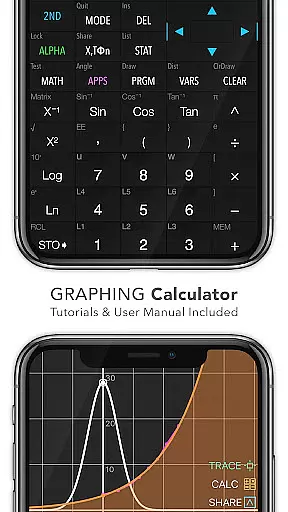
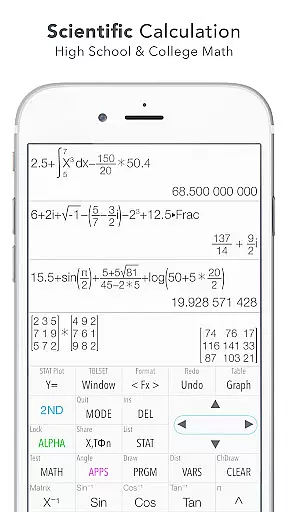
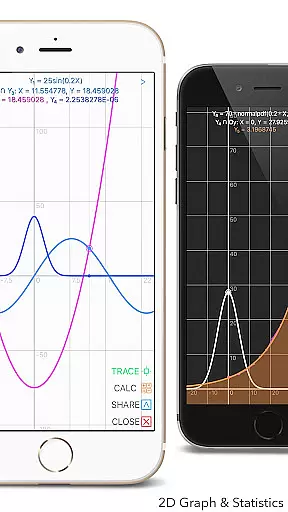
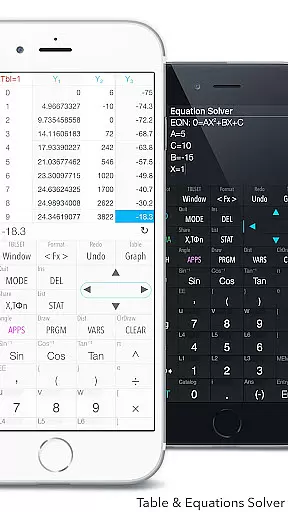
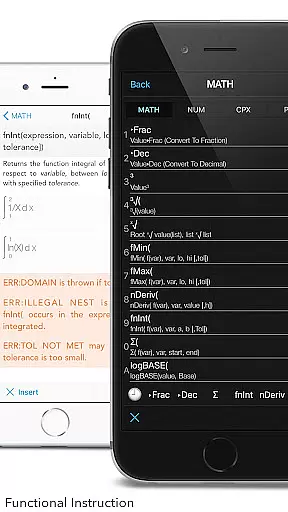
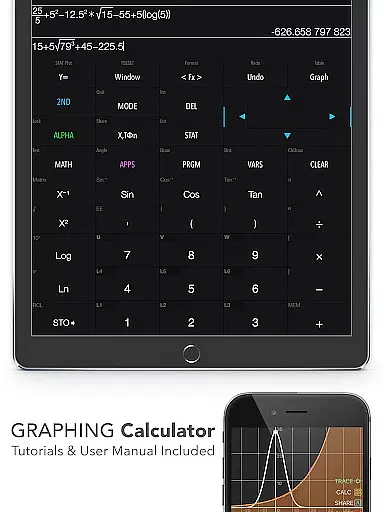
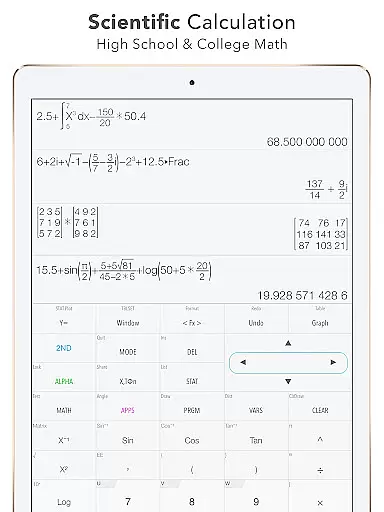
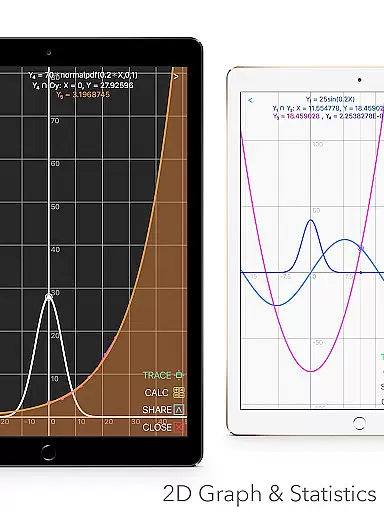
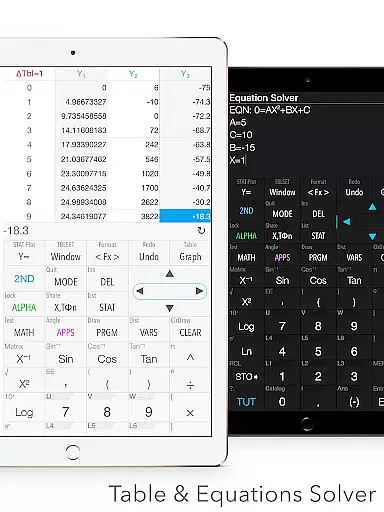
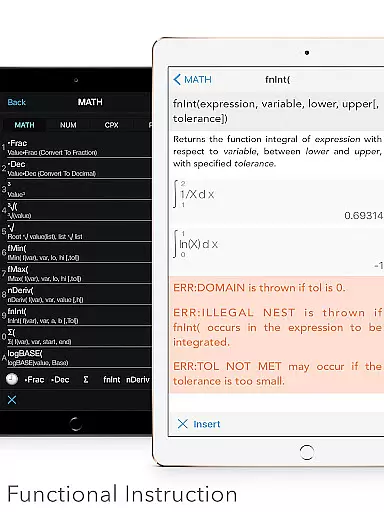
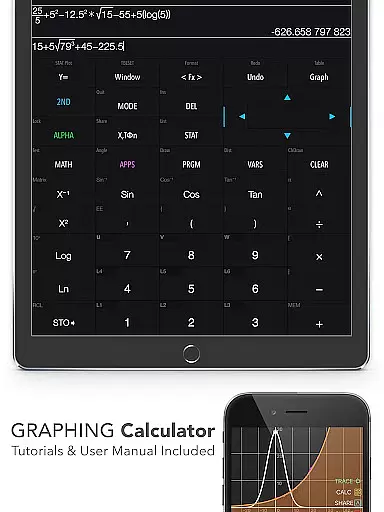
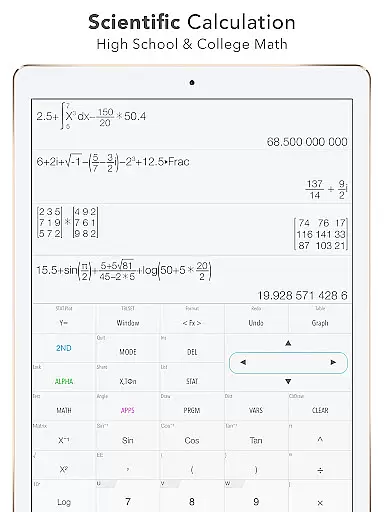
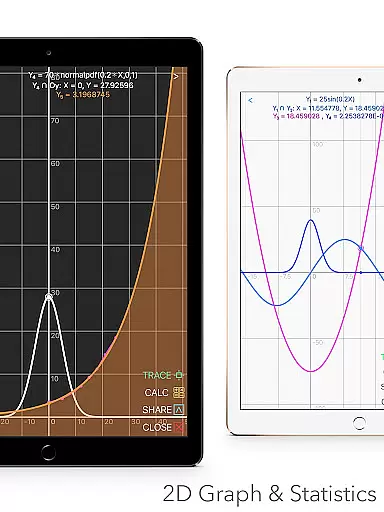
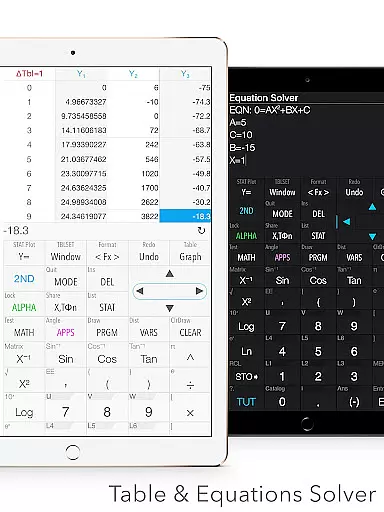
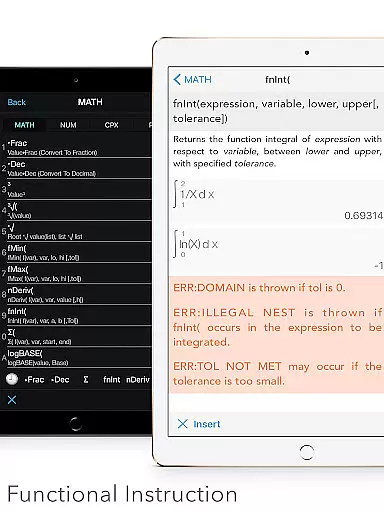
Graphing Calculator Plus stands as a versatile and powerful educational tool designed for students, educators, and professionals in the STEM fields. This app mirrors the functionality of traditional graphing calculators while leveraging the flexibility and power of mobile technology. With its advanced MATH CORE and intuitive interface, users can perform complex calculations, graph functions, and analyze data with ease.
The calculator supports a wide range of mathematical operations from basic arithmetic to advanced calculus. It includes specialized tools for statistics, matrix calculations, and even programming. The app's comprehensive feature set makes it suitable for various educational levels, from high school mathematics to university-level engineering courses.
One notable application is its use in exam preparation and classroom learning, where students can visualize mathematical concepts through interactive graphs and solve equations step-by-step. This enhances understanding and retention of complex topics, making Graphing Calculator Plus an invaluable resource for anyone involved in mathematics education.
Graphing Calculator Plus boasts an impressive array of features that cater to diverse mathematical needs. The app includes a robust scientific calculator capable of handling everything from simple calculations to complex equations involving trigonometric functions, logarithms, and exponents. Its graphing capabilities allow users to plot multiple functions simultaneously, with options for parametric, polar, and sequence graphing.
In addition to its core calculator functions, the app provides specialized modules for statistics and regression analysis, matrix operations, and number base conversions. Users can create and edit lists and matrices, perform statistical tests, and even write programs using control and I/O commands. The inclusion of financial calculation tools and geometry applications further extends its utility beyond traditional mathematics.
What sets Graphing Calculator Plus apart is its commitment to user experience. The interface is designed to mimic the familiar layout of physical calculators while offering the advantages of digital technology. Features like dual themes, history tape view, and customizable functions enhance usability, while built-in documents and tutorials ensure users can make the most of the app's capabilities.
When it comes to educational tools like Graphing Calculator Plus, content accuracy is paramount. This app ensures precise calculations across all its functions, from basic arithmetic to advanced calculus operations. The mathematical display support enhances the accuracy by providing clear, textbook-like expressions, which are crucial for students and engineers who require exactness in their work.
The app includes a comprehensive set of built-in documents and tutorials that cover a wide range of mathematical topics. These resources have been developed with attention to detail and verified by experts, ensuring that users learn and apply mathematical concepts correctly. Whether you're dealing with statistics, matrix operations, or programming commands, you can trust that the information provided is authoritative and reliable.
Graphing Calculator Plus also offers specialized calculation features such as solving equations, polynomial computations, and integral functions. Each of these is implemented with high precision, adhering to standards used in professional and academic environments. This dedication to accuracy means that users can depend on the app for both learning and executing complex mathematical tasks with confidence.
Graphing Calculator Plus supports personalized learning paths through its diverse functionalities tailored to individual needs. With over 40 common constants and more than 50 categories in the unit converter, learners can customize their experience based on specific subjects or projects they are working on. This flexibility allows students to focus on areas where they need the most practice or exploration.
The inclusion of various calculator modes, including Number Base-N and Financial Calculation, caters to different educational levels and disciplines. Students can choose the mode that best fits their current study requirements, whether it's understanding binary operations or mastering financial models. This adaptability makes the app suitable for a broad audience, from beginners to advanced users.
Moreover, the app provides powerful graphing capabilities that allow users to visualize mathematical relationships and patterns. By offering simultaneous graphs, parametric plots, and special points tracing, Graphing Calculator Plus enables learners to explore mathematical concepts interactively. This interactive approach not only enhances understanding but also encourages self-paced learning, making it an invaluable tool for anyone seeking to deepen their mathematical knowledge.
Powerful math engine
Comprehensive feature set
User-friendly interface
Interactive graphing tools
Extensive documentation
Premium price point
Occasional performance lag
Steep learning curve
Limited offline support
Ads in free version

Break Language Barriers with AI—Learn Language Anytime, Anywhere!
 4.00
4.00
Latest TLC Practice Questions! Multiple languages available!
4.50
Age-Related Child Developmental Milestones
4.80
Practice Casino Roulette Payouts for Table Game Dealers and Croupiers
4.40
Skelly is a fully poseable, anatomically correct reference skeleton for artists.
4.10
For medical training - Visualize complex vein maps and structures in real-time.
4.10
Astronomy Guide To Night Sky
4.30
Learn to pass DMV permit tests. Driver license practice test 2025.
4.60
Fun, personalized math learning games that adapt to your child’s needs.
4.40
Experience the sky, planet earth and the solar system like never before
4.90
Learning the ancient Viking language made simple
4.70
Engage in learning science and math with the award-winning PhET simulations!
4.70
Universe simulator: Find & explore planets system, outer space, astronomy events
4.60
A fast and fun way to learn guitar - works with any guitar.
4.60
An easy to use yet powerful and full-featured flashcard study app.
4.50
An interactive enhancement of the Sesame Street classic.
4.50
Deal Craps (Practice Craps Payouts)
3.80
Master the NRP with 700+ questions, rationales, and updated NREMT scenarios.
3.00
The official CCM Glossary app, including 700+ terms and definitions.
2.90


User Reviews