
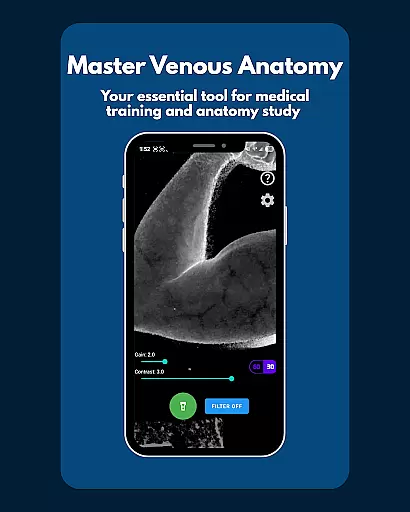
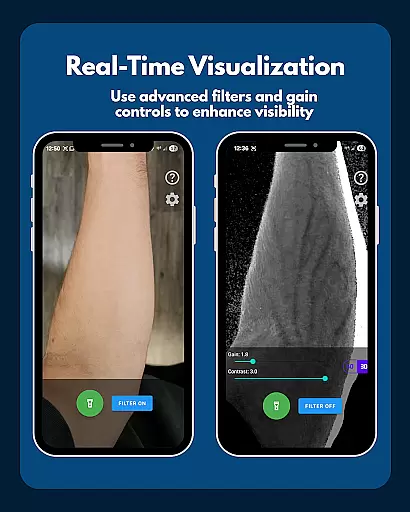
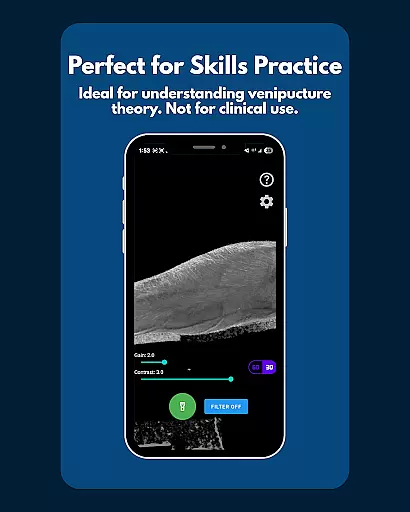
VeinFinder is an innovative educational tool designed to assist medical students and educators in mastering venous anatomy. This app utilizes advanced GPU-accelerated image processing to enhance vein visibility directly through your device's camera, eliminating the need for additional hardware. With its precise control over gain and contrast, VeinFinder ensures optimal visibility across various skin tones and lighting conditions, making it an invaluable resource for both study and teaching purposes.
The app is particularly beneficial for students preparing for anatomy exams and professionals looking to refine their understanding of venipuncture and IV access procedures. Its integrated flashlight feature guarantees usability in low-light environments, while the privacy-focused design ensures all processing occurs locally on the device. Whether used for academic advancement or instructional support, VeinFinder bridges the gap between theoretical knowledge and practical application.
VeinFinder stands out with its array of specialized features tailored for medical education. The app's instant comparison function allows users to toggle between enhanced and raw views, facilitating a deeper understanding of venous structures. Precision controls for gain and contrast enable customization to suit individual needs, ensuring clarity regardless of external conditions.
Another notable feature is the integrated flashlight control, which maintains visibility in diverse environments. The app is optimized for Samsung devices but remains compatible with most Android models. Continuous updates aim to enhance performance across all supported devices. Furthermore, VeinFinder prioritizes user privacy by conducting all image processing locally, reinforcing its commitment to security and confidentiality.
While primarily an educational tool, these features collectively contribute to a comprehensive learning experience, empowering users to visualize complex anatomical details with unprecedented ease and accuracy.
VeinFinder stands out in the realm of educational tools by providing highly accurate and authoritative content for students and educators focused on anatomy and physiology. The app employs advanced GPU-accelerated image processing to enhance vein visibility, ensuring that users receive a precise representation of venous structures.
This level of accuracy is crucial for those studying or teaching complex subjects like venipuncture and phlebotomy site mapping. VeinFinder's dedication to precision allows users to toggle the filter on and off, comparing the enhanced view with the raw camera feed instantly. This feature ensures that learners can trust the visual information they are receiving, bridging the gap between theoretical knowledge and practical application.
Moreover, the app offers fine-tuned control over gain and contrast settings, optimizing visibility across diverse skin tones and lighting conditions. Such attention to detail underscores VeinFinder's commitment to delivering authoritative content tailored to individual learning needs. By prioritizing accuracy and user control, VeinFinder empowers students and educators to achieve a deeper understanding of venous anatomy.
One of VeinFinder's key strengths lies in its ability to create personalized learning paths for users. Recognizing that each learner has unique needs, the app provides customizable features that adapt to various study styles and preferences. Whether you're a student preparing for exams or an educator seeking effective teaching aids, VeinFinder tailors its functionalities to suit your specific requirements.
The app's precision controls for gain and contrast allow users to adjust settings based on their particular focus areas, such as different skin tones or lighting environments. This flexibility ensures that every user can optimize their learning experience according to their personal circumstances and goals. Additionally, integrated flashlight control supports clear views in any setting, further enhancing personalized learning opportunities.
VeinFinder also emphasizes privacy and security, performing all image processing locally on the device. This approach not only protects user data but also reinforces the appu2019s role as a trustworthy educational companion. By combining customizable features with robust privacy measures, VeinFinder delivers a truly personalized and secure learning journey for anyone involved in medical education.
User-friendly interface
Advanced image processing
Customizable settings
Enhanced privacy protection
Compatibility with multiple devices
Limited to educational use
Performance varies by device
Dependent on lighting conditions
No clinical application
Potential learning curve

Childcare Management App: Daily sheets, sign in-out, billing and learning tools
 4.70
4.70
Astronomy app ? Discover the universe scope, explore solar system model in 3D.
4.20
One of the most engaging and innovative ABC apps on the market.
4.30
Nighty Night Circus - Bedtime story for kids
4.10
Age-Related Child Developmental Milestones
4.80
Deal Craps (Practice Craps Payouts)
3.80
The FE Clock is a way to track sun & moon around the circle of the earth.
4.30
An aviator’s preparation, study and test tool for FAA Knowledge Exams.
4.00
Make your own game and world. Draw and animate characters
3.70
The best way to study for your amateur radio license exam.
4.90
Engage in learning science and math with the award-winning PhET simulations!
4.70
Stack the States makes learning about the 50 states fun!
4.70
Turn scrolling hours into improving your knowledge, communication, intelligence
4.50
School Communication
4.30
FAR/AIM, FAR for Flight Crew and FAR for Aviation Maintenance Technicians
3.80
Master the NRP with 700+ questions, rationales, and updated NREMT scenarios.
3.00
Your best partner for learning Japanese words. Based on a best-selling textbook.
2.80
Grazing Risk Monitoring Service
4.5
A 2024 digital study guide for the Expert Infantryman and Expert Soldier's Badge
4.4


User Reviews