
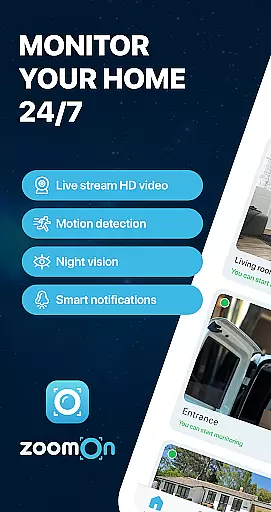
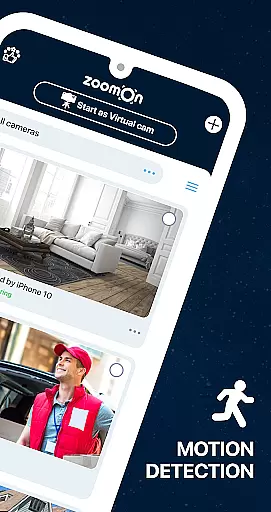
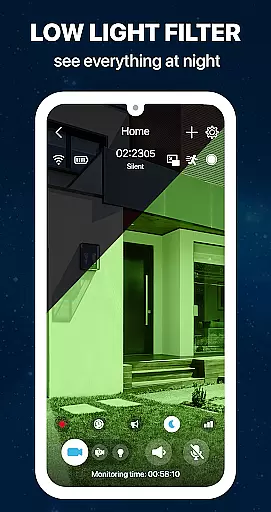
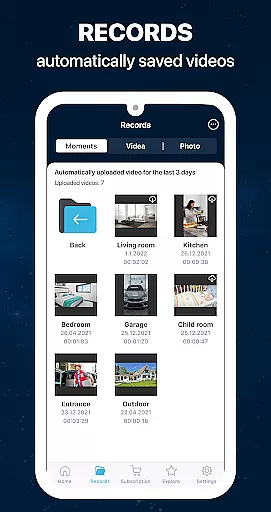
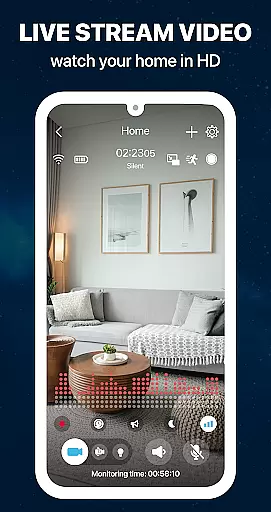
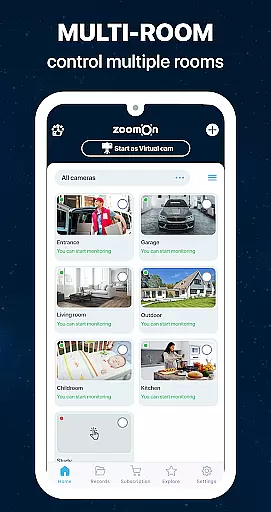
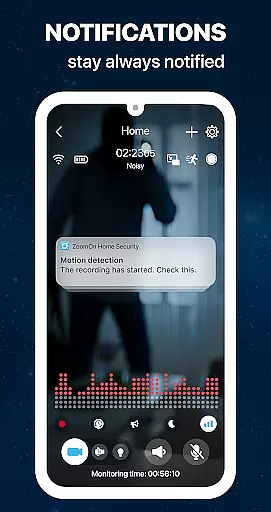
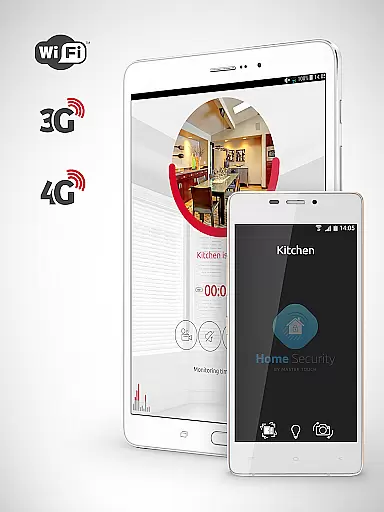
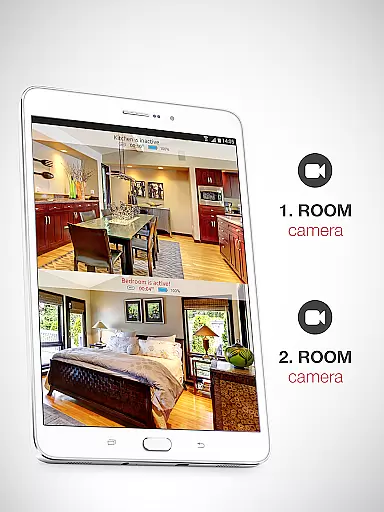
ZoomOn Home Security Camera is a smart home security solution that transforms any two smartphones into a comprehensive monitoring system. The app offers live HD video streaming, unlimited reach across various networks, and advanced features like night vision, motion detection, and two-way audio communication.
This innovative application allows users to repurpose old devices, providing an affordable alternative to traditional security systems. With support for multi-room monitoring, smart notifications, and secure encrypted connections, it delivers professional-grade security without the hefty price tag.
The app's versatility extends beyond home security, serving as a baby monitor or pet camera. Its compatibility with ONVIF-compliant cameras and flexible subscription model make it suitable for both personal and small business use, ensuring peace of mind while away from home.
ZoomOn distinguishes itself through its unique device-pairing system and extensive feature set. The app utilizes numeric/QR code pairing to connect devices, creating a secure private cloud connection that works across different platforms including Android and iOS.
Among its notable capabilities are continuous recording with playback functionality, smart motion and noise detection with customizable sensitivity, and time-based monitoring schedules. The app supports front and back cameras, includes a built-in flashlight for enhanced visibility, and provides detailed audio activity charts for monitored sessions.
Advanced features include multi-owner access permissions, low battery alerts, and compatibility with existing ONVIF-compliant security cameras on the same Wi-Fi network. Users can benefit from unlimited reach across WiFi, 3G, 4G, 5G, and LTE networks, ensuring constant connectivity regardless of location or network conditions.
In the context of home security, ensuring the authenticity and reliability of your monitoring system is crucial. ZoomOn Home Security Camera provides a dependable solution by transforming your existing smartphones into a robust home surveillance system. This eliminates the need to purchase new equipment, while still delivering professional-grade security features.
The application verifies the connection between devices through secure pairing methods like numeric or QR codes. This ensures that only authorized devices can access your video feed, maintaining the integrity of your home monitoring setup. The app also supports ONVIF-compliant security cameras, allowing you to integrate existing IP cameras into your system.
Users benefit from this reliable verification process as it creates a trustworthy network of monitoring devices. With features like motion detection, noise alerts, and smart notifications, you can be confident that the system will alert you to any suspicious activity in real-time.
This focus on authenticity extends to the app's encryption protocols. All communication between devices is secured through industry-standard encryption, ensuring that your video streams remain private and tamper-proof. This comprehensive approach to security gives homeowners peace of mind knowing their property is being monitored by a verified and protected system.
Effective home management requires tools that simplify security monitoring while providing comprehensive control over your system. ZoomOn Home Security Camera excels in this area by offering a complete suite of features designed to make home security management intuitive and efficient.
The application enables multi-room monitoring through strategic placement of multiple devices throughout your home. Each device can be independently controlled and accessed through a single interface, allowing you to manage different areas of your property with ease. Advanced features like time plans and continuous recording provide structured monitoring options tailored to your daily routine.
Practical management tools include battery status alerts, automatic timeline generation of monitoring sessions, and compatibility with various network types (WiFi, 3G, 4G, 5G, LTE). These features ensure uninterrupted service and easy review of historical data. The two-way audio functionality adds another layer of management capability, enabling direct communication through the monitoring devices.
What sets ZoomOn apart is its ability to repurpose old devices, effectively turning them into valuable home security assets. This sustainable approach to home management not only saves money but also creates a flexible, scalable security system that grows with your needs. The combination of these features makes managing your home security both convenient and comprehensive.
Cost-effective solution
Easy setup process
Cross-platform compatibility
Comprehensive free trial
Multi-device support
Requires two devices
Dependent on network quality
Limited physical controls
Premium subscription needed
Battery consumption concerns

PRO Version of GLB AR Viewer
 4.5
4.5
Calculate baluster spacing with ease and precision.
4.0
Wobble Fix Tool
4.40
Resident Center, powered by Buildium, is designed with simplicity in mind.
4.50
View houses and apartments for rent, updated daily.
4.80
Fire & Power Safety
4.50
The Merkury Smart app makes it easy to control your smart devices.
4.50
WiZ smart light system
4.40
3D House Design and AI Room Planner - from floor plans to full interior design.
4.40
Home Ideas | Renovation Advice | Local Pros. Go From Dream to Home with Houzz.
4.70
Download today to join the community to help bring lost pets home faster.
4.70
Parcel Pending Resident App
4.50
The only mappable smart lights for custom decoration.
4.50
Make Renting Easy
4.40
Samsung remote app helps control all Samsung Smartthings TVs. Fast and Stable!
4.10
USHUD.com helps you find the best homes for sale in your area
4.00
Book your local plumber 24/7, track your service order & get exclusive coupons
4.00
Design house plans in 2D & 3D, style furniture, and preview renovation layouts
3.70
Unlock AI-based barcode scanning and support the development of Grocy Android
4.2


User Reviews