

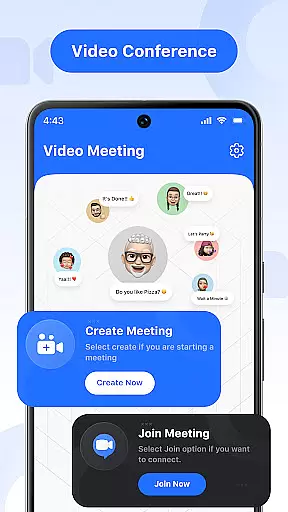
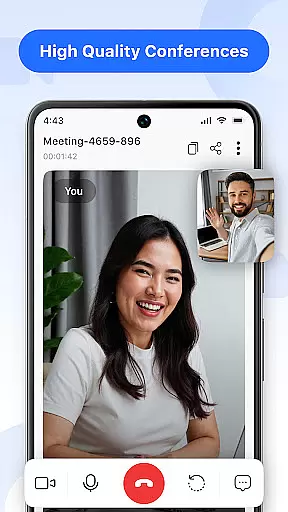
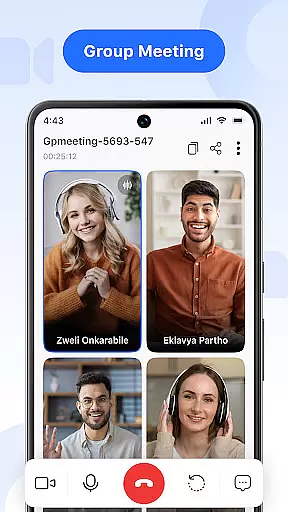
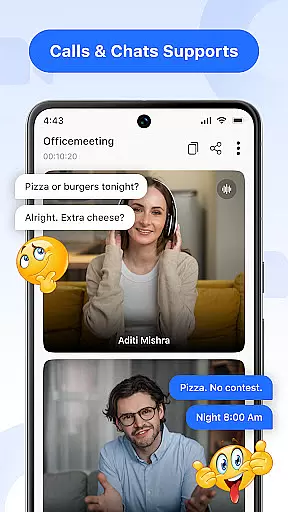

Video Meeting is a cutting-edge video conferencing app designed to enhance virtual communication and collaboration. It offers seamless HD video calls, real-time team interaction, and various productivity tools that cater to both professional and personal needs. The app supports multiple use cases including business meetings, one-on-one chats, group hangouts, and screen sharing for presentations.
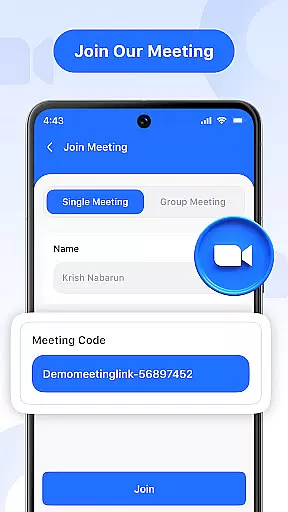
One of the standout features is its user-friendly interface that allows users to instantly host or join meetings using secure codes. With additional capabilities like real-time chat, audio controls, and multi-language support, Video Meeting ensures smooth, secure, and productive online connections. Whether you're working remotely, studying online, or catching up with friends, this app provides a reliable platform for all your communication needs.
Video Meeting boasts an array of advanced features tailored to improve virtual interactions. The app allows users to host meetings instantly and invite participants effortlessly through shared links or secure codes. Its real-time chat functionality enables seamless communication without interrupting the ongoing call, while audio controls let users mute or unmute their microphones as needed.
Another notable feature is the video toggle option, which gives users the flexibility to show or hide their camera feed based on comfort and privacy preferences. Screen sharing is also available, allowing users to present documents, slides, or applications live with just a single tap. Additionally, the app supports multi-language options, breaking down communication barriers and making it accessible to a global audience.
The app's design emphasizes security and ease of use, ensuring private, encrypted access via unique meeting codes. This makes it suitable for various scenarios such as hosting business calls, conducting virtual classrooms, or organizing webinars. Overall, Video Meeting delivers a robust set of tools that adapt to different user requirements, providing a flawless HD video and audio experience every time.
In today's fast-paced digital world, the speed and reliability of real-time messaging are crucial for effective communication. Video Meeting delivers an optimized messaging experience that ensures messages are delivered instantly, without delays or failures.
The app employs advanced synchronization technologies and robust server infrastructure to maintain high-speed data transmission. This means whether you're sending a quick text during a meeting or engaging in a lengthy chat session, your messages appear on the recipient's end without noticeable lag.
For users, this translates into seamless interaction where ideas and information flow as if everyone were in the same room. The confidence in knowing that your communications are received exactly when you send them allows for more dynamic and responsive conversations.
Moreover, the reliability factor ensures that even during peak usage times or under poor network conditions, the messaging system remains stable. Users can focus on their discussions without worrying about technical disruptions, making Video Meeting a dependable tool for both professional and personal use.
Sharing media effectively is a cornerstone of productive virtual meetings, allowing participants to visually convey concepts and data. Video Meeting excels in media sharing support, providing users with the capability to distribute various file types quickly and efficiently.
The app supports an extensive range of formats, from images and documents to videos and presentations. This versatility ensures that no matter what type of content you need to share, the app facilitates it effortlessly. High-resolution visuals retain their quality, while large files benefit from optimized compression techniques that reduce loading times without compromising integrity.
Users gain significant advantages through this feature, enhancing collaborative efforts. Whether presenting quarterly reports, instructional videos, or brainstorming mind maps, participants can follow along with clear, crisp content directly within the meeting interface.
Furthermore, Video Meetingu2019s intuitive design streamlines the sharing process. With just a few clicks, users can broadcast their screen or specific files, fostering an interactive environment that bridges distances and brings teams closer together, regardless of geographical locations.
User-friendly interface
HD video quality
Real-time chat
Screen sharing
Multi-language support
Limited free features
Occasional lags
No offline mode
Premium subscription
Device compatibility

Radio communication simulator for gaming communities
 4.3
4.3
SMS & MMS Messaging App to easily send messages or schedule SMS on Chat
4.10
Google's fast and secure browser
4.10
WazzapMigrator: transfer your WhatsApp history from iPhone to Android
4.00
Official NDI app: turn your phone into a professional live-streaming IP camera.
3.20
Send SMS and chat messages easily with a fast text messaging app for Android.
4.10
Smart and simple anti-wiring application - IMSI-catchers catcher
4.40
Enhance browsing with AI-powered features and Copilot.
4.70
Useful. Social. Expressive.
4.70
Save 10% automatically on your first international mobile top up.
4.60
Connect and browse the internet with a fast VPN proxy server and IP blocker.
4.50
Experience real private browsing without tracking, surveillance, or censorship.
4.50
The ultimate productivity solution for all your email communication needs.
4.40
SMS Messenger is a lightning-fast messaging app.
4.20
A softphone with crystal clear SIP Calling & Reliable VoIP dialer
4.00
SMS Messenger ensures that communication become effortless and accessible.
3.80
Pure modern IRC experience for Android
3.70
Auto Reply SMS, Text Messaging, Away SMS Response, Busy SMS messages, Block Text
3.10
Chat on the Jabber network (XMPP protocol); support for SMS and other gateways
2.10


User Reviews