
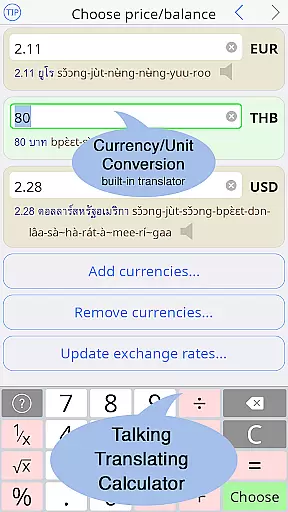
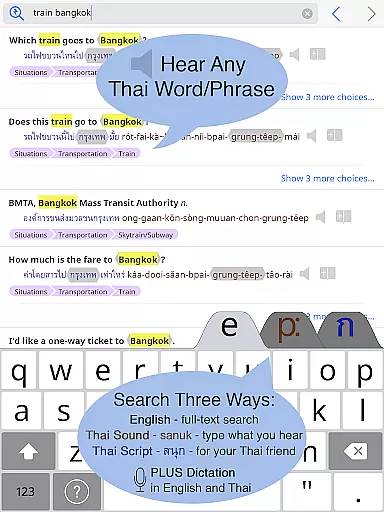
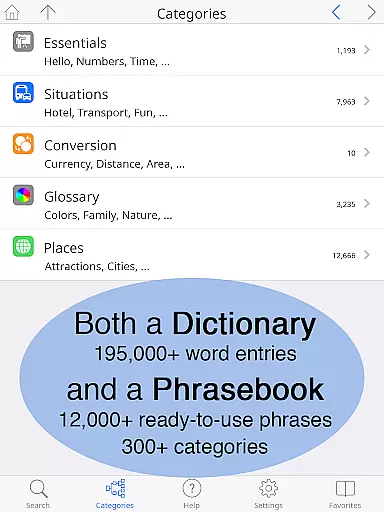
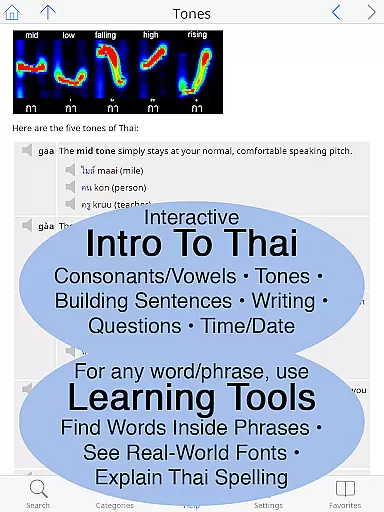
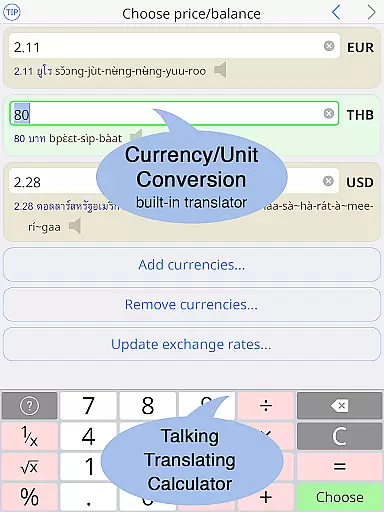
Thai <> English Dictionary is a comprehensive language tool designed for travelers, expats, and Thai language learners. With over 195,000 entries and 250,000 translations, it offers extensive coverage for both casual and in-depth language needs. The app works offline, storing all data on your device, making it perfect for use in areas with limited connectivity like taxis or street markets.
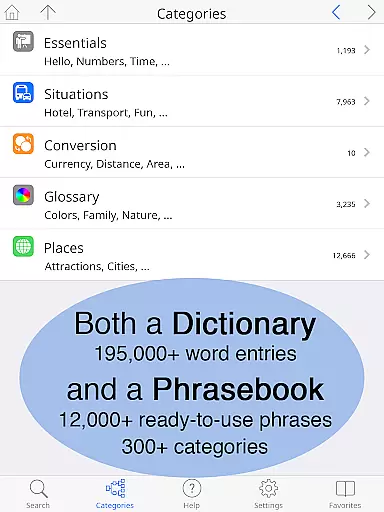
The dictionary stands out with its focus on usability and learning support. It features clear native speaker audio recordings for every Thai word, multiple pronunciation guide systems, and large adjustable text sizes. A built-in phrasebook with 300+ categories and 12,000+ words provides ready-to-use phrases for various situations. Unique learning tools help users understand word composition, pronunciation, and Thai script usage.
This app is particularly valuable for English speakers learning Thai, as it includes features like lookup by pronunciation, detailed word breakdowns, and an introduction to the Thai language. Whether you're handling daily conversations, studying the language, or dealing with specific scenarios like shopping or healthcare, this dictionary provides the necessary linguistic support to communicate effectively.
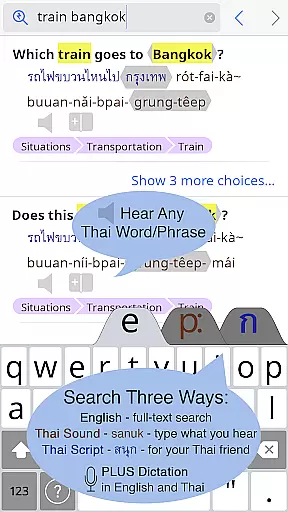
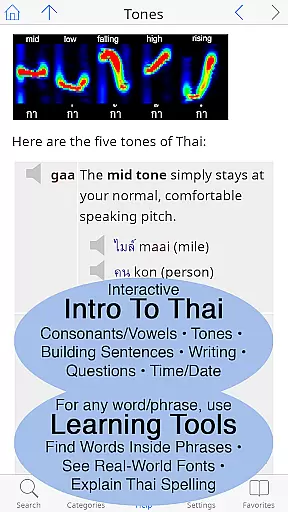
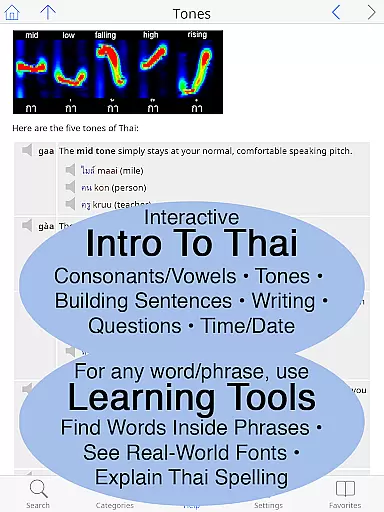
One of the standout features of this dictionary app is its industry-first Thai learning tools. Users can touch any word to discover its component parts, helping them learn new vocabulary quickly. The app also displays Thai words in multiple real-world fonts commonly seen on signs and menus, preparing users for actual encounters with the language. Detailed interactive breakdowns of pronunciation and visual explanations of Thai spelling further enhance the learning experience.
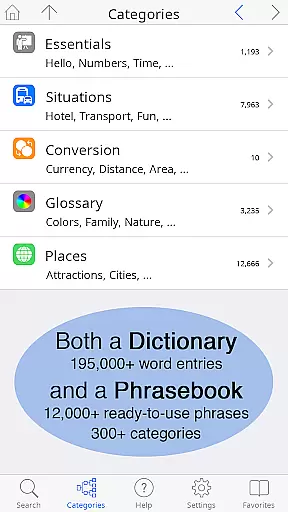
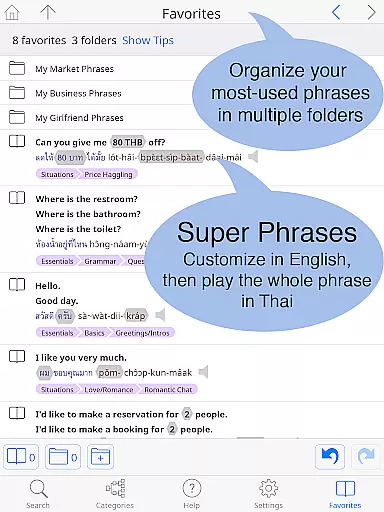
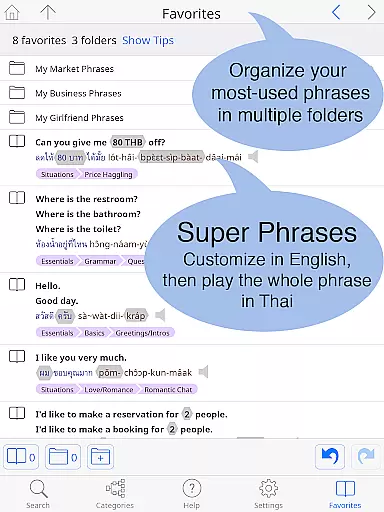
The built-in phrasebook is another key feature, offering 300+ categories covering essential topics such as transportation, health, shopping, and even romance. Each entry is presented in a two-way conversational format that facilitates communication between Thai and English speakers. The app's comprehensive introduction to Thai includes clickable sounds, detailed grammar coverage, and sections on reading and writing with multiple font examples.
Usability features make this app accessible to all types of learners. The interface allows users to adjust text size for comfortable reading without glasses. Both standard and big-key Thai keyboards are available, and layout customization options ensure optimal user experience. Offline functionality with no data charges makes it practical for use anywhere in Thailand.
When it comes to digital dictionaries, the size of the e-book library and the authenticity of its content are paramount. The Thai <> English Dictionary boasts an impressive collection of 195,000+ entries, with over 250,000 translations, ensuring that users have access to a vast repository of words and phrases. This extensive library covers a wide array of topics, making it suitable for travelers, professionals, and language learners alike.
The dictionary's credibility is further reinforced by Paiboon Publishing's meticulous hand-crafting of entries. Unlike other dictionaries that rely on low-quality internet data, this app provides high-quality, accurate translations and explanations tailored for English speakers learning Thai. With more than 60,000 noun entries including crucial Thai classifiers and notations for syllable stress, users can trust in the authenticity and depth of the content provided.
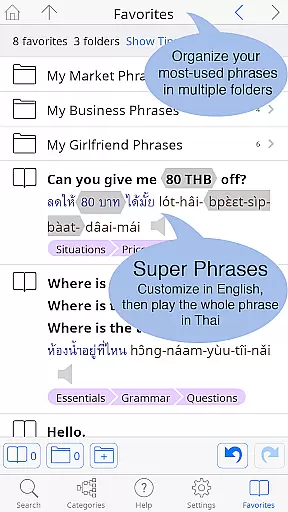
Moreover, the inclusion of a built-in phrasebook with 300+ categories and 12,000+ ready-to-use customizable phrases adds another layer of utility. These phrases cover everyday situations such as dining, shopping, and transportation, empowering users to communicate effectively in real-world scenarios. The combination of a large, reliable e-book library and practical phrasebook makes this app an indispensable tool for anyone engaging with the Thai language.
For a dictionary app, format compatibility plays a critical role in user experience. The Thai <> English Dictionary excels in this area by offering multiple ways to engage with its content. Users can choose from 12 different pronunciation guide systems, catering to various learning preferences and ensuring that everyone can find a system that suits them. Additionally, all Thai words are presented in both Thai script and the chosen pronunciation guide, providing flexibility and ease of use.
The app also features a customizable layout, allowing users to adjust text size and select between standard or big-key Thai keyboards. This adaptability ensures that individuals with different device sizes and visual needs can comfortably read and interact with the content. Whether you're using a small phone or a larger tablet, the ability to make the Thai and English text as large as needed enhances readability significantly.
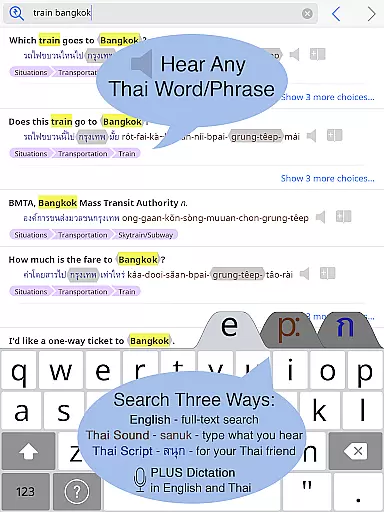
Furthermore, the Thai <> English Dictionary supports full-text search functionality across its entire database, including the phrasebook. This powerful feature enables users to quickly locate specific words or phrases without navigating through cumbersome menus. By prioritizing format compatibility and user customization, the app delivers a seamless and intuitive experience that adapts to each user's unique requirements.
Comprehensive Thai-English coverage
Offline functionality
Native speaker audio
Unique learning tools
Adjustable text size
Premium price point
Large app size
Complex interface
Limited visual design
No voice recognition

This is the pro version King James bible Offline that we have
 4.70
4.70
Knots 360 Pro ( 3D ) shows you animated 192 knots in 3D perspective
4.10
Universal Zoom, learn about sizes & distances of the universe and microcosmos
4.80
"Do you like green eggs and ham?"
4.70
Provides location information of vehicle Shift Interlock releases.
4.30
Daily Prayer, personalized Bible Study, AI-guided Insights, and Spiritual Growth
4.80
Unlock unlimited access to bestselling ebooks, novels, stories, and audiobooks
4.60
What’s that bird? Just answer 5 questions, snap a photo, or record its song!
4.90
Calculate, Knowledge, Homework
4.40
Daily rosary and gospel reflections for catholic
4.90
“I am the Lorax. I speak for the trees.”
4.80
A lightweight reader for comics and mangas files (.cbr, .cbz, .cbt, .pdf, ...)
4.80
Daily Devotional Widgets & Hourly Verses. Listen to Bible & Watch Holy Stories
4.70
F9 Cookbook Mobile App
4.60
Learn Electricians' Handbook PRO complete guide beginners to advance.
4.40
Daily Bible app: King James Version with verses and audio for studying&prayer
4.40
Unlock more features in Lithium and show your support. Expand for details.
4.00
Guide for dōTERRA® Products
3.60
Battle Royale Chapter 5 Season 2 HD Wallpapers Emotes Skins and BattlePass
3.00


User Reviews