
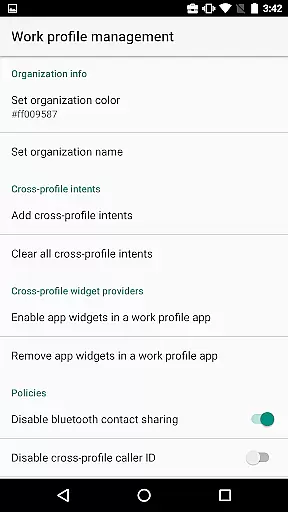
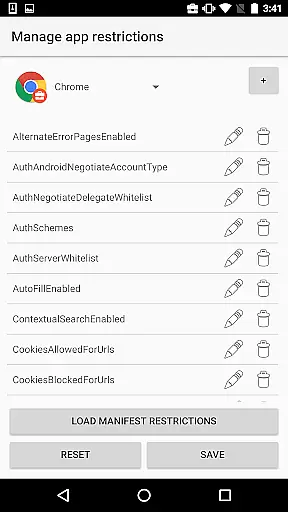
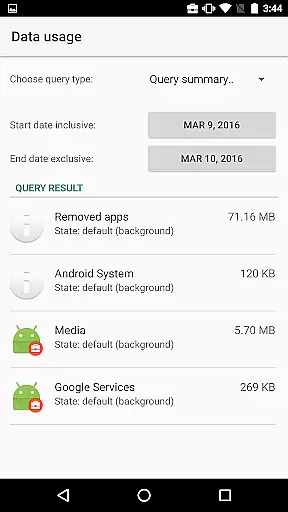
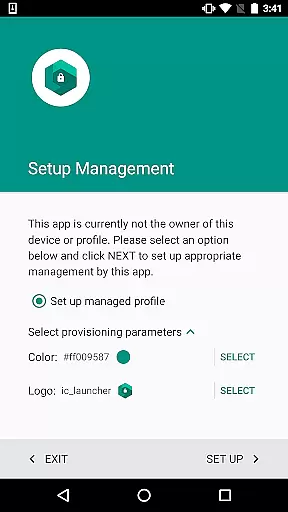
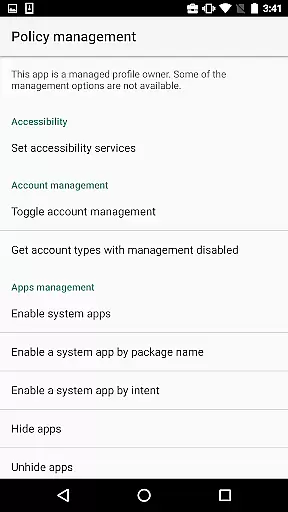
Test DPC is a specialized development tool designed exclusively for Android Enterprise management testing. This application serves as a sample device policy controller, enabling developers to simulate and test managed environments such as device owner mode or managed profiles.
The app provides comprehensive features for setting up work profiles, implementing application restrictions, and managing security policies. It's an essential tool for enterprise mobility management developers who need to ensure their applications function correctly within corporate environments.
While Test DPC should never be used with real data or in production environments, it offers invaluable insights into how applications behave under managed conditions. The availability of its source code makes it an excellent reference implementation for other device policy controllers.
Test DPC offers an extensive set of development-focused features that cater specifically to Android Enterprise requirements. The application allows developers to experiment with various management scenarios through its robust implementation of Android's management APIs.
Key capabilities include the ability to create and manage work profiles, configure application-level restrictions, and implement security policies. Developers can explore different management configurations and test how their applications respond to various policy settings.
One of the most valuable aspects of Test DPC is its open-source nature. With the complete source code available on GitHub, developers can study the implementation details and use it as a reference for building their own device policy controllers or enterprise management solutions.
Functionality completeness refers to the extent to which an application provides features that cover all intended use cases. For Test DPC, this means offering developers a comprehensive set of tools to simulate various managed contexts within Android Enterprise environments.
The app allows users to configure device policies, set up work profiles, and manage security policies. These features provide extensive coverage for testing how applications behave under different enterprise conditions. This ensures that developers can thoroughly evaluate their apps' performance in both personal and work environments.
Test DPC's functionality includes enabling or disabling specific app components, setting application restrictions, and controlling security policies. Such capabilities allow developers to test a wide range of scenarios, ensuring their apps are ready for deployment in real-world enterprise settings.
By providing these complete functionalities, Test DPC serves as an essential tool for developers looking to ensure their applications meet enterprise requirements. The ability to simulate different management contexts helps improve app reliability and compatibility across various deployment scenarios.
Usability focuses on how easily developers can interact with Test DPC to achieve their testing goals. Operational smoothness ensures that the application runs without interruptions or errors during critical testing processes.
The interface of Test DPC is designed to be intuitive, allowing developers to quickly set up and manage different enterprise features. Clear navigation paths and straightforward controls make it easy to apply complex configurations without requiring extensive training.
Operational smoothness is maintained through careful implementation of background processes that handle policy enforcement and profile management. This minimizes disruptions during testing sessions, ensuring consistent behavior when evaluating app performance.
Additionally, the availability of source code enables developers to understand the inner workings of the application. This transparency contributes to better troubleshooting and customization options, ultimately enhancing both usability and operational reliability.
Comprehensive management features
Open-source implementation
Official Google sample
Active maintenance
Excellent documentation
Not for production use
Complex for beginners
Limited UI components
No direct support
Development only

Game Booster GFX for smoother gaming experience. Enjoy 120 FPS and 4x Game Space
 4.20
4.20
Read Holy Quran Feel Like Real Quran & Listen Al Quran Mp3 Audio Online Offline.
4.70
Enjoy Minecraft Mod Scary Neighbor Granny for Minecraft PE.
4.30
Sad ringtones full of feeling, sad music ringtones
3.90
Enjoy hours of entertainment with our Roblox mobile games app
4.4
Connect and Find your smart tag via our app.our app is compatible with smarttag.
3.30
Explore The Holy Quran Majeed for Muslim. Listen to MP3 Quran & Al Quran Kareem.
4.80
DamonSx2 is the open Source LGPL Emulator
3.20
Expo is a free & open source platform to build apps using JavaScript and React.
4.70
SmartCast mirrors Android phone to TV screen With Cast Screen, Chromecast.
4.80
Demo for Key Attestation feature of the Android system.
4.80
Block and secure the microphone and protect from secret listening and recording.
4.50
Al QURAN-القرأن الكريم app to read Quran offline just like an actual Quran book
4.30
You can remote control and play much easier.
4.10
A Pydroid Quick Install repository provider.
4.00
With Endoscope Camera Connector you can connect your phone with endoscope cam
3.70
Connect and find your Smart Tag 2 devices through our app.
3.60
Record with Double Camera Video Recording using Dual Camera Front and Back Video
3.00
If you are looking for melon playground mod that fun you deffinitely try our app
2.70


User Reviews