
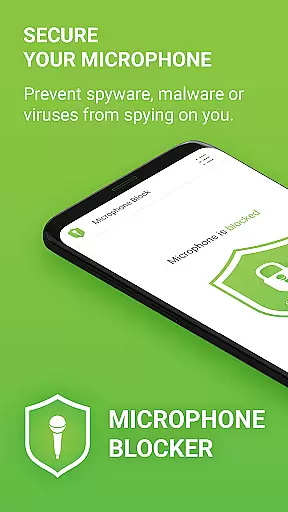

Microphone Blocker is a privacy-focused application designed to secure and block access to your device's microphone, ensuring that no apps can secretly record or listen to you. The app operates without requiring root access, while still allowing normal phone call functionality. With over 6,000 five-star ratings, it has proven its reliability among users concerned about digital eavesdropping.
The app provides an easy-to-use interface with one-click functionality to disable microphone access, protecting against spyware, malware, and other malicious software threats. It also includes advanced features such as automatic blocking schedules, a microphone detector, and a guard feature that monitors which apps have permission to access the microphone. These tools collectively ensure comprehensive protection of your privacy.
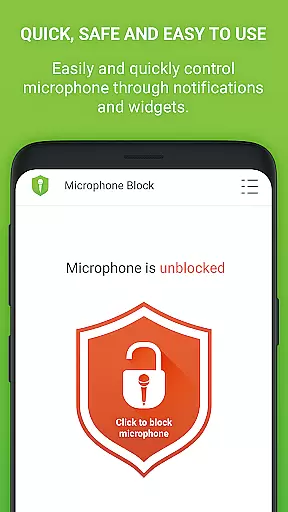
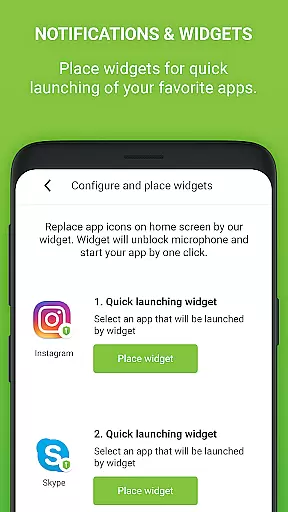
Whether you're looking to prevent unwanted surveillance or simply want peace of mind regarding your personal conversations, Microphone Blocker offers a robust solution. Its intuitive design, coupled with dark mode and customizable icon sets, makes it accessible for all types of users. Additionally, the app supports widgets and notifications for quick access to essential functions, making it both practical and user-friendly.
Microphone Blocker stands out due to its rich set of features tailored to enhance user privacy. One of the key functionalities is the ability to block, disable, and remove microphone access with just a single click. This ensures that spyware, malware, and viruses cannot secretly record or listen to your activities, providing a strong layer of security.
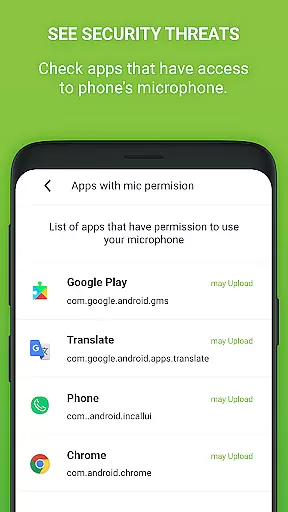
Beyond basic blocking, the app allows users to monitor which applications have access to their microphone, empowering them to make informed decisions about their privacy. It also blocks all types of recording apps, including call recorders, audio recorders, and voice recorders. Users can set automatic blocking times, ensuring continuous protection even when they're not actively managing the app.
Additional features include a built-in microphone detector and guard, which monitor apps accessing the microphone and notify users of any new permissions granted. The app also offers a simple tutorial on Android permissions, guiding users through steps to increase their protection level. With options like dark mode, several icon sets, home screen widgets, and notifications, Microphone Blocker combines functionality with user convenience, making it a top choice for privacy-conscious individuals.
Microphone Blocker offers a comprehensive suite of features designed to secure and protect your device's microphone access. The app allows users to block, disable, and remove access to the microphone with a single click, ensuring privacy from being recorded or eavesdropped upon through their phone.
The functionality extends to monitoring apps that have access to your microphone, providing transparency and control over which applications can listen in. With options to set automatic blocking times and a microphone detector and guard feature, the app ensures continuous protection. These capabilities collectively contribute to a robust solution for safeguarding user privacy against spyware, malware, and unauthorized surveillance apps.
By offering these extensive features, Microphone Blocker stands out as a complete tool for users who prioritize their privacy and seek an all-encompassing solution to manage microphone permissions effectively.
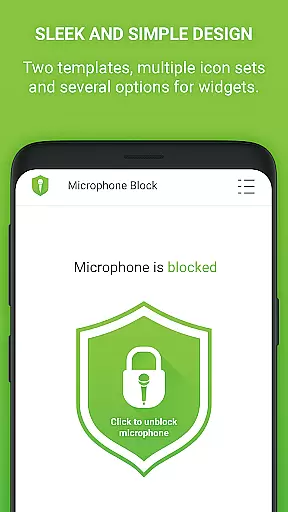
Usability is at the core of Microphone Blocker's design, featuring a simple and clear interface that includes dark mode and several icon sets for personalized use. The app provides a one-click solution to block access to the microphone, making it accessible even to non-tech-savvy users while maintaining effectiveness for advanced needs.
Operational smoothness is evident in its ability to prevent spyware, malware, and viruses from secretly listening and recording without interrupting phone calls. It also includes a home screen widget and notifications for quick access to blocking functions, enhancing user convenience.
This strategic focus on usability ensures that users can easily navigate the app, maintain their privacy with minimal effort, and enjoy uninterrupted service. The straightforward tutorial further simplifies understanding Android permissions, empowering users to increase their protection level efficiently.
Easy-to-use interface
Effective against spyware
No root required
Automatic blocking
Comprehensive monitoring
Limited free version
Requires manual checks
Premium version costly
Occasional false alarms
Not compatible with all devices

If you are looking for melon playground mod that fun you deffinitely try our app
 2.70
2.70
Demo for Key Attestation feature of the Android system.
4.80
use your smartphone as Remote control drones .
4.20
charging your phone by other phone easly
4.00
Looking to connect your phone to your car screen? Mirror Link is the solution.
3.20
Al QURAN-القرأن الكريم app to read Quran offline just like an actual Quran book
4.30
Manage apps & elevate your gaming experience with Game Launcher: Gaming Hub app.
4.30
Mobile Connect To TV - HDMI USB & WiFi Screen Mirroring
3.70
Endoscope camera an app to connect with endoscope cam or any device
3.30
TV USB connector app provides you a seamless cast option from your phone to tv.
4.70
An essential GFX utility developed for specific FPS mobile games
4.50
Game booster GFX may reduce interruptions and improve gaming experience.
4.50
Ps2 plugins for 64 bit artitechture
3.70
Mobs maker Minecraft help MCPE creators make their own mob by using Blockbench
3.50
Experience virtual reality on your smartphone with Cardboard.
3.50
Now Available on Android ™
3.40
Identify securely online
3.10
A great tool help you to format Micro SD memory Card
3.10
Turn your phone into a wireless Xbox controller – play, stream & control anytime
4.4


User Reviews