
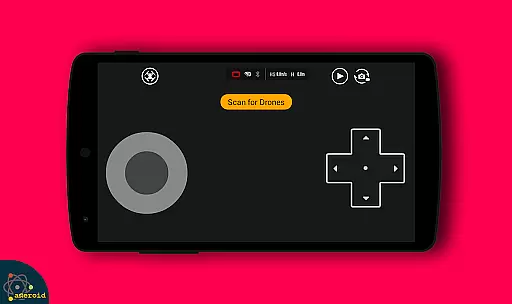
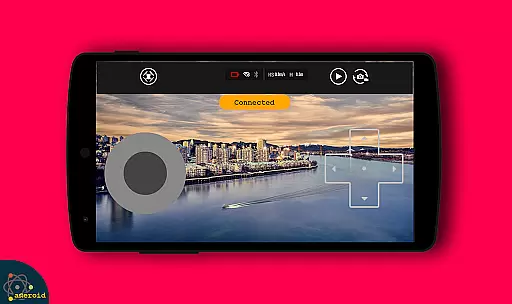
Drone Remote Control is an innovative application that transforms your Android smartphone into a powerful remote control for drones. Designed for drone enthusiasts, this app allows users to easily configure and operate various drone models with the same functionality as traditional RC controllers.
The app supports key drone operations including flight planning, automated takeoff and landing, live FPV streaming, and camera controls. Its intuitive interface makes it simple to capture images, record videos, and maintain uninterrupted flights for mapping large areas. Drone Remote Control is compatible with latest drone models, offering advanced features like single-tap control resumption and precise FPS capture.
Whether you're a hobbyist or professional drone operator, this application provides a complete solution for managing your drone operations directly from your smartphone. The ability to control multiple drones and fool your friends' drone systems adds an element of fun while maintaining professional-grade functionality.
Drone Remote Control stands out with its comprehensive feature set designed for both casual and professional drone pilots. The application's most notable capability is its universal compatibility - it can replace physical drone remotes and work with most modern drone models.
Advanced operational features include automated flight functions such as scheduled takeoffs, programmed flight paths, and automatic image capturing. The live First Person View (FPV) streaming enables real-time monitoring of drone footage. Users can instantly disable auto-flight modes and regain manual control with a single tap, ensuring maximum safety and flexibility during operations.
Additional features include integrated camera controls for capturing photos and recording videos, WiFi camera device connectivity, and support for extended mapping missions. The app's ability to maintain continuous flights without interruptions makes it particularly valuable for professional mapping and surveying projects.
Functionality completeness in a drone remote control app is crucial for ensuring that users can fully operate their drones without limitations. Drone Remote Control offers an extensive range of features, including the ability to create flight plans on any device, automate takeoff and landing, and live stream First Person View (FPV).
The application's compatibility with the latest drones ensures that users have access to cutting-edge functionalities such as disabling auto-flight and resuming manual control with a single tap. This comprehensive feature set allows for uninterrupted flights, which is essential when mapping large areas or capturing continuous footage.
With Drone Remote Control, users also gain the ability to manage their drone's camera settings, capture images, record videos, and even control the drone itself. These capabilities ensure that the app covers all necessary aspects of drone operation, providing a complete and satisfying user experience.
Usability and operational smoothness are key factors in determining how effectively a drone pilot can interact with their drone through an app interface. Drone Remote Control excels in this area by offering a simple and easy configuration process, mimicking the intuitive controls found in traditional RC Drones.
The app's design focuses on user-centric operations, allowing pilots to seamlessly transition from physical controllers to their smartphone screens. By doing so, it reduces the learning curve typically associated with adopting new technology in drone piloting.
Moreover, Drone Remote Control provides a fluid operational experience by enabling precise commands for flying and camera handling, thus enhancing the overall control precision. This results in a smoother piloting experience that lets users focus on enjoying their flights rather than struggling with complex controls.
User-friendly interface
Wide drone compatibility
Advanced FPV capabilities
Automated flight functions
Free to use
Not compatible with older hardware
Limited physical controls
Requires stable connection
May drain phone battery
Learning curve for beginners

If you are looking for melon playground mod that fun you deffinitely try our app
 2.70
2.70
Connect and find your Smarttag devices through our app.
4.00
Block, disable and secure phone camera from secretly taking photos by spyware.
4.50
Connect and Find your smart tag via our app.our app is compatible with smarttag.
3.30
Explore The Holy Quran Majeed for Muslim. Listen to MP3 Quran & Al Quran Kareem.
4.80
Turn your phone into a wireless Xbox controller – play, stream & control anytime
4.0
An impressive collection of tools, characters, weapons, skins and more!
4.30
Now Available on Android ™
3.40
Expo is a free & open source platform to build apps using JavaScript and React.
4.70
Demo for Key Attestation feature of the Android system.
4.80
The Free Catholic Latin American Bible in complete Spanish
4.60
Tune your game graphics with our GFX optimizer for optimal gaming experience
4.50
Test DPC is a sample device policy controller for use with Android Enterprise.
4.20
Demo version of the mcpro24fps manual video camera. Try and buy a full version!
4.00
Simulator of real black light
3.50
Experience virtual reality on your smartphone with Cardboard.
3.50
Collection of Maps and Mods for Dmod
3.30
Looking to connect your phone to your car screen? Mirror Link is the solution.
3.20
Read Quran pak offline & listen online mp3 Quran in Al Quran Majeed app
4.0


User Reviews