
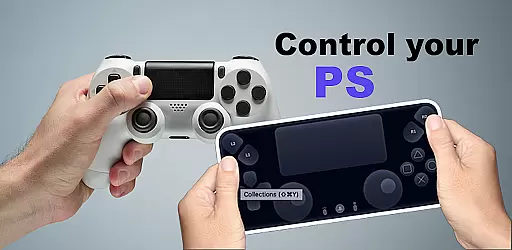
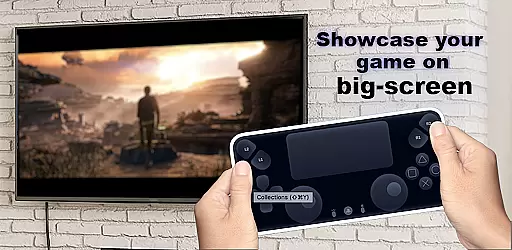
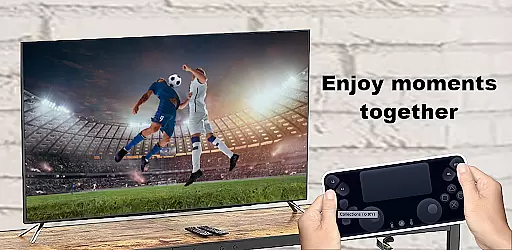
Ps Controller for PS4 PS5 is a powerful tool that allows gamers to remotely control their PlayStation consoles from a separate location using a mobile device. This app transforms your smartphone into a virtual Dualshock controller, enabling you to play multiplayer games without needing an additional physical controller. It also supports streaming with low latency, making it ideal for users who want to enjoy console-quality gaming on the go.
The app's standout feature is its ability to turn your mobile device into a second screen for PS gaming. By utilizing the on-screen controller, users can seamlessly interact with their PlayStation 4 or 5. Additionally, Ps Controller supports third-party controllers, expanding its compatibility across various devices. Whether you're looking to save on additional hardware costs or simply prefer the convenience of mobile gaming controls, this app delivers both functionality and flexibility.
One of the core strengths of Ps Controller for PS4 PS5 is its versatility in supporting multiple control options. The app allows users to connect via virtual Dualshock controllers, third-party controllers, and even physical gamepads. This ensures that no matter what type of device you're using, you'll have a smooth and responsive experience while playing your favorite games. Furthermore, the app provides high-quality streaming directly from your PlayStation to your mobile device, ensuring minimal lag during gameplay sessions.
Another notable feature is the app’s ability to function as a second screen for extended gaming functionality. With support for both PlayStation 4 and 5, users can access advanced settings and features right from their smartphones. However, it's important to note that network conditions may affect performance when using mobile data. Despite this limitation, Ps Controller remains one of the most comprehensive remote play solutions available today, offering gamers unparalleled freedom and accessibility.
Functionality completeness is a critical aspect of any application, ensuring that all promised features are fully operational and accessible. The Ps Controller for PS4 PS5 excels in this area by offering users the ability to transform their mobile devices into virtual Dualshock controllers. This includes support for both PlayStation 4 and PlayStation 5 consoles, providing a seamless experience across Sony's gaming ecosystem.
The app covers essential functionalities such as streaming gameplay with low latency, which is crucial for maintaining an immersive gaming experience. Additionally, it supports third-party controllers, expanding its compatibility to a wide range of Android devices. This broad coverage ensures that users can enjoy their gaming sessions without being constrained by hardware limitations.
By integrating features like second-screen capabilities, Ps Controller enhances gameplay interaction. Gamers can use their mobile devices not just as controllers but as supplementary screens, enriching the overall gaming experience. This level of functionality completeness empowers users to engage with their PlayStation consoles in versatile ways.
Usability and operational smoothness refer to how intuitively and efficiently users can interact with an application. The Ps Controller for PS4 PS5 demonstrates strong usability by allowing gamers to easily connect their smartphones to their PlayStation consoles. With clear instructions and straightforward setup processes, even those new to remote play technologies can quickly get started.
Operational smoothness is evident in the app's ability to deliver low-latency streaming directly to mobile devices. This ensures that gameplay remains responsive and enjoyable, mimicking the experience of using a physical controller. Furthermore, the on-screen controller layout is designed for ease of use, minimizing the learning curve associated with adapting to a new control scheme.
Despite potential network-related challenges, Ps Controller maintains operational reliability. While mobile data usage may incur additional charges and connectivity could vary based on network conditions, the app provides guidance on optimizing these factors. Overall, the focus on usability and smooth operation significantly enhances user satisfaction and engagement with the app.
User-friendly interface
Low-latency streaming
Wide controller compatibility
Multiplayer support
Second-screen functionality
Dependent on network quality
Mobile data charges may apply
Limited offline capabilities
Occasional connection issues
Requires stable internet

SmartCast mirrors Android phone to TV screen With Cast Screen, Chromecast.
 4.80
4.80
The Free Catholic Latin American Bible in complete Spanish
4.60
Android secret code for smart phone, mobile codes, with secret codes app
4.20
Collection of Maps and Mods for Dmod
3.30
Zlink Carplay Android a mirror link app with a Carplay interface style
4.5
Explore The Holy Quran Majeed for Muslim. Listen to MP3 Quran & Al Quran Kareem.
4.80
Simulator of real black light
3.50
Mirror phone to TV effortlessly! Stream, share & connect with Airplay ease.
3.60
Unlock the hidden menus of your phone with our mobile secret codes app.
4.20
MirrorLink for connecting your Android phone to your car’s infotainment screen.
4.50
Enjoy Minecraft Mod Scary Neighbor Granny for Minecraft PE.
4.30
View your cameras anywhere and anytime
4.20
Do you want to drive easy ? do you wanna full mirror link Mobile with your car
4.10
Connect and find your Smarttag devices through our app.
4.00
Mobile Connect To TV - HDMI USB & WiFi Screen Mirroring
3.70
Experience virtual reality on your smartphone with Cardboard.
3.50
Connect and Find your smart tag via our app.our app is compatible with smarttag.
3.30
Identify securely online
3.10
Mirror Link Car Display to share your screen with car dashboard wirelessly
4.3


User Reviews